11/09/2023
Furuno USA, Inc.
4
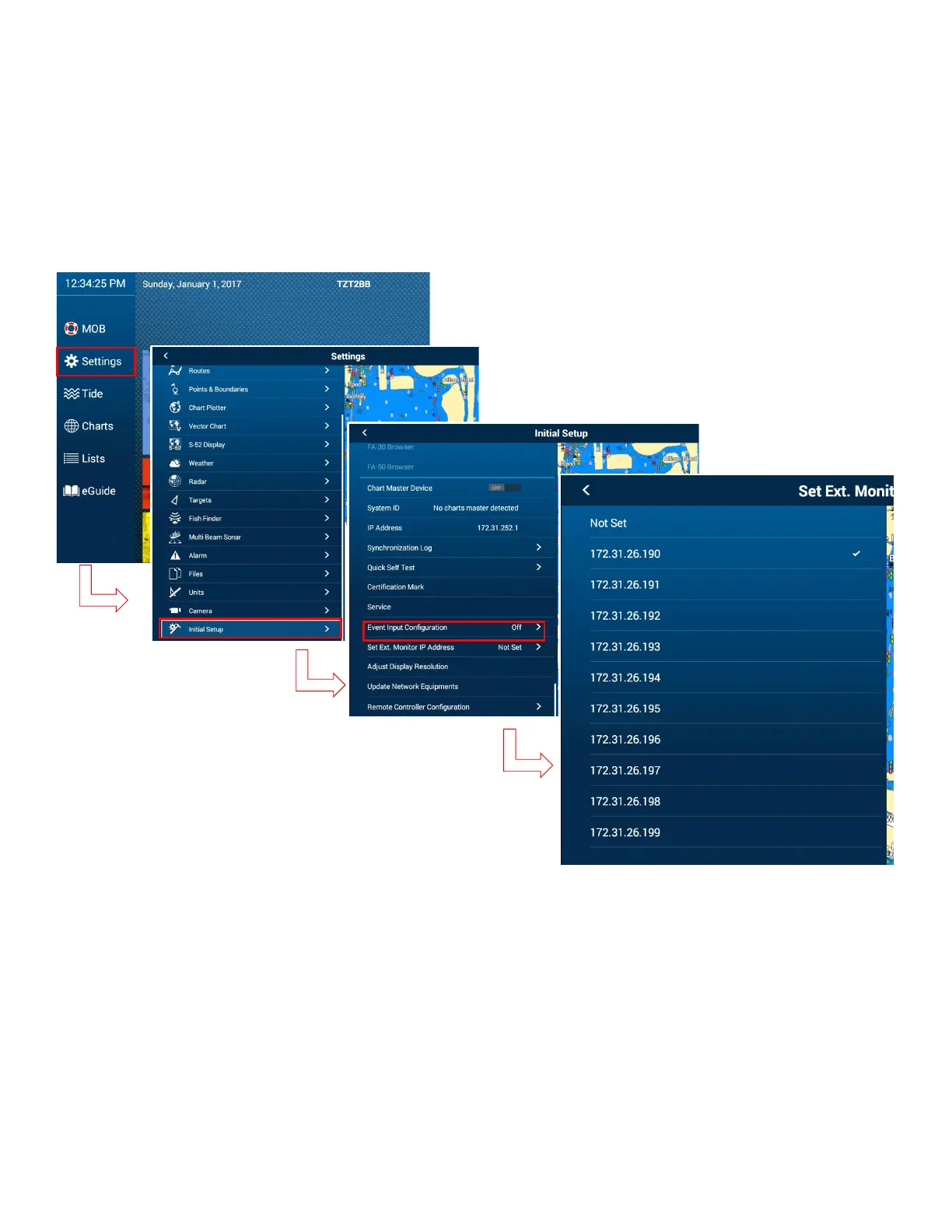
1.3.2. Select proper IP address of “Set External Monitor IP Address” on TZT2BB.
1) Open “Set Ext. Monitor IP address” found under Initial Setup
2) Select the proper IP address on TZT2BB to match the one that was assigned to the
monitor.
3) Repeat the same process at additional monitors, as needed.
4) Brilliance Control will then be available. The brilliance can be adjusted by tapping the
power key or dragging the brilliance bar icon in the quick access menu.















 To Next Page