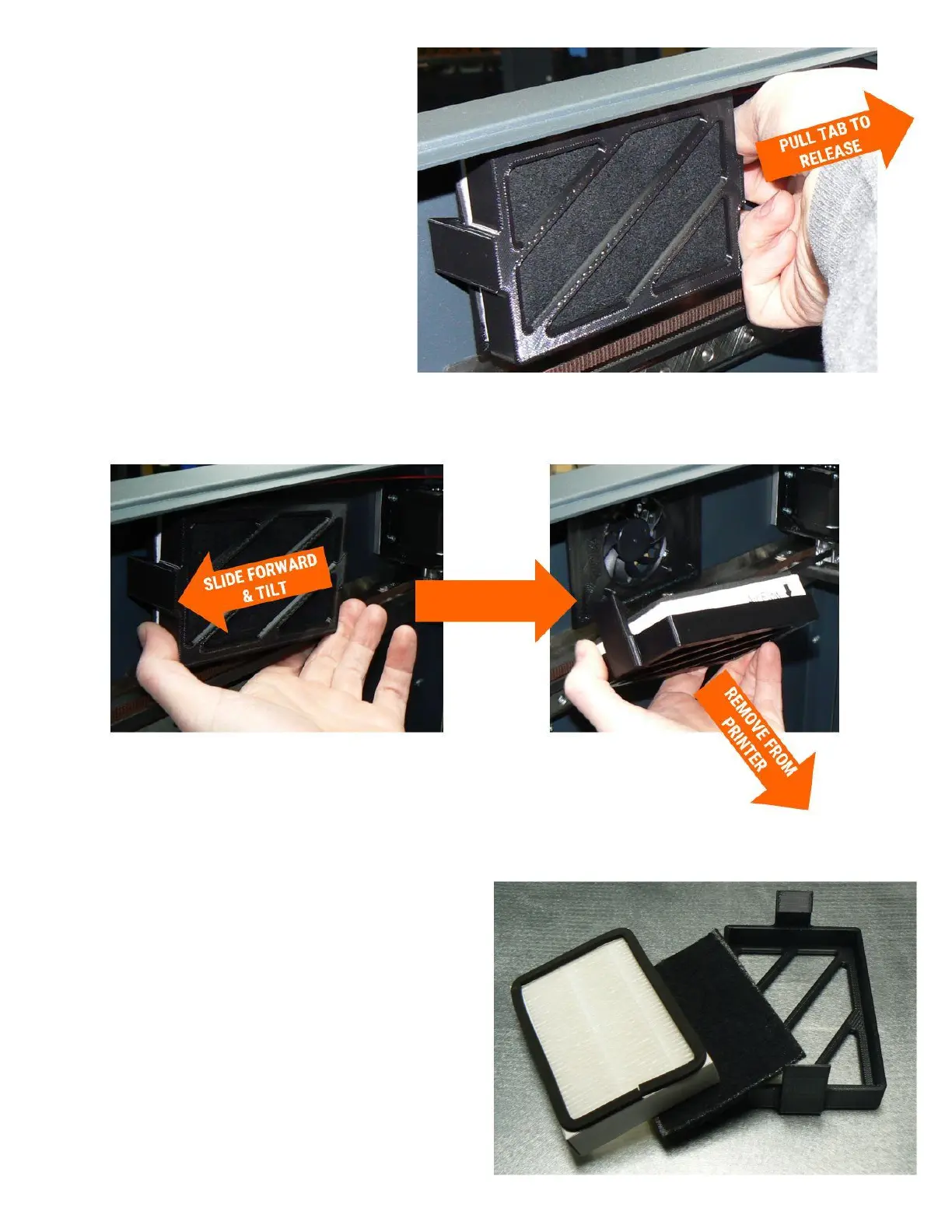
3. Using your fingers, pry up the front or
back release tab on the filter carrier.
4. Slightly shift the carrier forward or backwards to disengage the other latch. Remove the assembly
from the printer.
5. Remove the spent HEPA and carbon filter elements from the carrier and discard them.
6. Install the new HEPA and carbon elements.



 To Next Page