9
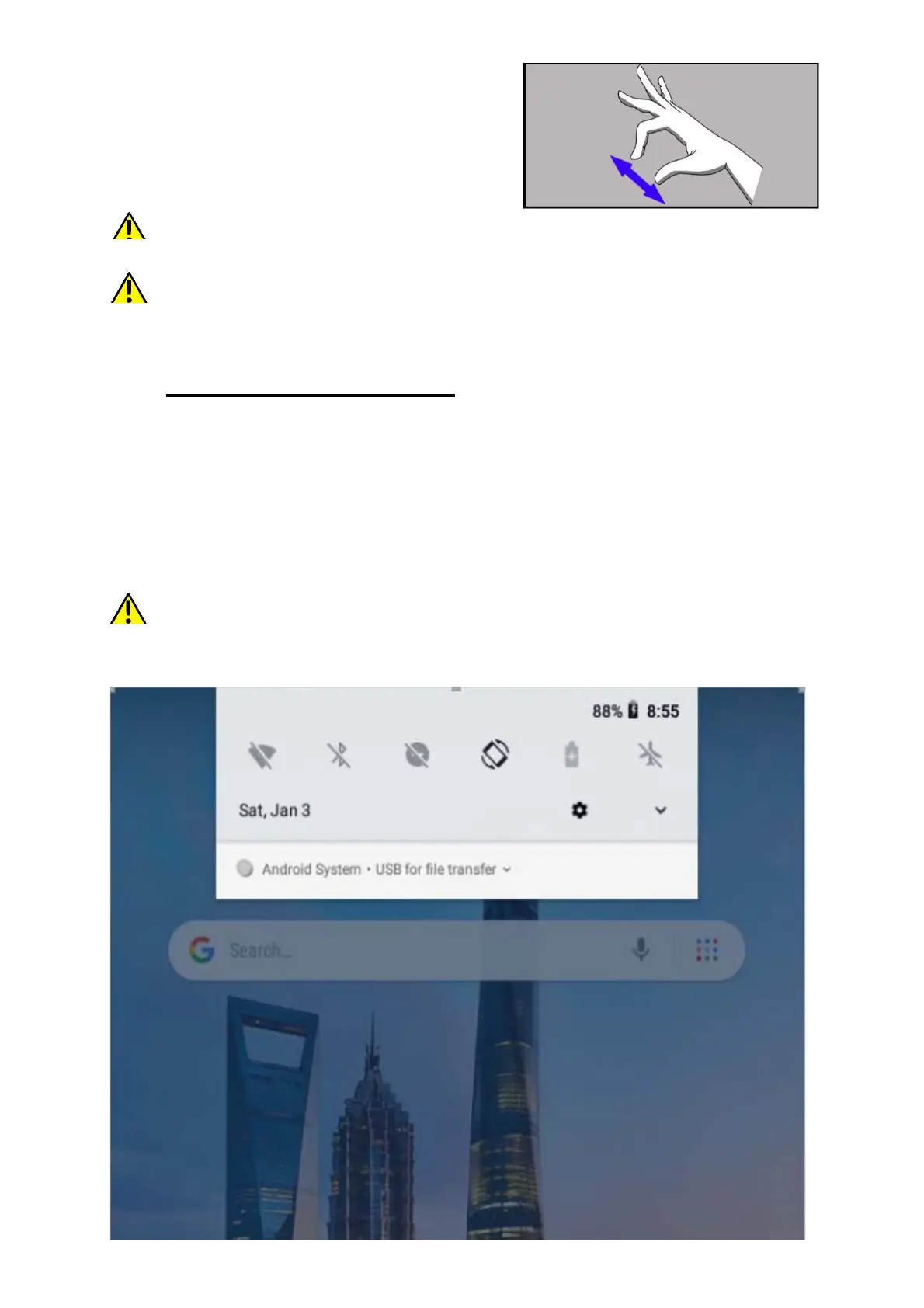
9.5 Slide in and out
Touch the screen with two fingers and
slide them together or apart to zoom in
or out a photo or a map.
The touch screen will be turned off after some time of inactivity. To
turn off the screen press the blockade button.
In most tablets, you can set how long your device waits before turning off the
screen. Most often it suffices to select from the app list: [Settings] > [Display]
> [Sleep].
10. Computer connection
To connect to PC computer with Microsoft Windows XP/Vista/7/8/10 using
USB you should plug the included USB cable to a multifunctional USB
socket in the device. Plug the other end of the cable into the socket in your
computer. When the device is plugged in, a screen will appear on your
computer with the name of the device and operations possible to perform. If
that does not happen swipe from the top edge of the bottom of the device
and click "charging this device". Select "
Transfer files" from the window
displayed on your computer screen, then select "Open device to view
files". Now you can exchange files between your device and the computer.
If the OS does not see device memory check if the installed the driver
operating the device is correct. Search the driver list manually and choose
"Transfer files
"


 To Next Page