92
<Model Menu (Airplane/Glider Functions)>
● Select the function name
and return to the Model
menu by touching the
RTN button.
<SensorTouch™>
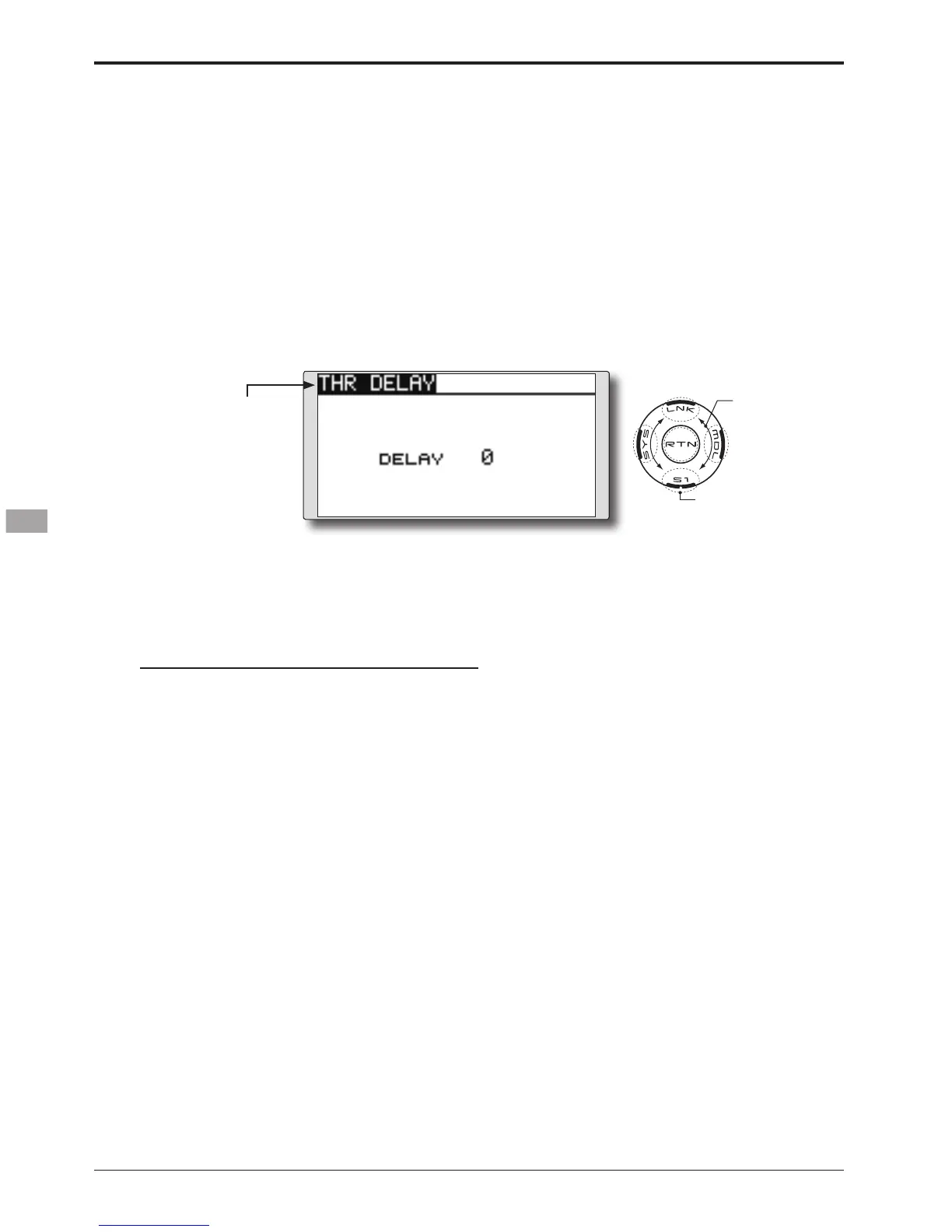
THR-DELAY function is used to slow the
response of the throttle stick to simulate the slow
response of a turbine engine, etc.
● Select [THR DELAY] at the Model menu
and access the setup screen shown
below by touching the RTN button.
Scrolling
● Moving cursor
● Selecting mode
● Adjusting value
● To next page
THR DELAY
[Corresponding model type]: Airplane, general
Setting method
●Operation speed (delay) setting
1. Move the cursor to the [DELAY] item and
touch the RTN button to switch to the data
input mode.
Adjust the delay rate by scrolling the touch
sensor.
Initial value: 0
Adjustment range: 0~27 (maximum delay)
*When the RTN button is touched for one second, the rate is
reset to the initial value.)
Touch the RTN button to activate the
function and return to the cursor mode.


 To Next Page