00075751.DOC, Version 1.1 52/54
Example:
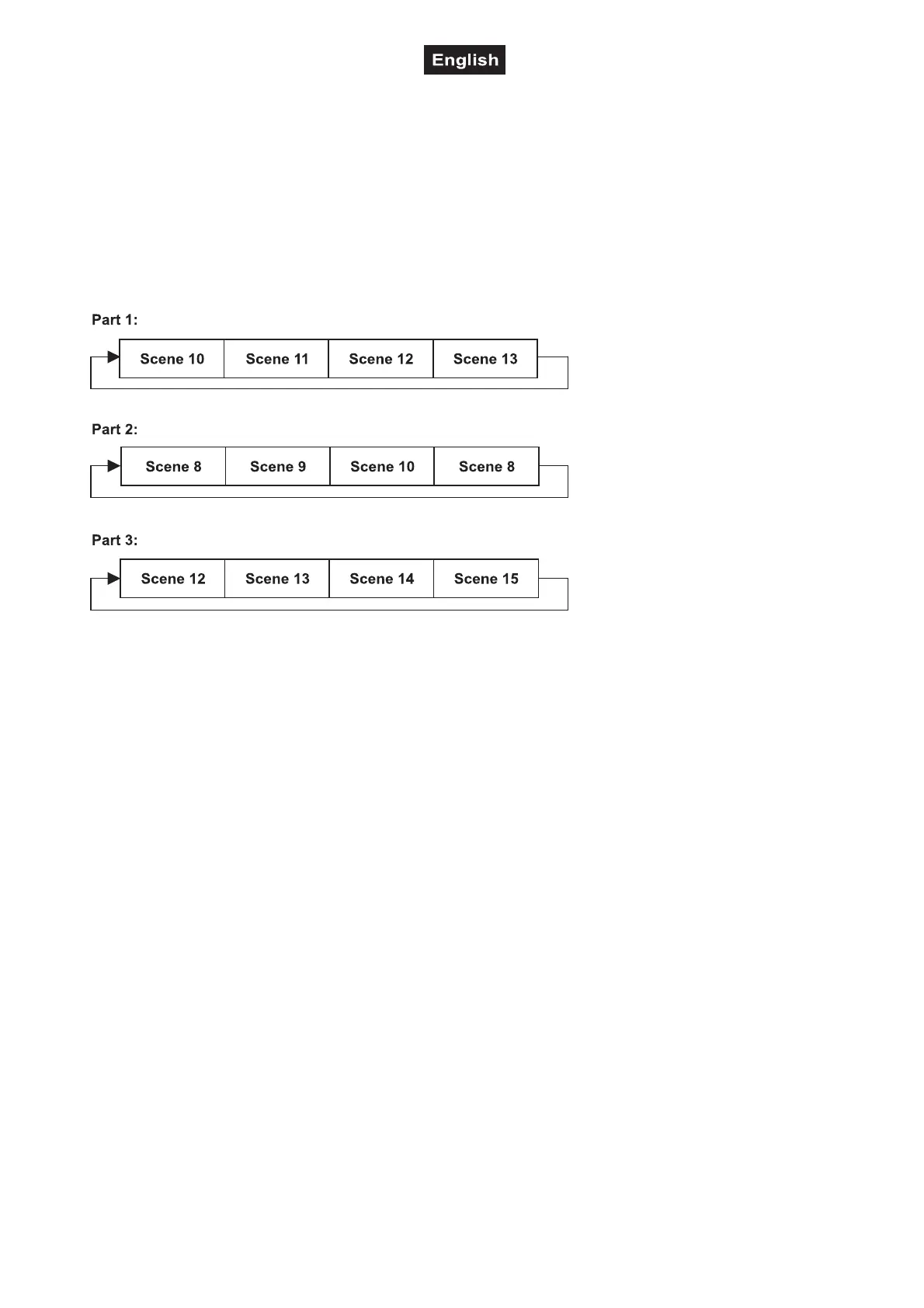
Program 2 includes scenes: 10, 11, 12, 13;
Program 4 includes scenes: 8, 9, 10 and
Program 6 includes scenes: 12, 13, 14, 15, 16
Chase Part 1 is Program 2;
Chase Part 2 is Program 3;
Chase Part 3 is Program 6
The 3 Slave groups run the Auto Program in certain time segments, as shown in the following picture:
Error Messages
When you turn on the fixture, it will make a reset first. The display may show an error message while
there are problems with one or more channels. The error message stands for the channels equipped
with a testing sensor.
For example, when the display shows “Err channel PAN”, it means there is some error in the
horizontal movement (PAN), control-channel 1. If there are some errors on several channels at the
same time, you may see the error messages flash repeatedly for 2 times, and then the fixture will
generate a reset signal, all the stepper motors will reset. If the error messages maintain after
performing reset more than 2 times, only the channels which have errors cannot work properly,
others can work as usual.
The respective error message will appear after the reset of the fixture if the channels magnetic-indexing
circuit malfunction (sensor failed or magnet missing) or the stepping-motor is defective (or its driving IC on
the main PCB). The channel feature is not located in the default position after the reset.
The different error messages are:
PAN
TILT
Zoom



 To Next Page