51838328_V_1_0.DOC
46/119
1. After switching on, the device will automatically detect whether DMX 512 data is received or not. If the
data is received, the the display will show "A.001" with the actually set address. If there is no data received
at the DMX-input, the display will flash "A001" with the actually set address.
This situation can occur if:
- the 3 PIN XLR plug (cable with DMX signal from controller) is not connected with the input of the device.
- the controller is switched off or defective, if the cable or connector is defective or the signal wires are swap
in the input connector.
Note:
It’s necessary to insert the XLR termination plug (with 120 Ohm) in the last lighting in the link in order to
ensure proper transmission on the DMX data link.
2. If the lamp is on, the the display will show "A00.1" with the actually set address. If the lamp is off, the the
display will show "A001" with the actually set address.
DMX-protocol
Control-channel 1 - Horizontal movement (Pan) (within 630°)
Push slider up in order to move the head horizontally (PAN).
Gradual head adjustment from one end of the slider to the other (0-255, 128-center).
The head can be stopped at any position you wish.
Control-channel 2 - Vertical movement (Tilt) (within 265°)
Push slider up in order to move the head vertically (TILT).
Gradual head adjustment from one end of the slider to the other (0-255, 128-center).
The head can be stopped at any position you wish.
Control-channel 3 - Pan/Tilt-speed
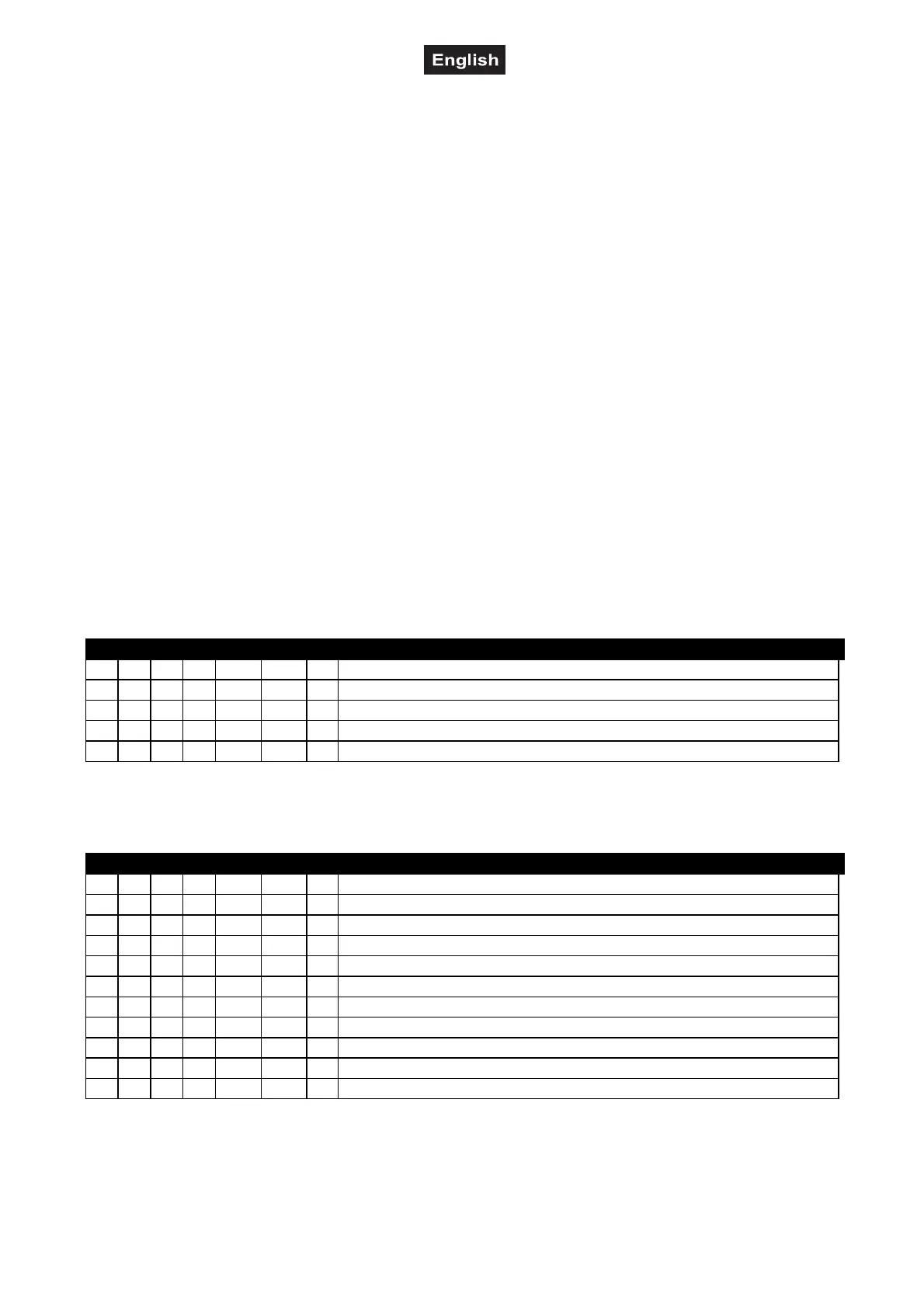
Decimal Hexad. Percentage S/F Feature
0 14 00 0E 0% 5% S Maximum speed
15 225 0F E1 6% 88% F Decreasing speed
226 235 E2 EB 89% 92% S Blackout with Pan/Tilt-movement
236 245 EC F5 93% 96% S Blackout with colour/gobo-change
246 255 F6 FF 96% 100% S No function
Control-channel 4 - Colour-wheel 1
Linear colour change following the movement of the slider.
In this way you can stop the colour-wheel in any position.
Decimal Hexad. Percentage S/F Feature
0 15 00 0F 0% 6% S Open / white
16 31 10 1F 6% 12% S Light blue
32 47 20 2F 13% 18% S Salmon Pink
48 63 30 3F 19% 25% S Blue
64 79 40 4F 25% 31% S Green
80 95 50 5F 31% 37% S Yellow
96 111 60 6F 38% 44% S Magenta
112 127 70 7F 44% 50% S Orange
128 187 80 BB 50% 73% F Forwards rainbow effect with decreasing speed
188 193 BC C1 74% 76% S No rotation
194 255 C2 FF 76% 100% F Backwards rainbow effect with increasing speed


 To Next Page