12
2.2.2 GUI OPERATION
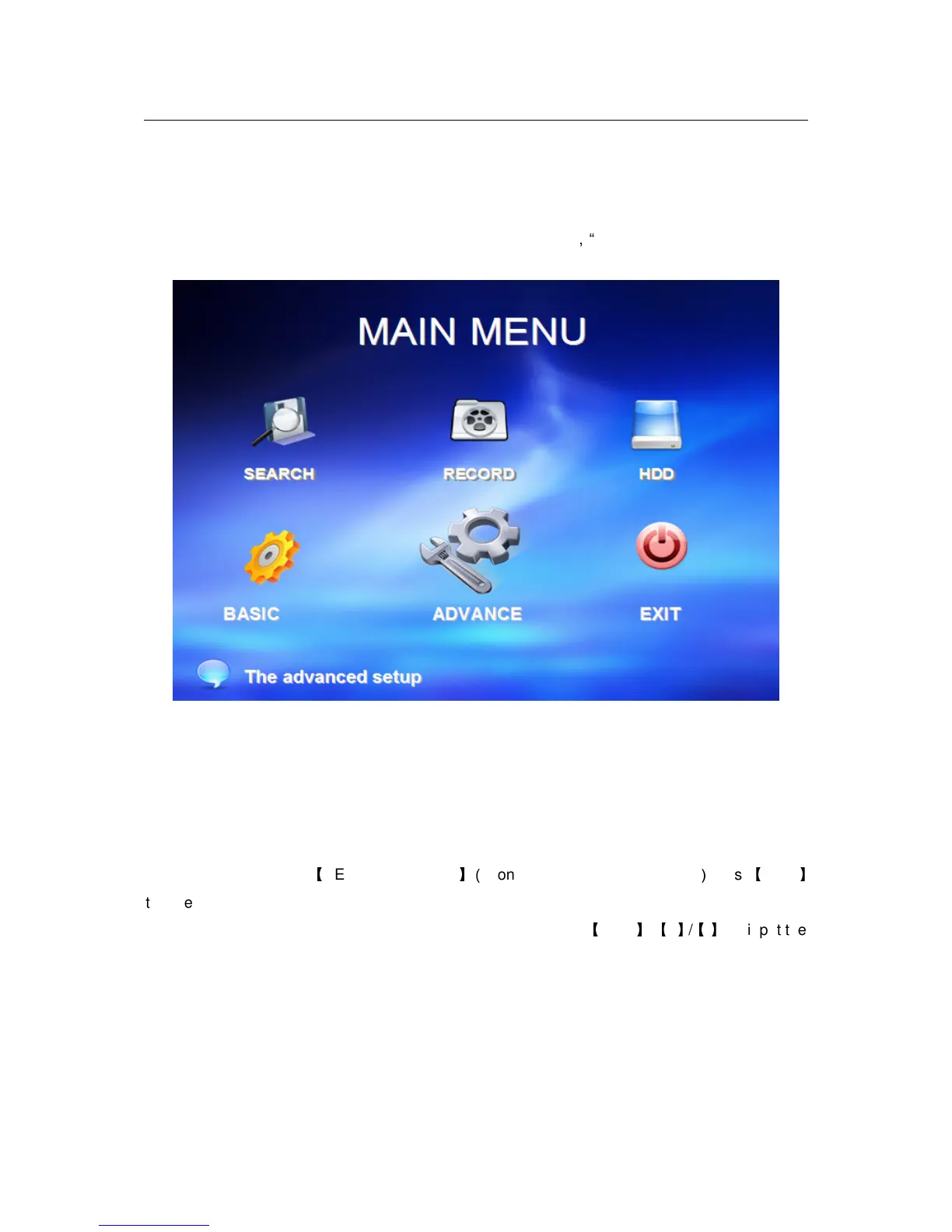
The main menu include “SEARCH”,”RECORD”,”HDD”,”BASIC”
,
“ADVANCE”,and“Exit”.
Remark: You must after pressing “APPLY”to make the setting for submenu valid.It will no use
when exit directly.This DVR have a special feature is: when you move the mouse to everwhere,
there will have the explanation information showed autoly.
2.2.2.1 RECORD SEARCH
Move the cursor to
【
RECORD SEARCH
】(
Icon highlighted when selected
)
,press
【
Enter
】
to enter into the setting interface.
RECORD FILE:You can adjust the checking date and time,press
【
Enter
】
【
+
】
/
【
-
】
or input the
number directly to adjust the year,month,date.After finishing the time setting,move the cursor to
“SEARCH” and press”APPLY”,can see the recording status of this date.As follow:



 To Next Page