15
You can select the recording file by direction keys or
【+】、【-】
, and press
【
Enter
】
means selected OK
(
There is a “√” at the end of the selected recording files
)
and press
【
Enter
】
again the “√” will disappear that means cancel the select, we can start export the recording files
after selecting, and press
【
BACKUP
】
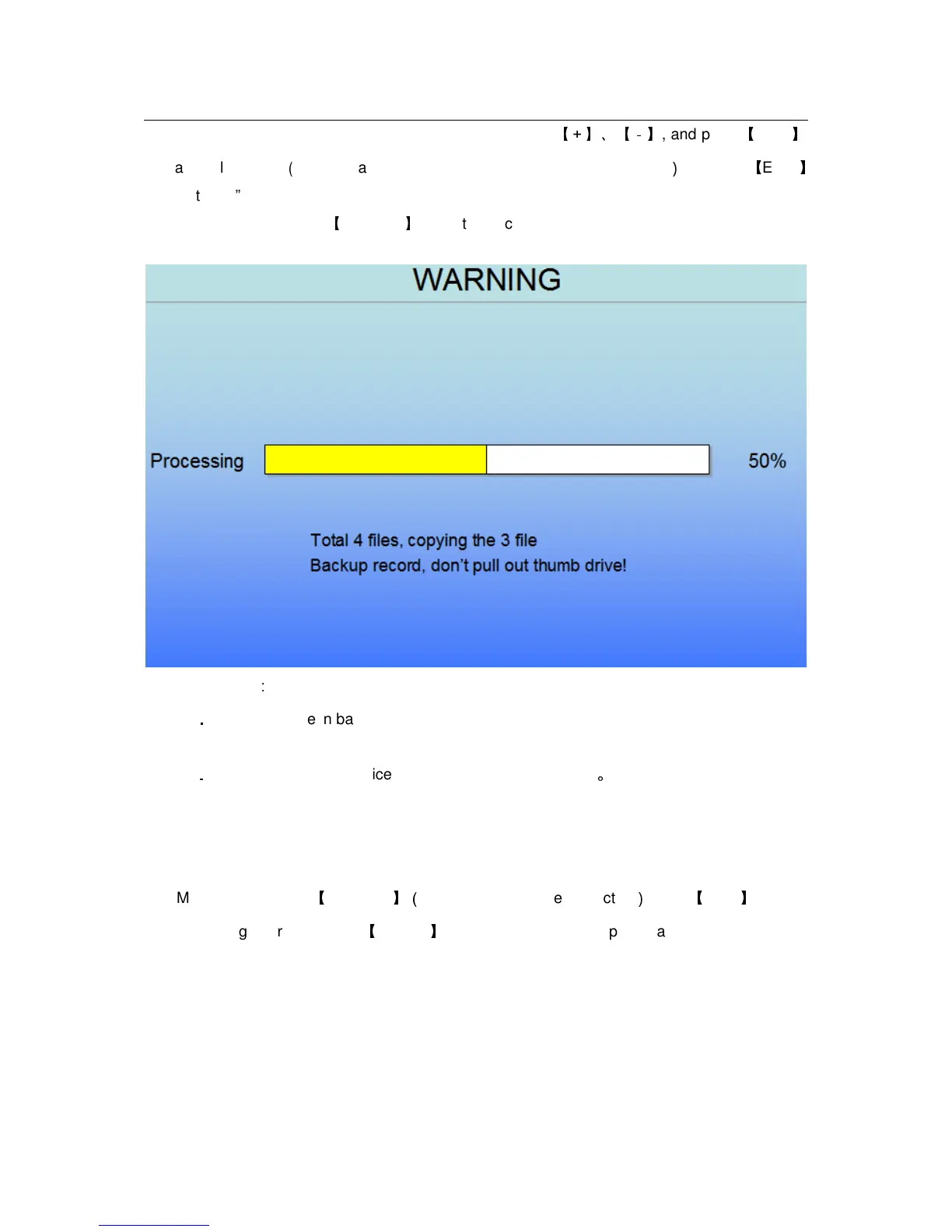
to start to backup, as follow:
Instruction
:
1
.
..
.
When the space in backup device less than recording file, the system will prompt “Space
no enough”.
2
.
..
.
You can move USB device directly when backup finished
。
2.2.2.2 RECORD SETUP
Move the cursor to
【
RECORD
】(
Icon highlighted when selected
)
,press
【
Enter
】
to enter
into the setting interface. Press
【
Confirm
】
and enter into the setup interface, and you can use
direction keys and cursor to change the options.


 To Next Page