18
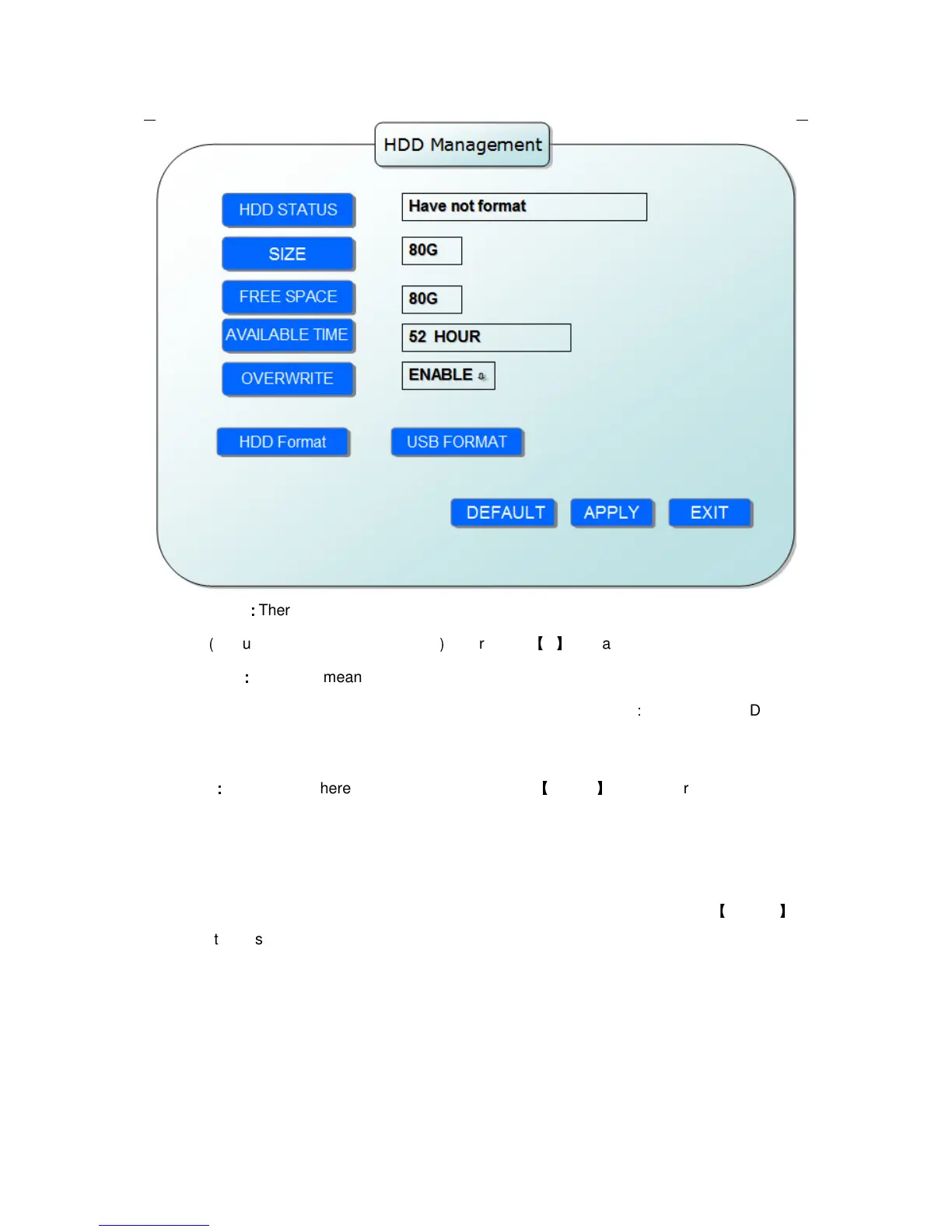
HDD STATUS
:
::
:
There are three status available, normal, un-format, No HDD. If HDD can not run
normally
(
including unformat and no HDD
)
, there is a
【
H
】
display on video live view.
OVERWRITE
:
::
:
ENABLE: means when HDD space less than 4G, it will delete HDD earliest
recording file, and it will stop deleting when the space is 10G; DISABLE
:
means when HDD
space less than 500M it will stop recording, and an prompt will display in live view “please
shutdown and replace HDD”
FORMAT
:
::
:
Move cursor there to select device and press
【
APLLY
】
to start format
2.2.2.4 BASIC SETUP
Move cursor to select “BASIC SETUP” (The big icon means select ok)and press
【
ENTER
】
to
enter into the system language setup interface.



 To Next Page