23
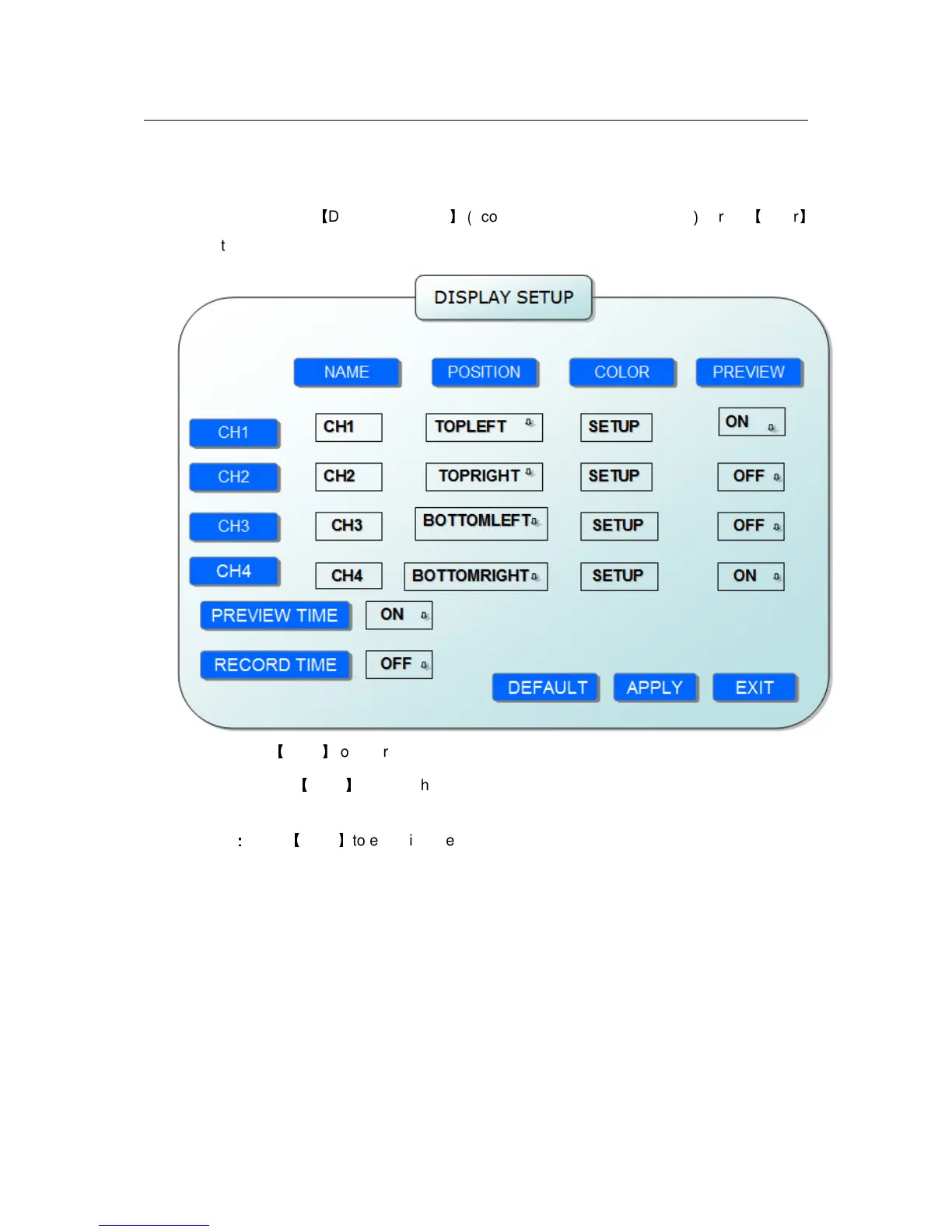
2.2.2.4.4 DISPLAY SETUP
Move the cursor to
【
DISPLAY SETUP
】(
Icon highlighted when selected
)
, press
【
Enter
】
to enter into the setting interface.
NAME: press
【
Enter
】
to enter into the setting interface.
POSITION:press
【
Enter
】
to switch name location,there are 5 options:bottom left, top left,
bottom right, top right and OFF.
COLOR
:
::
:
press
【
Enter
】
to enter into setting interface, as following:


 To Next Page