EasyManua.ls Logo

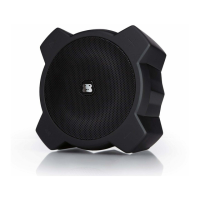
G-project G-70W - User Manual

G-project G-70W
12 pages
Print Icon
To Next Page IconTo Next Page
Loading...
User Guide
Bluetooth Speaker with Weather Radio
G-70W
PACKAGE CONTENTS
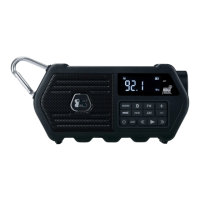
G-70W Bluetooth Speaker with Weather Radio
Type-C USB Charging Cable
• User Guide
LOCATION OF CONTROLS
1. WEATHER Button
2. BLUETOOTH PAIR Button
3. FM Button
4. LCD Display
5. Red ALERT LED
6. Flashlight
7. Carabiner Clip
8. FLASHLIGHT Button
9. POWER ON/STAND BY Button
10. ALERT Button
11. PRESET Button
12. TUNE DOWN Button
13. AM Button
14. PLAY/PAUSE Button
15. TUNE UP Button
16. VOLUME Button
17. VOLUNE + Button
Question and Answer IconNeed help?

Do you have a question about the G-project G-70W and is the answer not in the manual?

Summary

Power Source

Volume Control

Playing the Radio

Setting Radio Presets

Bluetooth Operation

Reconnecting Bluetooth Devices

Listening to a Weather Channel

Activate Weather Alert Function

Steps to enable the weather alert feature, indicated by a red ALERT LED and 'ALERT' icon.

Receiving Weather Alerts

Details on how the G-70W responds to alerts, including siren, flashing lights, and radio station switching.

USB Charging Port

Flashlight

Specifications

Important Safety Instructions

Additional Safety Precautions

G-project G-70W Specifications

General IconGeneral
BrandG-Project
ModelG-70W
TypePortable Bluetooth Speaker
ConnectivityBluetooth
Water ResistanceIPX4

Related product manuals