EasyManua.ls Logo

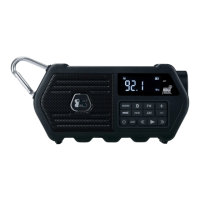
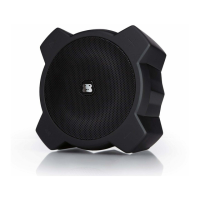
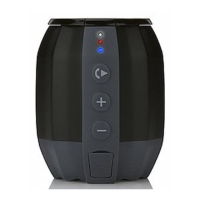
G-project G-POP - User Manual

G-project G-POP
16 pages
Print Icon
To Next Page IconTo Next Page
Loading...
Hands-free
Speakerphone
Rechargeable Battery
8 Hours Play Time
TRAVEL WIRELESS SPEAKER
G-POPG-POP
Wireless
Bluetooth
G-10X

Questions and Answers

  • P
    paynecolinAug 1, 2025
    What to do if my G-project G-POP have no sound?
    • F
      fullertammyAug 2, 2025
      If your G-project Speakers have no sound, try these steps: * Recharge the batteries using the included Power Adapter. * If using Bluetooth, move the audio source and G-project Speakers closer together, ensuring they are within the 33’ range. * Unpair the G-project Speakers from your Bluetooth device, then re-pair following the steps in the BLUETOOTH OPERATION section.
  • B
    Bradley SpencerAug 9, 2025
    Why can't I play audio via Bluetooth on my G-project G-POP Speakers?
    • M
      Michael CarrollAug 9, 2025
      If you cannot play audio via Bluetooth on your G-project Speakers: * Confirm your device is A2DP Bluetooth compatible and ensure that neither your Bluetooth device nor the G-project Speakers are connected to any other devices. * If your G-project Speakers are connected to a Line In source, Bluetooth will not function. Unplug the 3.5mm Line In cable and press the Pair Button to switch to Bluetooth. * Unpair the G-project Speakers from your Bluetooth device, then re-pair following the steps in the BLUETOOTH OPERATION section.
  • G
    Gary Mejia MDAug 16, 2025
    How to make my G-project Speakers louder?
    • W
      woodscodyAug 16, 2025
      If your G-project Speakers are not loud enough, increase the volume on your G-POP and/or the audio source.
  • K
    Kelly PhelpsAug 25, 2025
    What to do if my G-project Speakers are distorting?
    • S
      Sean RuizAug 25, 2025
      If you are experiencing distortion with your G-project Speakers, lower the volume on your G-POP and/or the audio source.

Summary

Welcome and Package Contents

Safety Precautions

Safety Warnings and Compliance

RF Radiation Exposure Information

Location of Controls

Additional Controls

Power Source

Bluetooth Operation

Receiving a Phone Call

Line In Connection

Troubleshooting

Audio Performance Issues

Solutions for distortion, low volume, and no sound from the G-POP speaker.

Bluetooth Connectivity Problems

Steps to resolve issues with playing audio via Bluetooth connection.

Specifications

Contact and Support

G-project G-POP Specifications

General IconGeneral
BrandG-Project
ModelG-POP
TypePortable Bluetooth Speaker
ConnectivityBluetooth
Output Power5W

Related product manuals