Hardware Description
p. 142
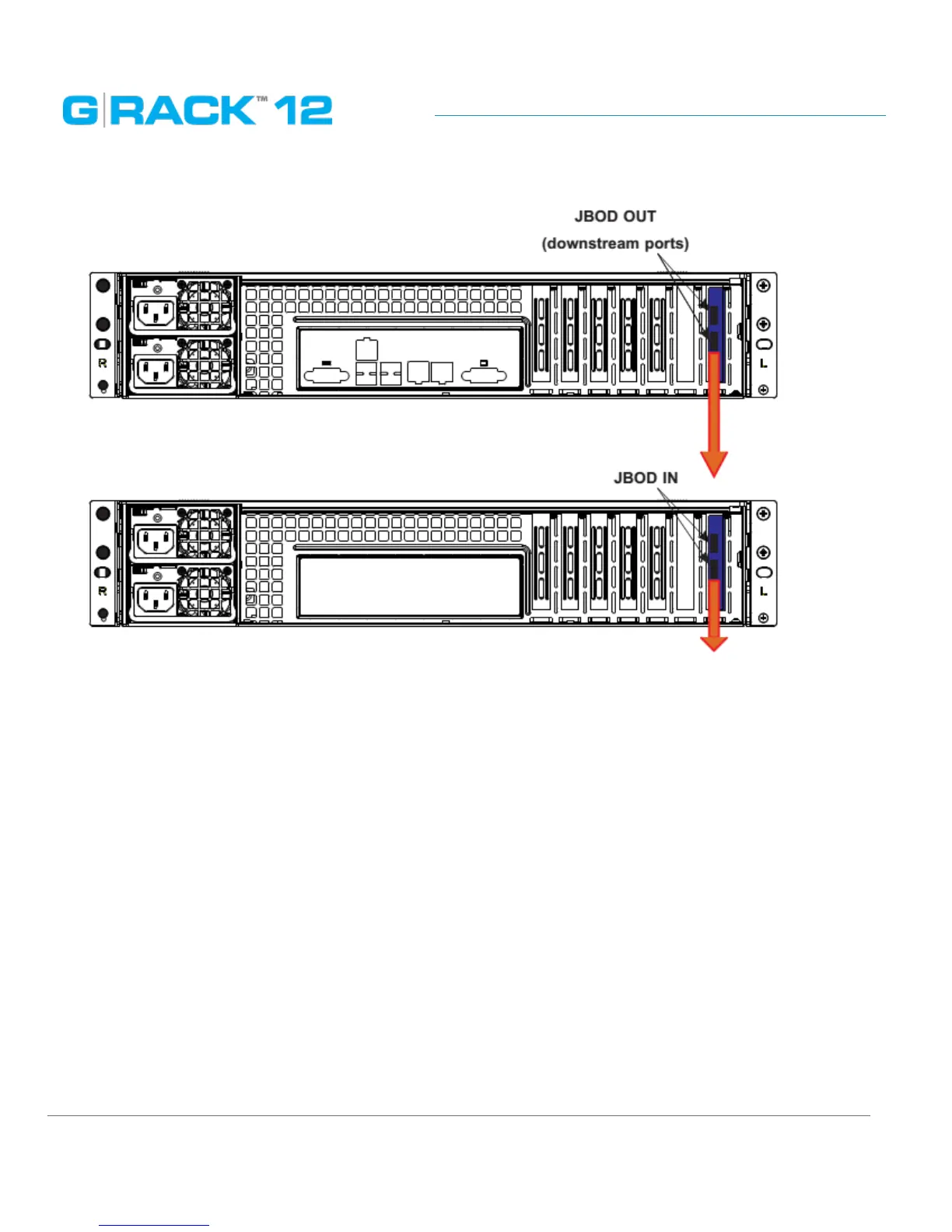
JBOD Expansion Ports
Checking the Airow
• Make sure there are no objects to obstruct airflow in and out of the server. In addition, make sure
the front bezel’s filter is replaced periodically.
• Do not operate the server without drives or drive carriers in the drive bays. Use only
recommended server parts.
• Make sure no wires or foreign objects obstruct airflow through the chassis. Pull all excess cabling
out of the airflow path or use shorter cables.
The control panel LEDs inform you of system status. See “System Interface Chapter” for details on the
LEDs and the control panel buttons.


 To Next Page