Administrative Tool
p. 45
To allow S.M.A.R.T. monitoring system wide, select all the drives, then click the Edit button. Toggle
the button and save.
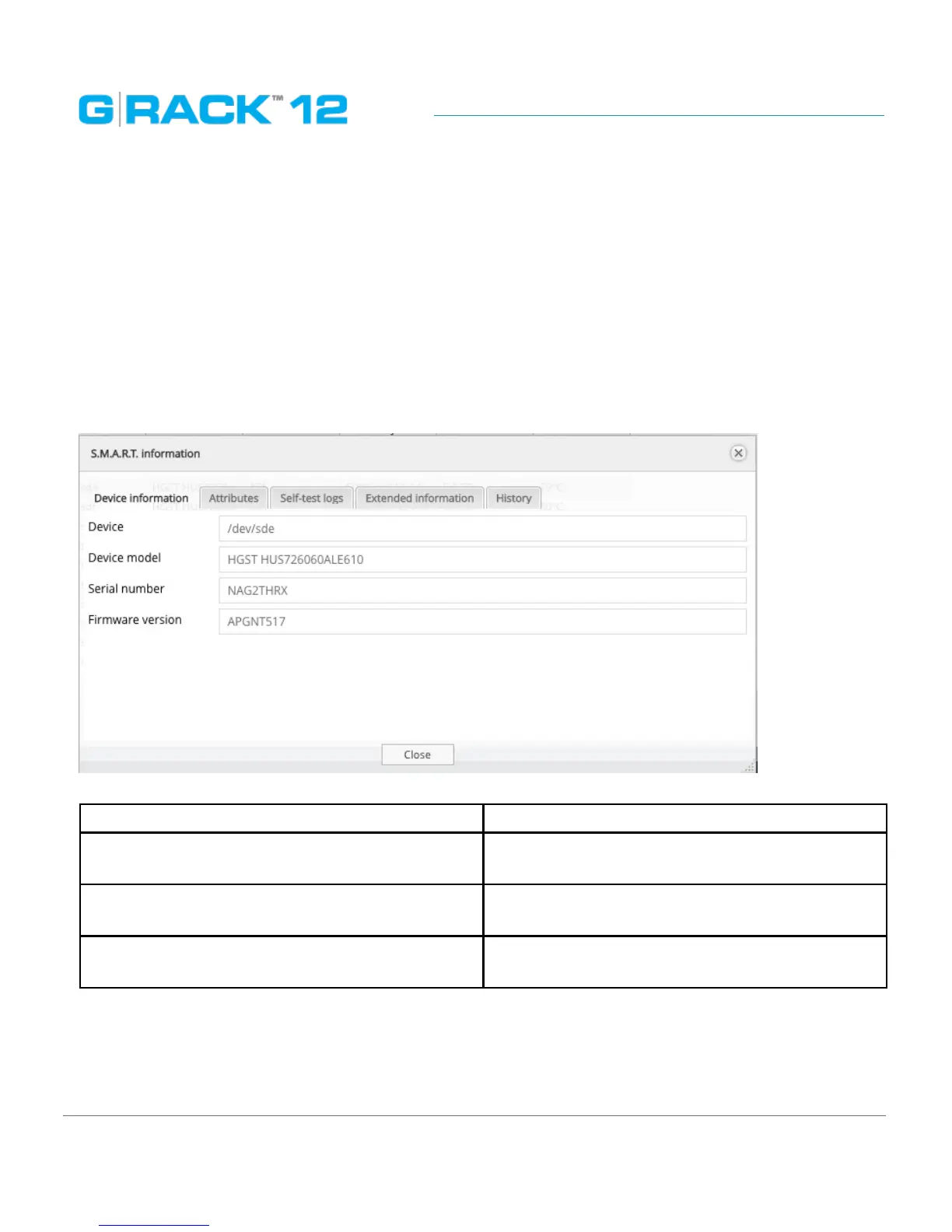
S.M.A.R.T. information dialog provides a set of reports.
The screens below display the information about the physical drive health.
NOTE: The available S.M.A.R.T. information varies from one physical disk’s manufacturer to another.
Also, not all physical disks have S.M.A.R.T. support.
Device information
Select the device and click the information button to pull up the information dialog.
The following table describes the labels on the screen:
Device Device reference name in the system
Device model Shows the hard drive’s model that uniquely
identifies a physical disk
Serial number Shows the individual serial number of an indi-
vidual physical disk from the manufacturer
Firmware version Shows the version of physical drive’s internal
operating system software.
Attributes
Describe the physical drive state, performance and other data S.M.A.R.T. can access.


 To Next Page