Troubleshooting
p. 237
A domain user can not access the workspace
1. Confirm that the settings did not change. Navigate to Connect>SMB/CIFS>Settings
2. See if the user password was reset
3. If all users have lost access confirm the domain controller is active and that access to other
network connections are not also as well.
How to replace a failed OS physical disk?
1. Determine which drive failed by clicking details in the Administrative interface. It will say device1
or device 2.
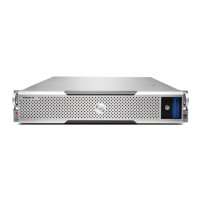
2. ID1 - on the left. ID 2 on the right - when you are facing the G-RACK 12.
3. Pull out the failed drive. Be careful to remove the failed drive and not the other drive.
4. Insert the new drive in the same slot.
5. If the drive has existing data it will be wiped automatically. Unless the drive contains a boot
partition, in which case you will need to use another drive or wipe the drive by other means
before inserting.
6. Once you have inserted the new drive the recovery process will start automatically.
How to import domain user or user group information.
When you activate Active Directory (AD) on the G-RACK 12 you must furnish the admin credentials
so the server can access the AD listing of users and groups from the Windows Server. Once, properly
connected the G-RACK 12 will request the listing and populate the local user list.
Pro Tools 11 (Mac & El Capitan) won’t launch when I have SANmp-managed and un- managed
iSCSI targets
Using both SANmp-managed and un-managed targets that were created from G-RACK12’s default
iSCSI settings may need to be ejected before launching Pro Tools 11 if you are running El Capitan on
a Macintosh.
Why can’t I see an iSCSI target that was formatted by another iSCSI initiator?
There is a conflict between using two different iSCSI initiator for the same iSCSI target. If you are
seeing issues with mounting an iSCSI target on a different client, make sure you are using the same
iSCSI initiator that was used to originally format the volume.
Why can’t multiple users access the same CIFS/SMB share when working in Pro Tools 11?
Pro Tools is a single-client to single-share application. Best practices suggest you create a new
Workspace and a new CIFS/SMB share and copy the media to that new share.
Why is Adobe® Premiere Pro is presenting me with multiple iterations of the same G- RACK12


 To Next Page