Administrative Tool
p. 43
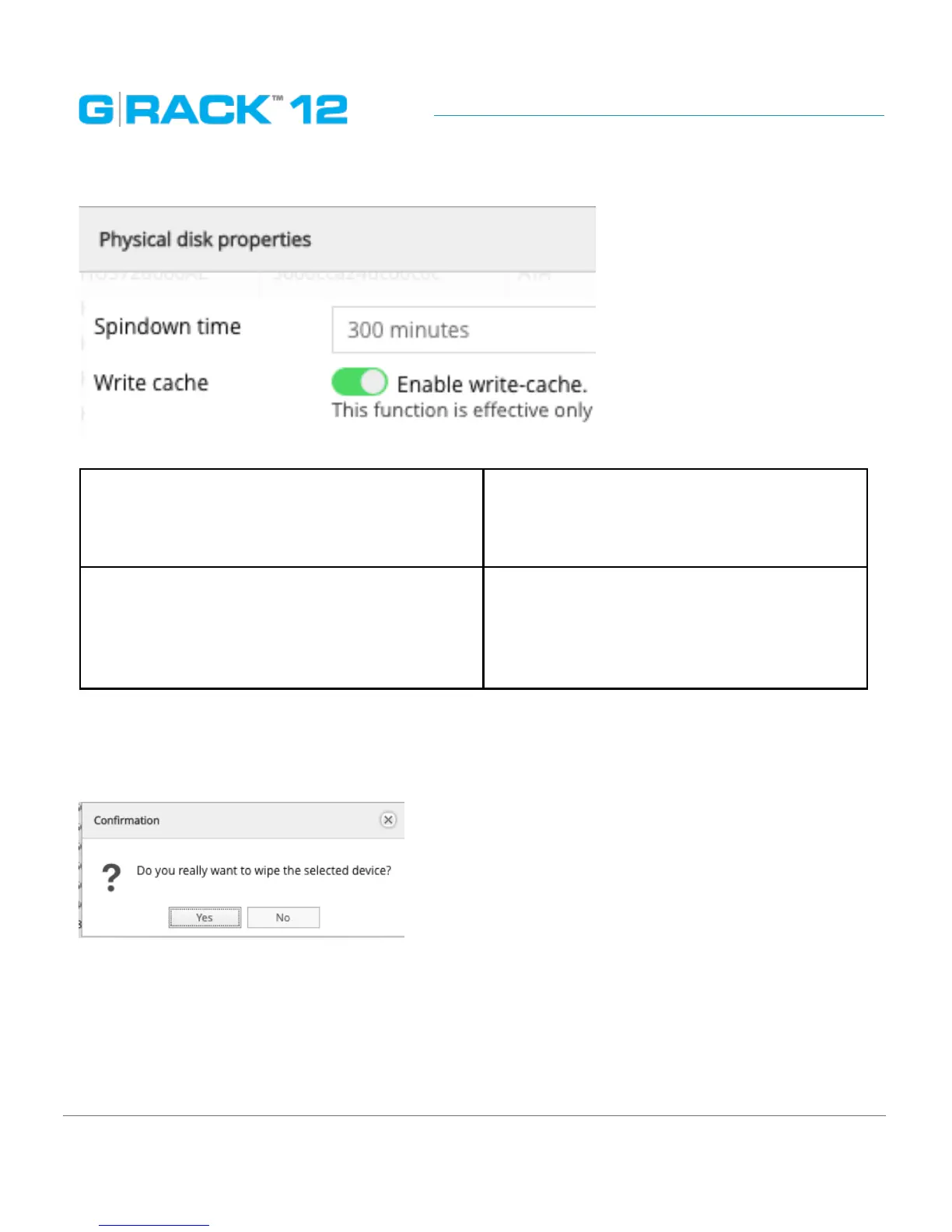
The following table describes the labels on the screen:
Spindown time Directly connected with Advanced Power
Management level chosen. Sets the idle time
for the drive after which the spindle will stop
spinning.
Write cache Enables write-cache.
This option is effective only if the hard drive
supports it. It gives substantial write perfor-
mance boost at the cost of loosing data on
power down.
Wipe physical drive
This option erases all the data from a physical disk. When you click the button, a warning message
will appear to inform you that all the data will be erased.
There are two options for wiping - Secure and Quick
Quick - erases only boot sector and file system meta data so that the drive will be treated by OS as a
brand new one.
Secure - in addition to the Quick erase functionality, Secure erase also erases all user’s data, which
makes the data unrecoverable.


 To Next Page