Administrative Tool
p. 49
History
Scheduled Tests
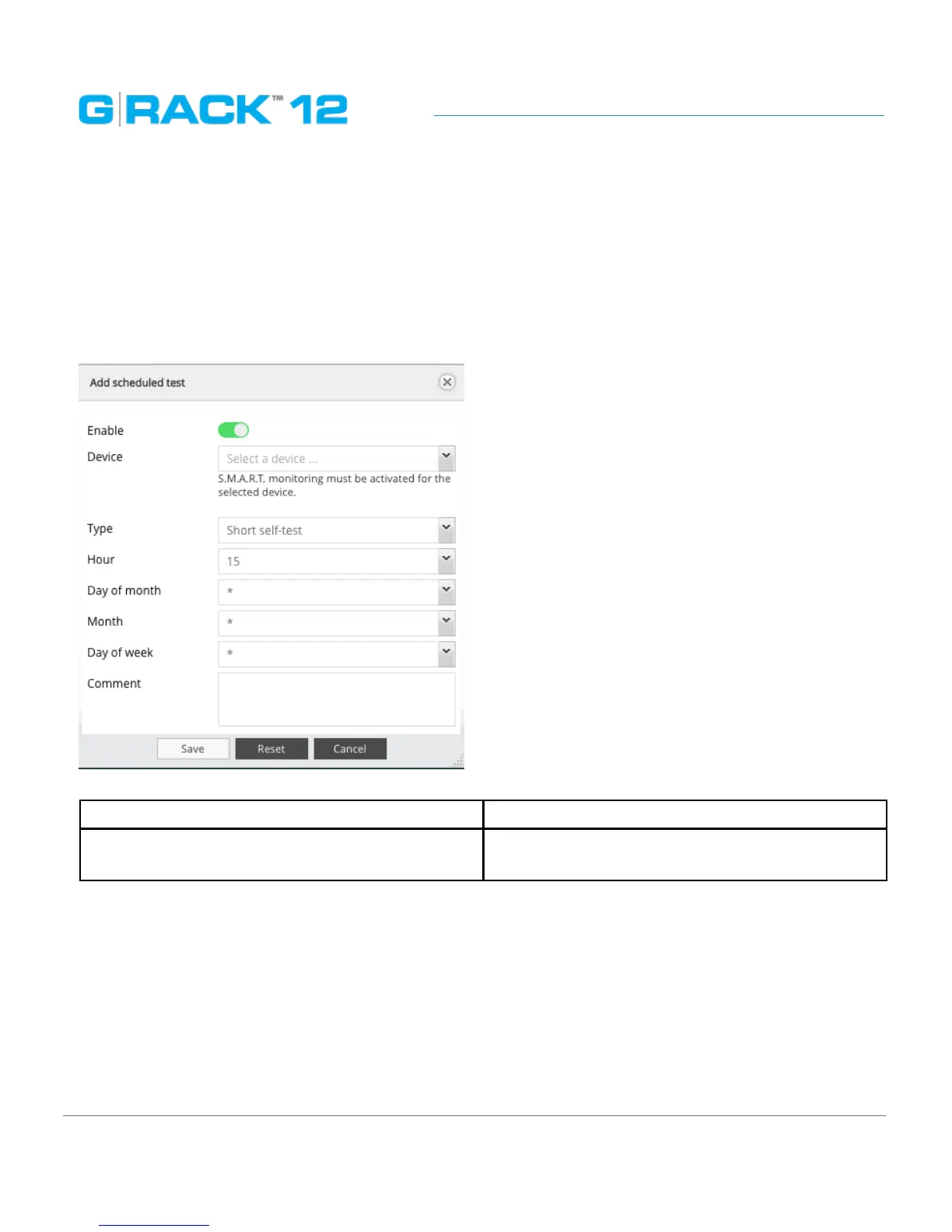
Add/ Edit scheduled test
For each of the devices you can schedule a particular test from the list. The test will run at a pre-
determined time and date. Click the plus button to add a scheduled test.
The following table describes the labels on the screen:
Enable Enables the scheduled test to run
Device Select a physical drive for a test. S.M.A.R.T. moni-
toring must be activated for the selected device.


 To Next Page