Administrative Tool
p. 75
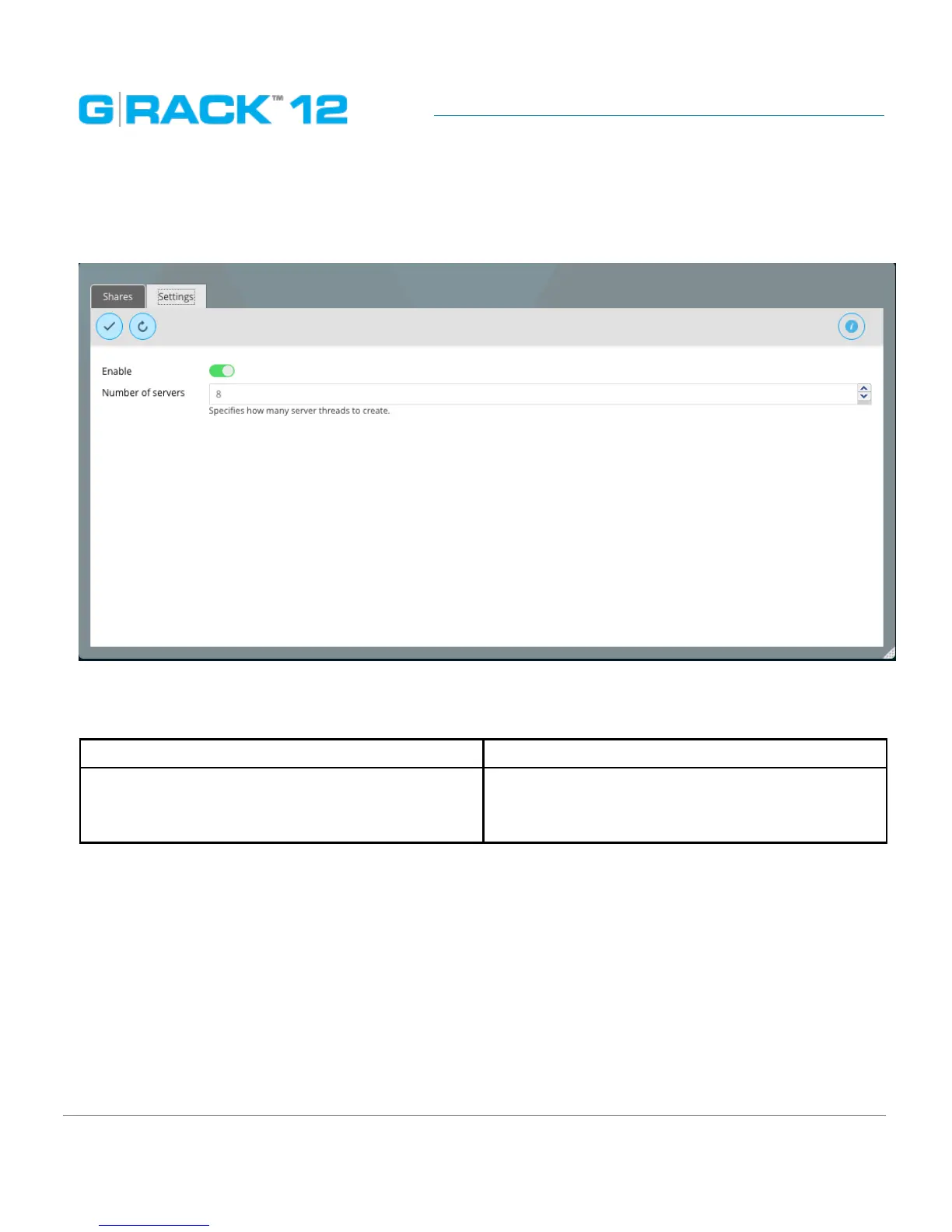
Settings
Use this menu to enable the service
The following table describes the labels on the screen:
Enable Turns on the service protocol
Number of servers Specifies how many server threads to create. The
number of users that can connect to the server
at one time.
NOTE: The Dashboard will show the service as “running” only if at least one workspace is set to use
NFS protocol. NFS service doesn’t run unless something is exported.
Mac Client Information
On a Mac clients and mounting through NFS with the ‘Connect to Server’ option the Mac client
admin must go to NFS share and change it from ‘secure’ to ‘insecure’ in the extra options. The whole
share directory will be set as insecure since it does not display child folders.
When mounting through NFS OS X does not ask for user authentication like SMB, it automatically
mounts it. In order to write to the share admins need to go into admin tool and go to workspace and


 To Next Page