p.9
About Your Drive
Overview of the Drive
For maximum performance, G-RAID TB comes congured as a ‘Striped RAID set’ or
RAID 0. In this RAID mode, data is written or ‘striped’ across both disks, doubling
both capacity and performance as compared to a single disk drive. RAID 0 is the
best choice to take advantage of the amazing performance of the Thunderbolt
interface.
G-RAID TB can also be congured as a ‘Mirrored RAID set’ or RAID 1. In this RAID
mode, data is written to both drives simultaneously, creating a ‘mirrored’ copy on
both drives. RAID 1 is the best choice when data protection is important. The over-
all capacity and performance in RAID 1 is equal to that of a single drive.
To congure the RAID mode, go to the Congure the RAID mode section.
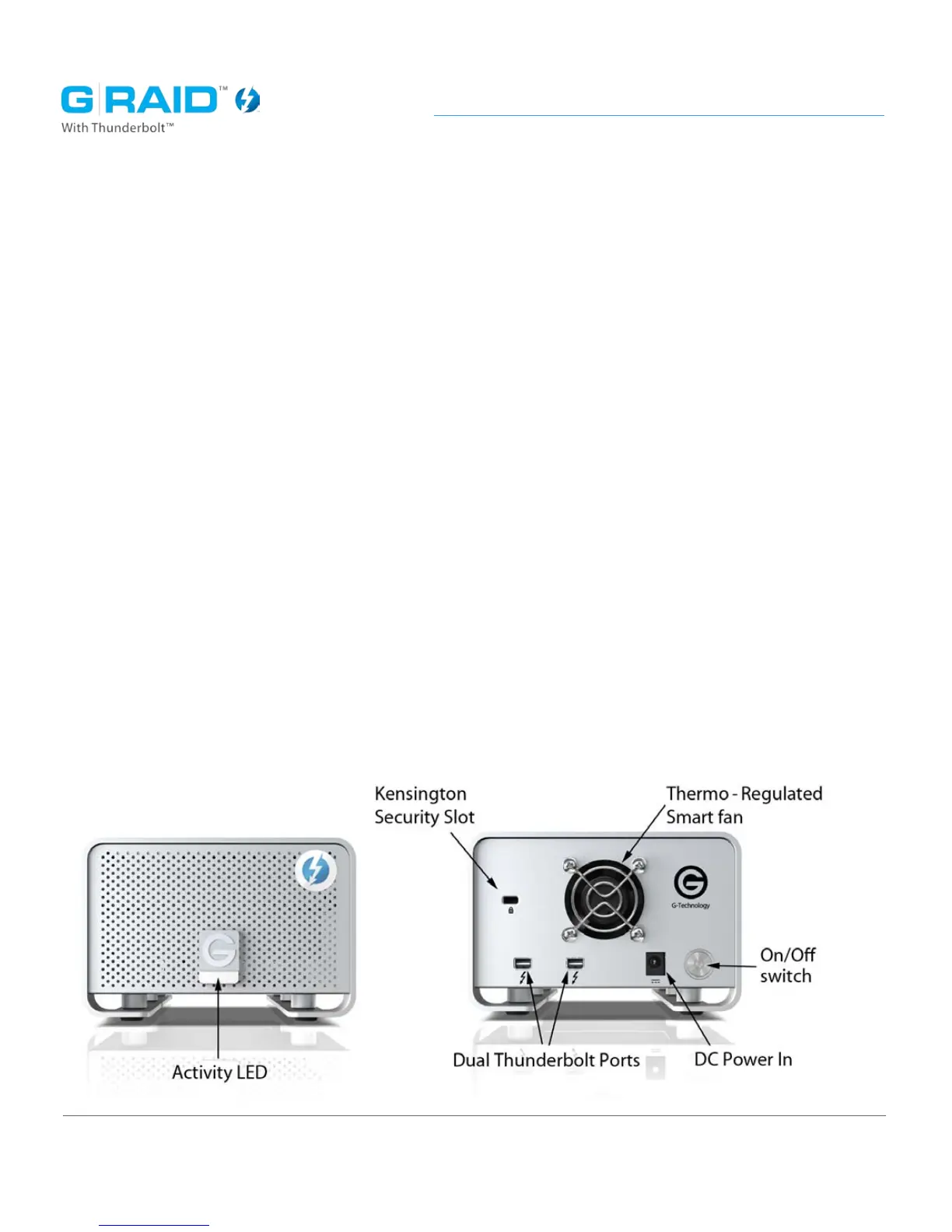
The images below highlight some of the features of your G-RAID TB. There is a
Power & Activity LED on the front of the unit that will glow when the unit is pow-
ered on, and will ash brighter as data is transferred to or from the hard drives.
On the rear of the unit is a Kensington™ Security Slot, two high speed Thunderbolt
ports, DC Power In and Soft-touch On/Off switch.
overview














 To Next Page