p.14
Maintenance for Your Drive
Congure the RAID mode
G-RAID TB was congured at the factory as a Striped RAID set, or RAID 0.
To change the RAID mode, follow these steps:
WARNING: THIS WILL DELETE ALL DATA STORED ON THE G-RAID
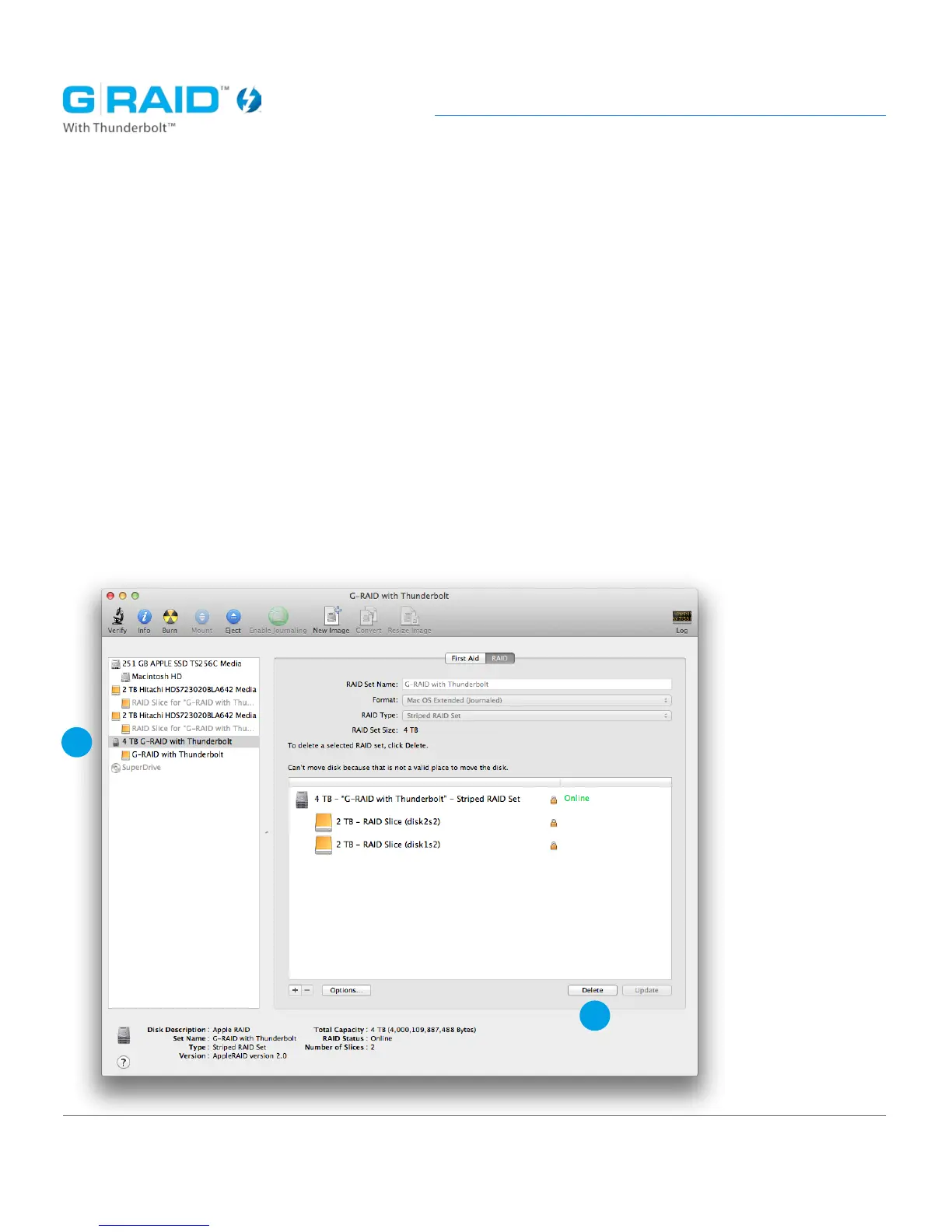
1. Open the Disk Utility program. This application is located on your hard drive
under Applications/Utilities/Disk Utility. The window below will appear.
2. Your G-RAID TB will be displayed in the left-hand column as ‘XX TB G-RAID
with Thunderbolt’ (XX = the capacity of your unit). Select the RAID set.
3. Click ‘Delete’ at the bottom of the screen.
2
3
congure














 To Next Page