p.15
Maintenance for Your Drive
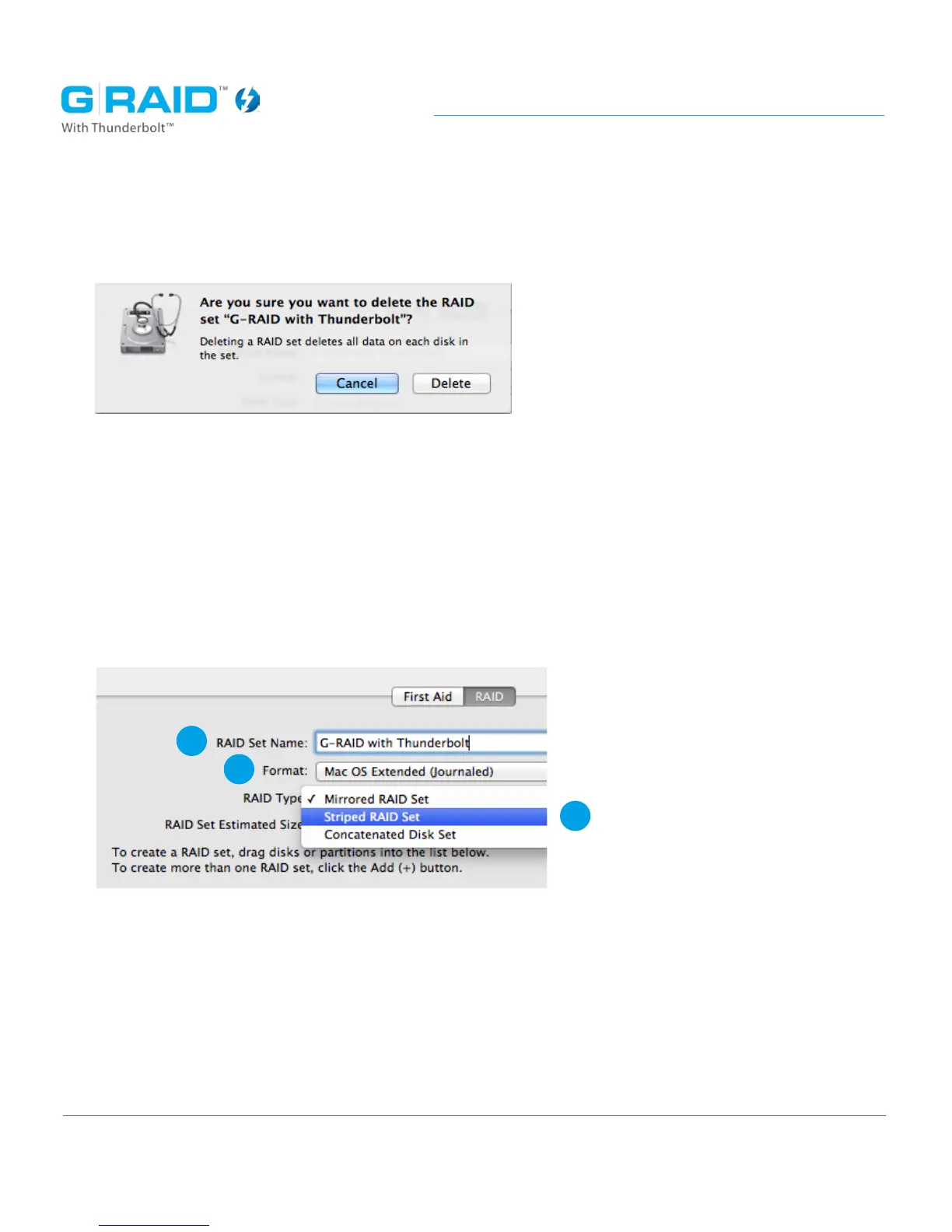
4. Conrm you would like to Delete the RAID set by clicking on ‘Delete’.
Warning: This will destroy the data on the RAID.
5. Enter a name for the new RAID set.
6. Leave the default Mac OS Extended (journaled) option for Format.
7. Select the desired RAID mode.
• Striped RAID set (RAID 0) for performance.
• Mirrored RAID set (RAID 1) for data redundancy.
5
6
7














 To Next Page