p.16
Maintenance for Your Drive
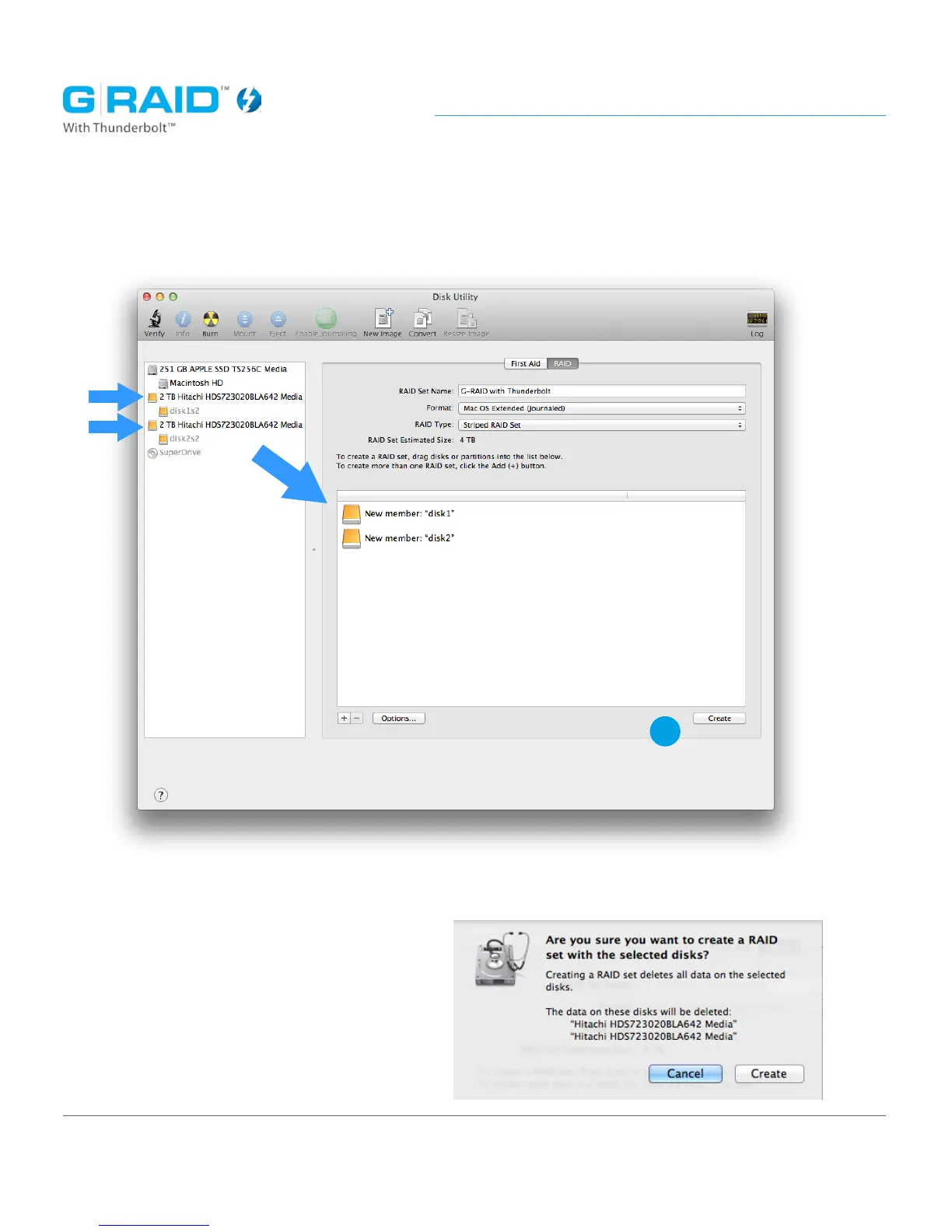
8. Click and drag the two identical Hitachi drives, one at a time, into the center
area of the application to add the drives to the RAID set.
9. Click the ‘Create’ button in the lower right corner.
10. Click ‘Create’ again in the popup
window that opens.
9














 To Next Page