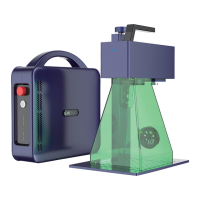
PORTABLE BUT INDUSTRIAL LASER MARKING MACHINE
08
Insert the accessory U disk into the computer (Tip: it is recommended to back up
the laser software and computer driver in the U disk to the computer)
1
I.Software Installation
(Driver installation completed)
Follow the prompts to complete the installation
Enabling software: This software is green and can
be run after decompression. Find Glaser.exe in the
unzipped folder and double-click to start the software.
2
3
4
Double click on the driver.
04/G2 PC Software Guidance
(USB drive content)
G-LASER software
Drive
Windows


 To Next Page