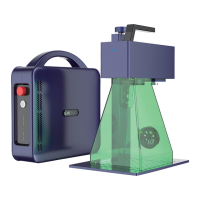
PORTABLE BUT INDUSTRIAL LASER MARKING MACHINE
14
Ⅳ.Picture Processing Settings
Marking Settings
3
* Red Light Preview and Marking
* Mark Other Settings
Red(F1) : Mark the center point of the pattern to be marked, but do not emit laser
light. It is used to indicate the processing area and facilitate the user to locate the work-
piece. This function is used for marking machines with red indicator light. Press F1 on
the keyboard to execute this command.
Mark(F2): Start processing. Press F2 on the keyboard to run this command.
Continuous processing: indicates that the current file is continuously processed with-
out pause.
Automatic red light
Parts:
Download to the board: Download the current data to the board cache to start oine
marking mode.
Red outline: When this function is checked to display red light, the outline of the
graph can be displayed.
Select mark: Only process the selected objects.
Processing time: timekeeping.
Total: Indicates the total number of parts to be processed currently, which is invalid in
continuous processing mode. When not in continuous processing mode, if the total
number of parts is greater than 1, the processing will be repeated continuously until the
number of parts processed equals the total number of parts before stopping.
1
2
1
6 7 8 9 10
2 3 4 5


 To Next Page