819
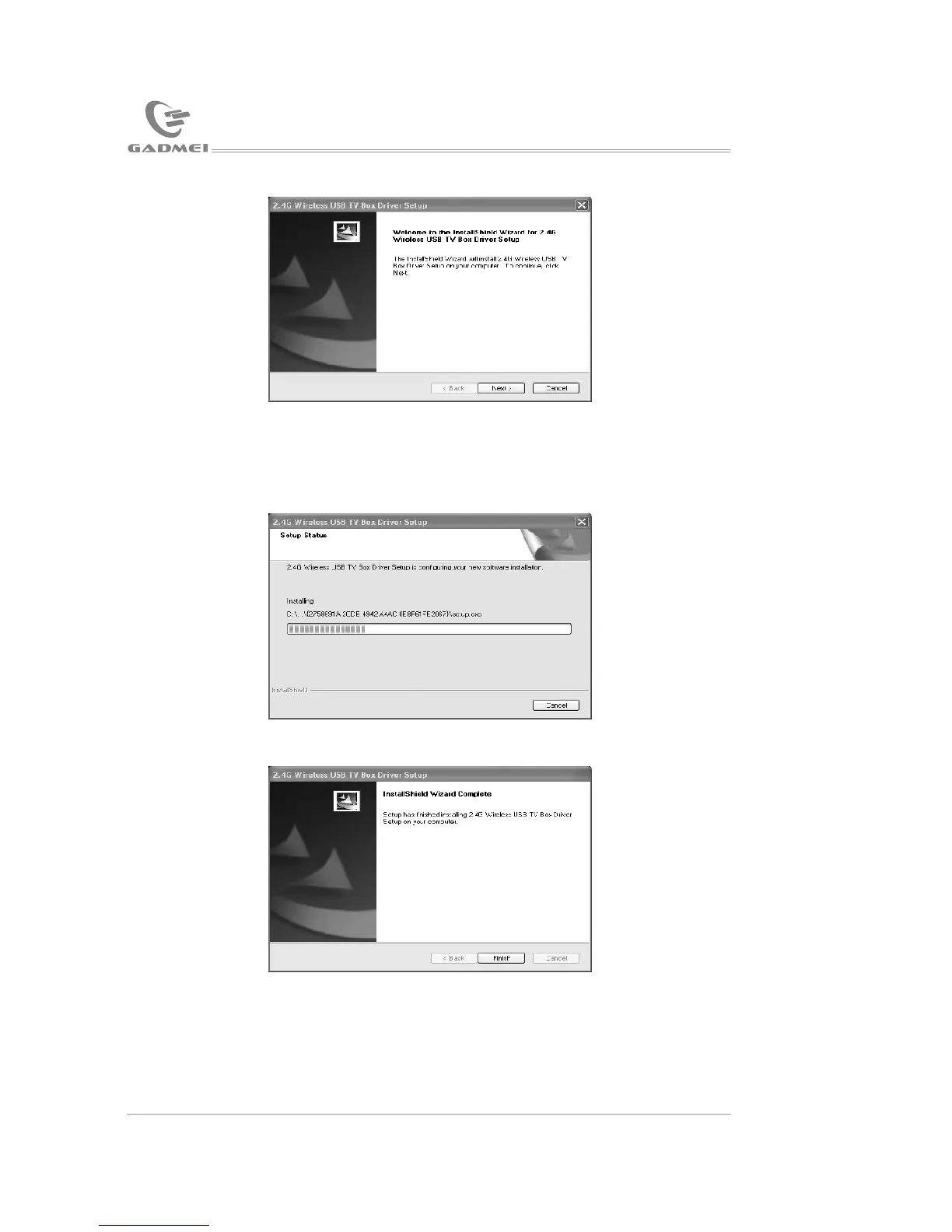
Click “Next”, system installation as the following picture:
Click “Finish”.
4.6 Scheduled recording:
Click to open the scheduled recording setting window, as below:
The main keystrokes function:
Click “Setting”: To set new items
Click “Edit”: To modify any selected item
Click “Delete”: To delete the selected item
Click “All delete”: To delete all the items in the list
Click “Ok”: To exit the scheduled recording window
Click “Cancel”: To exit the scheduled recording window
Click “Setup” to open “scheduled recording item setting” and then set
the new item, as below:
USB TV driver and software installation
Application software instruction


 To Next Page