17
Child lock
You can prevent the cooktop from being switched
on unintentionally, i.e. children cannot switch on the
cooking zones.
Note
To activate the child lock you have to make the child
lock function available in the options menu first (see
options menu).
Activating the child lock
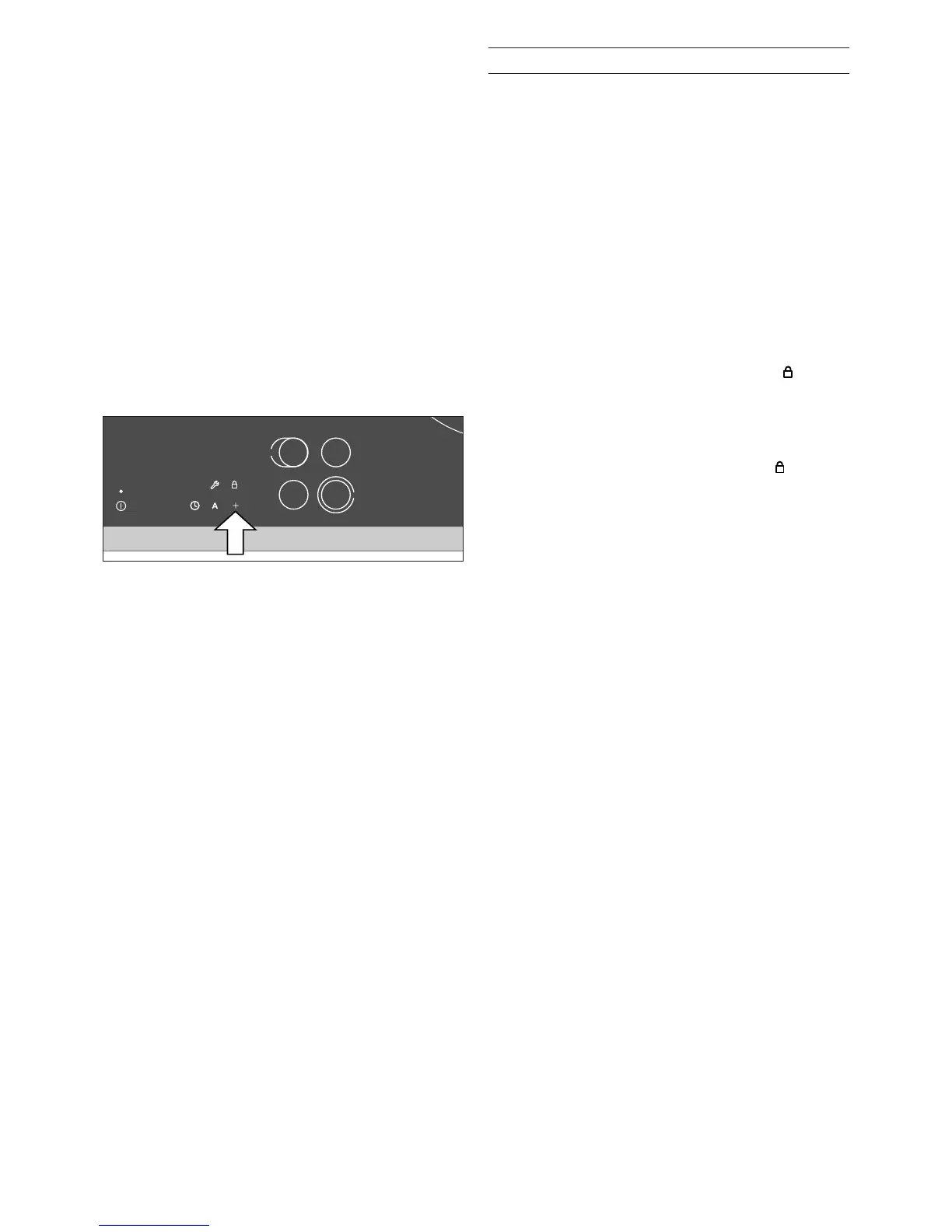
1 Switch on the cooktop using the main switch.
Do not select a cooking zone or the timer. After
approximately 10 seconds the symbol
appears above the symbol d .
2 Touch the d symbol. A signal is sounded. Keep
d pressed until a second signal is sounded.
The cooktop is switched off. The symbol flashes
slowly for about 10 seconds. The child lock is
activated.
Deactivating the child lock
You can deactivate the child lock again. Proceed in
the same manner as for activating the child lock.


 To Next Page