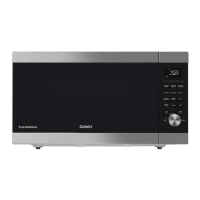
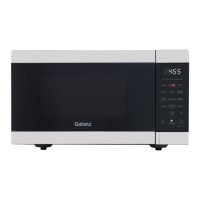
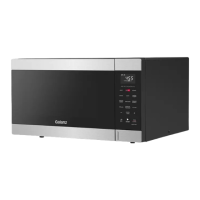
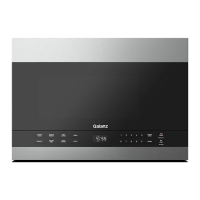
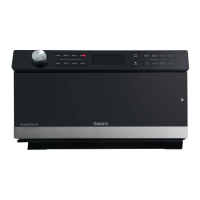
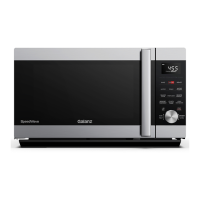
This document is a user manual for the Galanz ExpressWave Microwave Oven, model GEWWD22S3SV125. It provides comprehensive instructions for safe and effective operation, maintenance, and troubleshooting of the appliance.
Function Description
The Galanz ExpressWave Microwave Oven is designed for heating, cooking, and defrosting food using microwave technology. It features an inverter technology with 1250W power, allowing for precise and efficient cooking. The appliance offers a variety of pre-programmed cooking and reheating options, as well as manual settings for customized use.
Usage Features
The microwave oven is equipped with a user-friendly control panel and a Menu/Time/Portion/Level Selector Knob for easy navigation and setting adjustments.
Basic Operation:
- Setting the Clock: Users can set the clock in either 12-hour or 24-hour format. The clock setting is initiated by pressing and holding the CLOCK/TIMER pad for 3 seconds in standby mode. The dial is then used to adjust the hour and minute, with confirmation by pressing the dial or CLOCK/TIMER pad.
- Timer Function: A standalone timer can be set for a specific duration, useful for tasks beyond cooking. This is activated by pressing CLOCK/TIMER once in standby mode, then using the dial to set the time, and confirming with a press of the dial or CLOCK/TIMER.
- Quick Start Microwave: This feature allows for immediate cooking at maximum microwave power. In standby mode, users simply turn the dial to select the desired cooking time (up to 95 minutes) and press the dial to start.
- Microwave Cooking: For more controlled cooking, users can select a specific power level (from 10% to 100%) and cooking time. This involves pressing the MICRO pad, turning the dial to select the power level, pressing the dial to confirm, then turning the dial again to set the cooking time, and finally pressing the dial to start.
Defrosting Programs:
The microwave offers two defrosting methods:
- Weight Defrost: This program automatically sets defrosting time and power based on the food category and weight. Users press TIME/WEIGHT DEFROST twice, turn the dial to select the food code (Meat, Poultry, or Seafood), press the dial to confirm, then turn the dial to select the food weight, and press the dial to start. During the process, the system will pause and alert the user to turn the food over at the halfway point.
- Time Defrost: This method allows users to manually set the defrosting time, with the power level adjusted automatically. It's activated by pressing TIME/WEIGHT DEFROST once, turning the dial to set the time, and pressing the dial to confirm. Similar to weight defrost, the system will pause and alert the user to turn the food over when one-third of the defrosting time remains.
Sensor Cook and Reheat Programs:
The appliance includes sensor-based programs for cooking and reheating, which detect steam generated by the food to determine optimal cooking times.
- Sensor Cook: This feature offers pre-set programs for Oatmeal, Fresh Vegetable, Fish, and Ground Meat. Users press SENSOR COOK, turn the dial to select the food code, and press the dial to start. The oven automatically suggests a cooking time and begins the countdown after a sensing period.
- Sensor Reheat: Similar to sensor cook, this function provides programs for Chili, Frozen Entrée, Frozen Pizza, Mac and Cheese, Mashed Potatoes, Pasta, and Rice. The process involves pressing SENSOR REHEAT, selecting the food code with the dial, and pressing the dial to initiate sensing and reheating.
Auto Cook Programs:
The microwave also features dedicated auto-cook programs for common food items:
- Popcorn: Press POPCORN, then turn the dial to select cooking time (default is 1 minute 30 seconds for a 3.5 oz bag), and press the dial to start.
- Beverage: Press BEVERAGE, turn the dial to select the weight (8, 10, 12, or 14 oz), and press the dial to start.
- Potato: Press POTATO, turn the dial to select the weight (8, 12, 16, 20, 24, or 28 oz), and press the dial to start.
- Frozen Vegetable: Press FROZEN VEGETABLE, turn the dial to select the weight (8, 12, 16, 20, or 24 oz), and press the dial to start.
- Dinner Plate: Press DINNER PLATE, turn the dial to select the weight (8, 12, 16, 20, 24, or 28 oz), and press the dial to start.
- Soup: Press SOUP, turn the dial to select the weight (4, 8, 12, 16, 20, 24, or 28 oz), and press the dial to start.
Additional Features:
- +30 Sec Function: In standby mode, pressing +30 SEC starts the oven immediately. During cooking, this pad can be pressed repeatedly to add cooking time, up to a maximum of 95 minutes. This function is not available for sensor cook/reheat, popcorn, beverage, potato, frozen vegetable, dinner plate, soup, or time/weight defrost programs.
- Child Lock: To prevent unsupervised operation, the child lock can be activated by pressing and holding the ON/OFF/HOLD 3 SEC. pad for 3 seconds. "LOCK" will appear on the display. To deactivate, press and hold the same pad for 3 seconds again.
- Sound On/Off Function: The microwave's sound (including end-of-cooking alerts and pad noises) can be muted by pressing the ON/OFF/HOLD 3 SEC. pad once in standby mode. "OFF" will display for 3 seconds. To re-enable sound, press the pad again.
- Energy Saving Mode (ECO Mode): To conserve energy, the oven can be put into ECO mode by pressing and holding the STOP/CANCEL/ENERGY SAVING pad for 3 seconds in standby mode. The display will turn off. Any pad press will activate the screen for 10 seconds before it turns off again. To exit ECO mode, press and hold the STOP/CANCEL/ENERGY SAVING pad for another 3 seconds.
Maintenance Features
The manual provides clear guidelines for cleaning and care to ensure the longevity and safe operation of the microwave oven.
General Cleaning:
- Power Disconnection: Always turn off the oven and unplug the power cord from the wall outlet before cleaning.
- Interior Cleaning: The inside of the oven should be kept clean. Food splatters or spilled liquids on oven walls should be wiped with a damp cloth. Mild, non-abrasive soaps or detergents can be used for stubborn dirt. Harsh cleaners, sprays, or abrasive materials should be avoided as they can stain, streak, or dull the door surface.
- Exterior Cleaning: The outside of the oven should be cleaned with a damp cloth. Care must be taken to prevent water from seeping into ventilation openings to avoid damage to internal operating parts.
- Door and Window: The door and window surfaces, door seals, and adjacent parts should be wiped frequently with a damp cloth to remove spills or spatters. Abrasive cleaners are not recommended.
- Control Panel: The control panel should not get wet. It can be cleaned with a soft, damp cloth. When cleaning the control panel, the oven door should be left open to prevent accidental activation.
- Steam Accumulation: If steam accumulates inside or around the oven door, it should be wiped with a soft cloth. This is normal in high humidity conditions.
- Removable Parts: The glass turntable, baking and roasting pan, and air fry kit should be removed occasionally for cleaning. They can be washed in warm, sudsy water.
Long-term Maintenance:
- Regular Cleaning: The oven should be cleaned regularly, and food deposits removed. Failure to maintain cleanliness can lead to deterioration of surfaces, potentially affecting the unit's lifespan and creating hazardous situations.
- Disposal: The appliance should not be disposed of in domestic rubbish bins but taken to a designated disposal center provided by municipalities.


 To Next Page
 General