Installation
The installation of this kit must be carried out by a Gallagher Install Partner. Complete the
instructions in this document to install the kit.
ATTENTION: This equipment contains components that can be damaged by electrostatic
discharge. Ensure both you and the equipment are earthed before beginning any servicing.
1. Install the cabinet
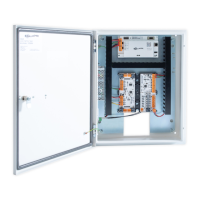
The cabinet is a secure metal enclosure containing the electrical equipment. The cabinet
provides installation space for two 7 Ah 12 V batteries.
Before you begin
• Location
Choose an installation location for the cabinet. The cabinet should be installed in a cool,
dry, and secured location such as a server room. The location must provide environmental
and extreme temperature protection, AC mains power availability, and building cable
availability for the external connections. Ensure the cabinet is accessible to the site’s
wired network.
• Dimensions
Height: 500 mm (19.7"). Width: 400 mm (15.7"). Depth: 150 mm (5.9").
• Earthing
The cabinet has an earth wire connected to the cabinet door and power supply unit.
If the wire is disconnected during installation, please ensure it is reconnected.
• Tamper detection
The controller's front optical detector uses the reflective sticker (pre-installed on the
inside of the cabinet door) to detect a change in light when the cabinet door is opened.
The controller's rear optical detector uses the light pipe in the back face of the cabinet,
and a rear tamper sticker on the wall to detect a change in light when the cabinet is
removed from the wall.


 To Next Page
 Loading...