EasyManua.ls Logo

Galleon 1K - User Manual

Galleon 1K
22 pages
Print Icon
To Next Page IconTo Next Page
Loading...
Rackmount Online UPS
1K/1.5K/2K/3K
Uninterruptible Power Supply System
Version: 1.1
User Manual

Questions and Answers

Summary

1. Important Safety Warnings

1-1. Transportation Safety

Guidelines for safely transporting the UPS system in its original packaging.

1-2. Pre-Installation Preparation

Pre-installation checks and environmental considerations for the UPS unit.

1-3. Installation Safety Precautions

Safety measures during UPS installation, including cable management and load connections.

1-4. Operational Safety Guidelines

Essential safety practices to follow during UPS operation and disconnection procedures.

1-5. Maintenance, Service, and Fault Safety

2. Installation and Setup Overview

2-1. Rear Panel Connectivity

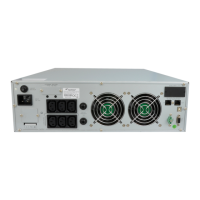
Illustrations of rear panel connectors for different UPS models (IEC and NEMA).

2-2. UPS Installation Procedures

2-3. Initial UPS Setup

2-3. UPS Setup - Connections and Software

Communication Port Connections

Connecting communication ports (USB, RS-232, Intelligent Slot) for monitoring and control.

Network and Surge Protection

Connecting modem/phone/fax lines through surge protection outlets.

EPO Function Control

Instructions for enabling and disabling the Emergency Power Off (EPO) function.

Powering On the UPS Unit

Procedures for correctly turning on the UPS unit.

UPS Monitoring Software Installation

Guide for downloading and installing the UPS monitoring software.

2-4. Battery Replacement Guide

2-5. Optional Battery Kit Assembly

3. UPS Operations and Controls

3-1. Button Functionality

Explanation of the functions for each button on the UPS control panel.

3-2. LCD Panel Introduction

Overview of the UPS LCD panel and its primary indicator icons.

3-2. LCD Panel Indicator Details

3. Operations - Alerts and Settings

3-3. Audible Alarm Interpretation

Description of audible alarms for different UPS states like low battery and overload.

3-4. LCD Display Wordings Index

Index of abbreviations and their meanings displayed on the UPS LCD screen.

3-5. UPS Configuration Parameters

Overview of UPS parameters available for user configuration via the control panel.

3-5. UPS Settings - Output and ECO Modes

Output Voltage Configuration

How to set the UPS output voltage for specific models and requirements.

Frequency Converter Mode

Enabling or disabling the frequency converter mode for UPS operation.

Output Frequency Adjustment

Setting the output frequency for battery or converter modes.

ECO Mode Enable;Disable

Instructions for enabling or disabling the Energy Saving (ECO) function.

AECO Mode Enable;Disable

Instructions for enabling or disabling the Advanced ECO (AECO) function.

3-5. UPS Settings - Bypass Voltage

ECO Voltage Range Settings

Setting high and low voltage limits for ECO and AECO operating modes.

Bypass Mode Control When Off

Enabling or disabling the bypass function when the UPS is powered off.

Bypass Voltage Range Configuration

Setting acceptable high and low voltage limits for the bypass mode.

3-5. UPS Settings - Bypass Frequency & Outlets

Bypass Frequency Range Setting

Setting acceptable high and low frequency limits for the bypass mode.

Programmable Outlet Control

Enabling or disabling the programmable outlets feature on the UPS.

Programmable Outlet Time Limits

Configuring backup time limits for programmable outlets.

General Outlet Autonomy Limit

Setting backup time limits for general outlets or disabling autonomy limitation.

3-5. UPS Settings - Battery and Charger

Battery Total AH Configuration

Setting the total battery capacity (AH) for accurate UPS operation and reporting.

Maximum Charger Current Setting

Configuring the maximum charging current for the UPS batteries.

Charger Boost Voltage Adjustment

Setting the boost voltage level for UPS battery charging.

Charger Float Voltage Configuration

Setting the float voltage level for UPS battery charging.

Exit UPS Setting Mode

Procedure for exiting the UPS configuration menu and returning to normal operation.

3-6. UPS Operating Mode Descriptions

3-7. Fault Reference Codes

3-8. Warning Indicators and Alarms

4. Troubleshooting Common UPS Issues

No Indication or Alarm

Resolving issues where the UPS shows no activity despite main power presence.

EPO Function Alarm

Troubleshooting UPS alarms related to the EPO function activation.

Input Wiring Reversal Correction

Correcting UPS issues caused by reversed line and neutral input conductors.

Battery Connection Troubleshooting

Diagnosing and fixing problems with external or internal battery connections.

High Battery Voltage Fault (Code 27)

Troubleshooting high battery voltage or charger faults indicated by fault code 27.

Low Battery Voltage Fault (Code 28)

Troubleshooting low battery voltage or charger faults indicated by fault code 28.

Resolving UPS Overload Conditions

Addressing UPS overload issues and clearing excess load warnings.

4. Troubleshooting Continued

Output Overload Shutdown (Code 43)

Troubleshooting UPS shutdown due to output overload indicated by fault code 43.

Short Circuit Faults (Code 14)

Resolving UPS shutdown caused by output short circuits indicated by fault code 14.

Internal UPS Fault Diagnosis

Diagnosing and addressing various internal UPS faults indicated by codes 01-41.

Reduced Battery Backup Performance

Troubleshooting issues resulting in shorter than nominal battery backup time.

Charger and Voltage Faults (Code 45)

Resolving faults related to the charger or output voltage indicated by code 45.

5. Storage and Maintenance Guidelines

Battery Service and Replacement

Guidance on battery lifespan, replacement procedures, and responsible disposal.

UPS Storage Best Practices

Recommendations for storing the UPS, including charging requirements and environmental conditions.

6. UPS Model Specifications

Galleon 1K Specifications

General IconGeneral
Weight10.5 kg
Typical Recharge Time4-6 hours to 90% capacity
Communication InterfaceUSB
Operating Temperature0°C to 40°C
Storage Temperature-15°C to 45°C

Related product manuals