–
TOGGLING BETWEEN L1/R1 AND L2/R2
Your GamerModz Controller is set up where you can choose to use the default layout of L2/R2 as your primary
buttons or Flip the layout to L1/R1 to Zoom and Shoot.
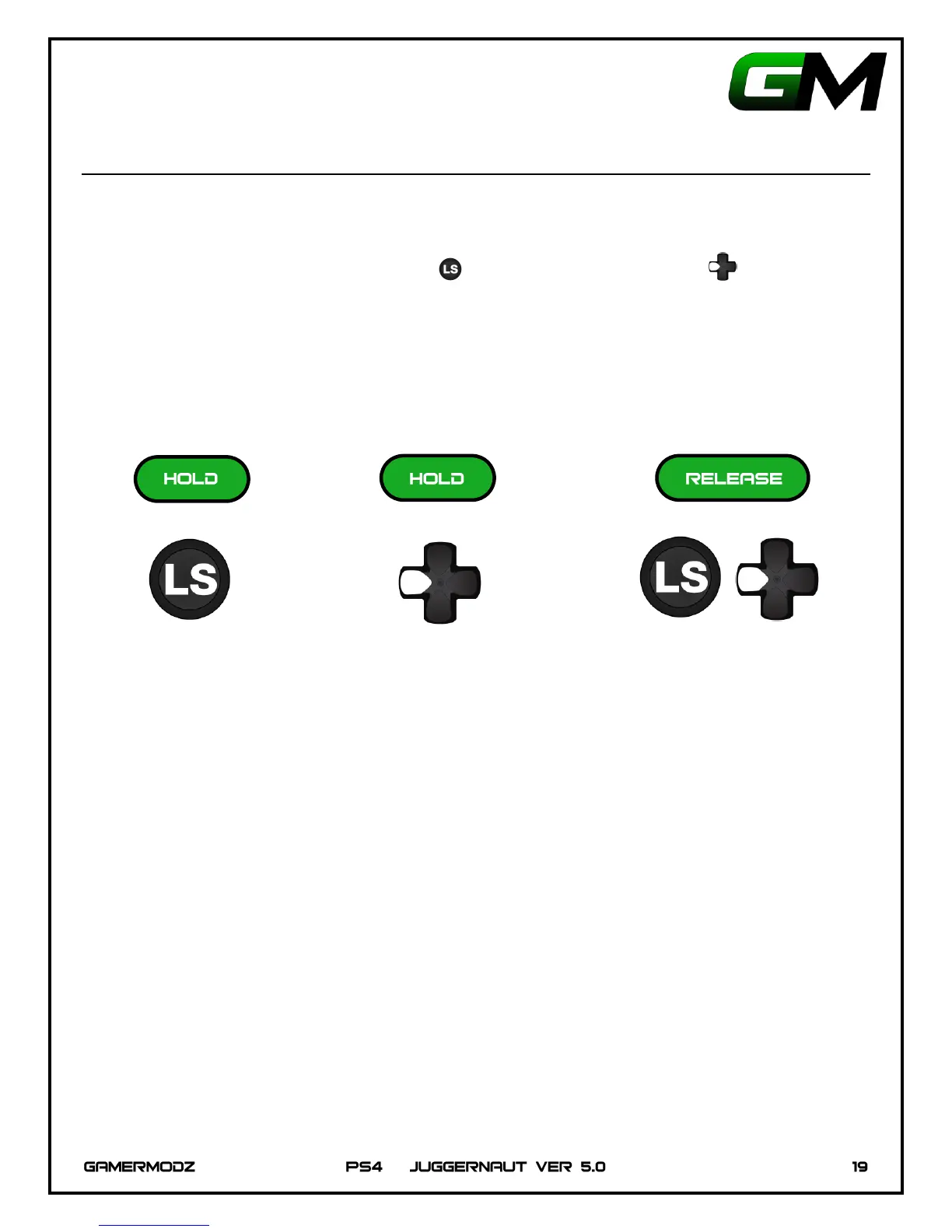
To change modes, hold down the Left Thumbstick and hold down Left on the D-Pad until the main
LED flashes. The LED flashing indicates that the layout was changed for the mods.
IMPORTANT: Your GamerModz controller comes default as L2/R2 as primary. If you would like to flip the
layout to L1/R1 you must follow the instructions below as well as flip your layout in the controller layout
options of the console.


 To Next Page