–
ADJUSTABLE RAPID
FIRE MODES
Your GamerModz Juggernaut Controller comes with 5 Programmable Modes - Modes 1 thru 5. To program a
Mode, you must first select the mode (Reference “Toggle Between Rapid Fire Modes” on Page 2).
Once you are in the Mode you wish to Program (Only applies to Modes 1 thru 5) follow the instructions below
to Program that Mode. Your GamerModz Juggernaut Controller will remember the Re-Programmable Mode
settings even after you turn your controller off.
PROGRAMMING ADJUSTABLE RAPID FIRE MODES
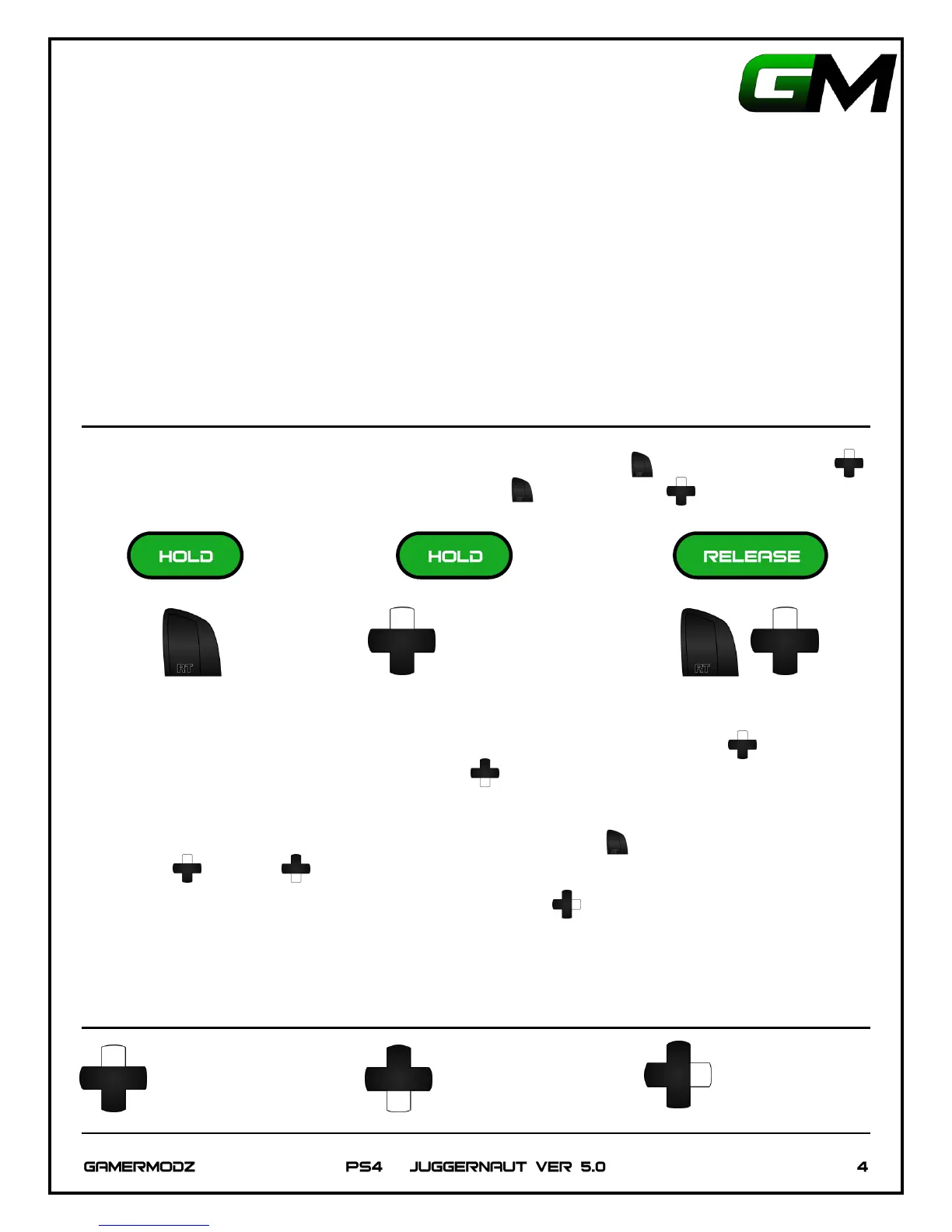
Once you are in the Mode you wish to Program, Hold Down the Right Trigger , then Hold Up on D-Pad
until the LED begins to flash. Release both the Right Trigger and Up on D-Pad .
Once in Programming Mode you can adjust your shots per second by Tapping Up on D-Pad to Increase
Shots per Second and by Tapping Down on the D-Pad to Decrease Shots per Second. Note: Each time
you Tap the D-Pad, your Rate of Fire will Increase or Decrease 1 Shot per Second.
To test the Rapid Fire Rate, fire your weapon by pulling the Right Trigger . Adjust your Rapid Fire Rate by
Tapping Up or Down on the D-Pad until the desired smoothness and rate of fire is achieved. Please
see graph on Page 4 for Reference.
Once you have the desired Rapid Fire Setting, Tap Right on D-Pad to lock in the rate of fire. The PS4 LED
will flash the number times corresponding to your rate of fire. For Example: 12 Shots per Second, The LED will
flash 12 times.


 To Next Page