AppendixA
ThecontentsofthisAppendixareavailableasaTutorialVideoWalk-throughat
www.watchbotsupport.co.uk#routercong
RouterConguraonandPortForwarding
Oen, it is necessary to congure your network router to allow the WatchBot camera to
connect. For this User Guide, we are using the popular NetGear DGN2200 Router. The
concepts are the same for any router, however interface and terminology are oen dierent.
PortForward.com
For port-forwarding tutorials for many more router makes and models, please visit the
PortForward.com Router List web site - hp://pororward.com/english/routers/port_
forwarding/routerindex.htm. This website provides an exhausve list of router walk-throughs.
Using the concepts from the guide below, you should be able to follow the tutorials at
PortForward.com and successfully set up your router for use with your WatchBot camera.
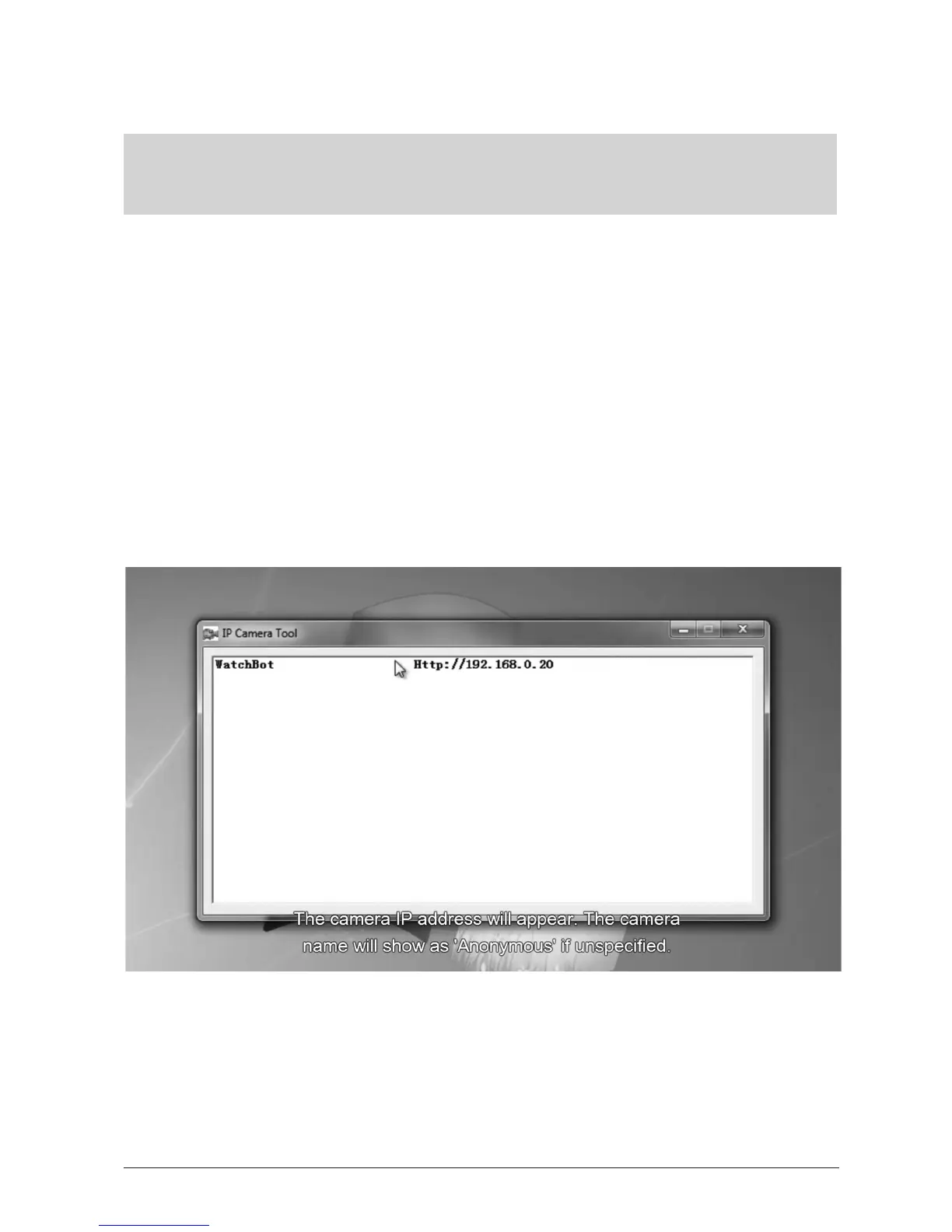
Check the current IP/Port details of the connected camera. Click on the IP Camera Tool icon on
your desktop. The camera IP address will appear. The camera name will show as ‘Anonymous’
if unspecied.
OVER...


 To Next Page