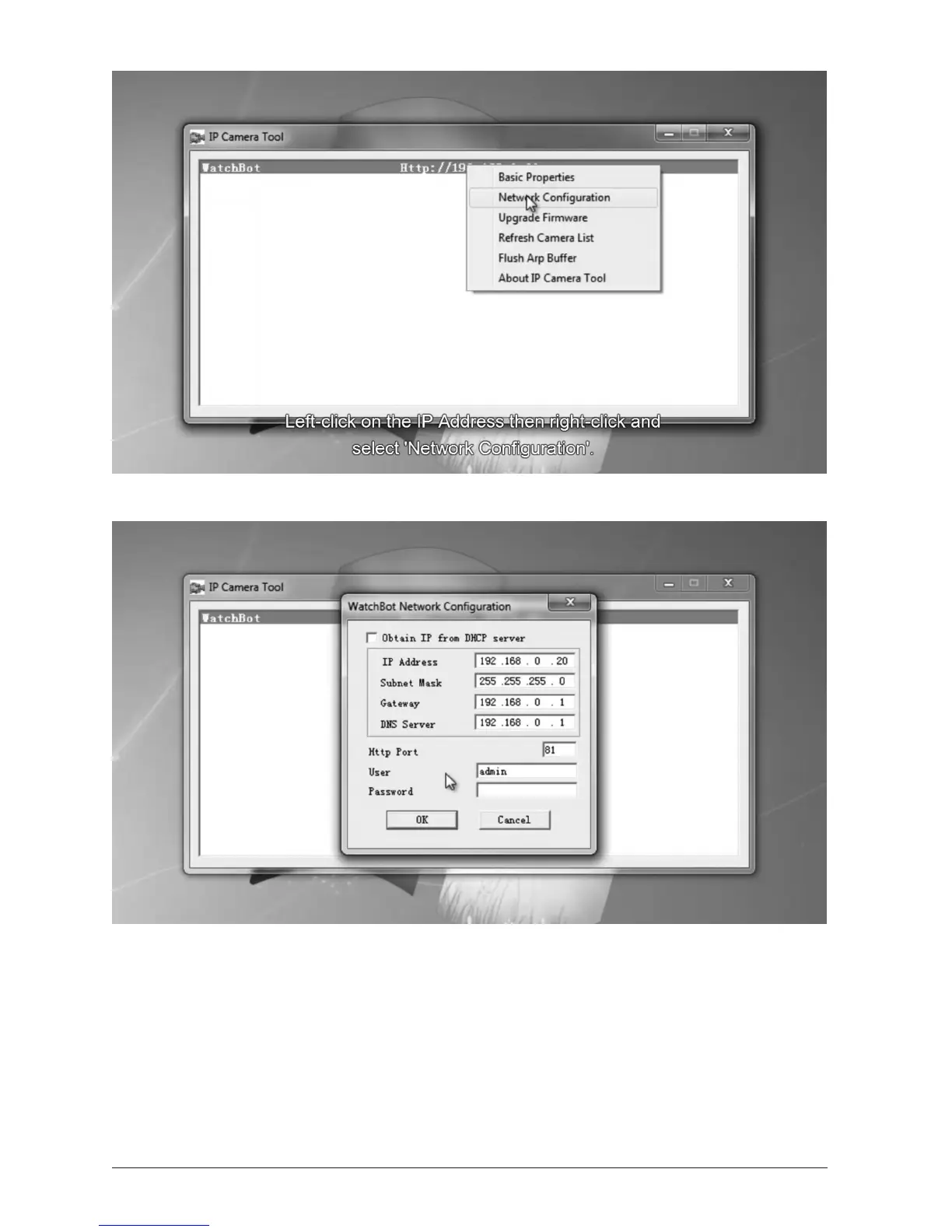
Le-click on the IP Address then right-click and select ‘Network Conguraon’.
In the screen above, we see that the last number in the IP Address is set to 20. We will be
xing the IP address of the camera at this number. By default, the Hp Port number is set
to 80. In the screen above, note that this has been set to 81. A number other than 80 is
recommended because Port 80 is oen used for alot of other acvity on the network.
Ensure your Gateway and DNS server are also set correctly, then click OK to save, and the
camera will reboot. (This will take around 30 seconds).


 To Next Page