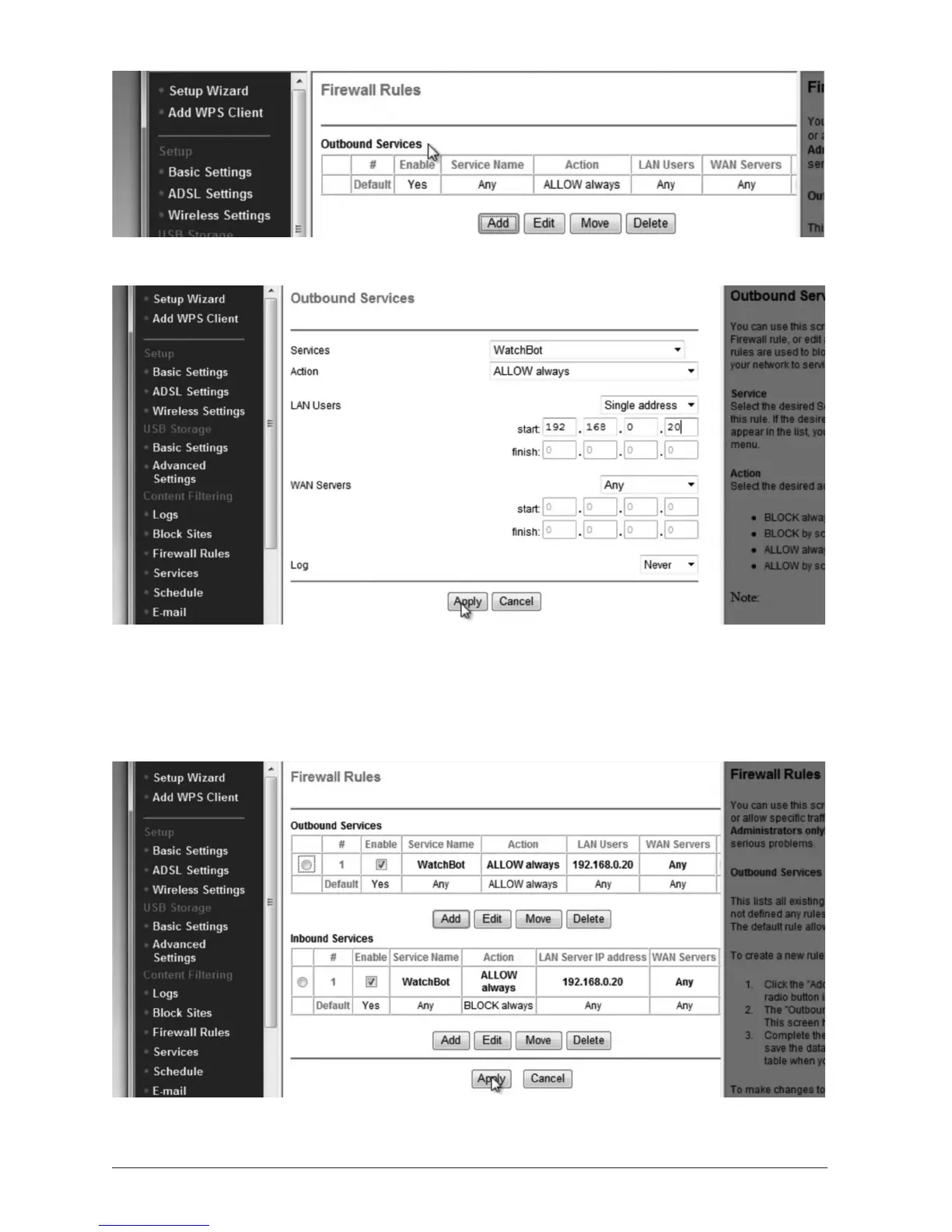
Click ‘Add’ under ‘Outbound Services’.
From the drop-down list, choose the name you gave your camera in the ‘Services’ step.
Ensure ‘Acon’ is set to ‘Always Allow’.
Under ‘LAN Users, choose ‘Single Address, then under ‘start’ enter the IP address of the
camera (in this case 192.168.0.20).
Leave ‘WAN Servers’ set to ‘Any’ and click ‘Apply’.
When back in ‘Firewall Rules’, click ‘Apply’ to save your sengs.


 To Next Page