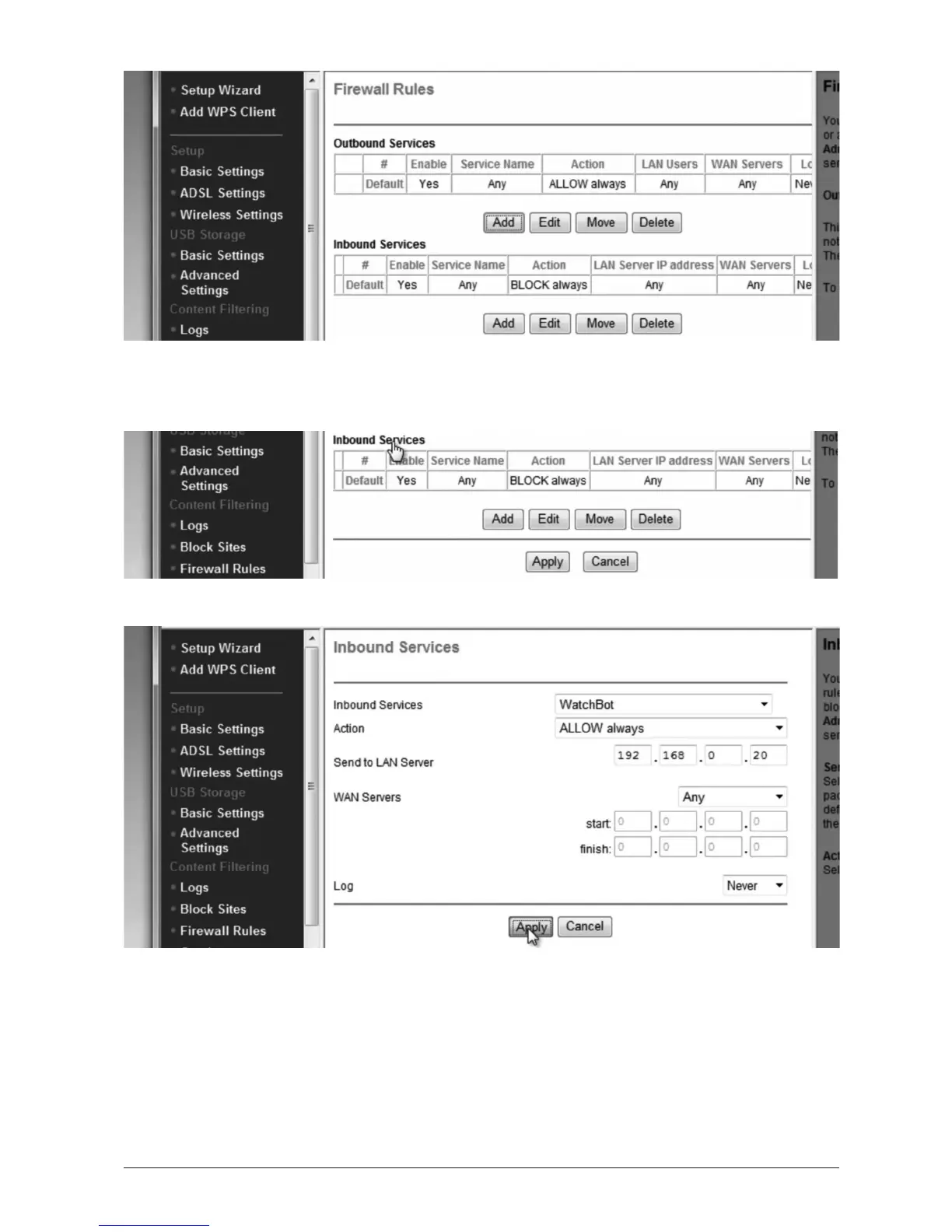
Next select ‘Firewall Rules’ (may also be called ‘Security’). We’ll be allowing the camera to
connect through the router rewall.
We’ll be adding a new Inbound Service. Click the ‘Add’ buon under ‘Inbound’.
From the drop-down list, choose the name you gave your camera in the ‘Services’ step.
Ensure ‘Acon’ is set to ‘Always Allow’.
Under ‘Send to LAN Server’, enter the IP address of the camera (in this case 192.168.0.20).
Leave ‘WAN Servers’ set to ‘Any’ and click ‘Apply’.
In some cases, to allow you to view the camera via the Internet from your local network, you
need to add an Outbound Service too. Do this in the same way as the previous Inbound one.
(See overleaf).


 To Next Page