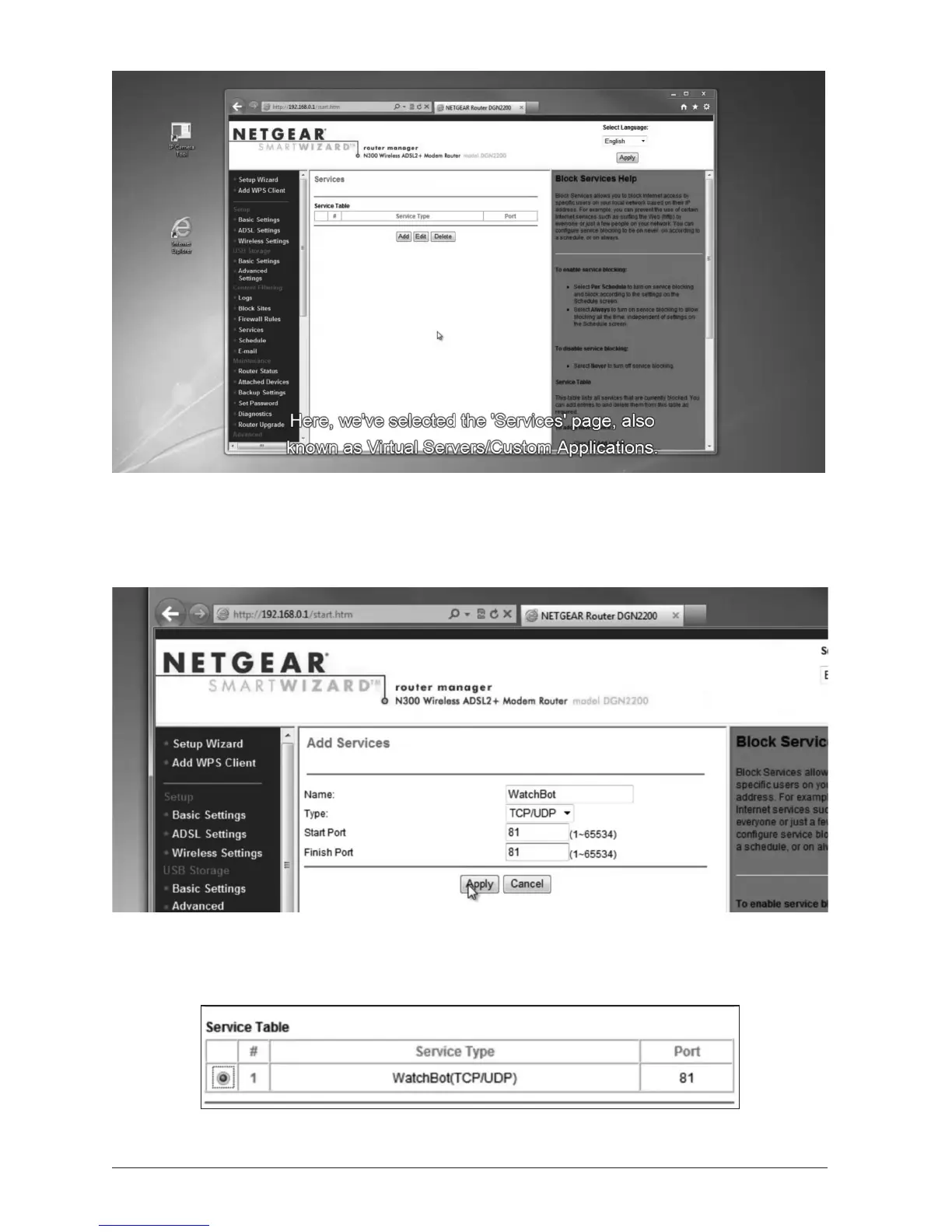
Here we are logged in to the router admin pages. We have selected the ‘Services’ page, also
known as ‘Virtual Servers’ or ‘Custom Applicaons’.
ClickADD.
Enter a name for the Service. This could be ‘WatchBot’, ‘Cam1’ or anything you like. Choose
TCP/UDP as Type. This may also be named ‘Both’, or you may need to add TCP and UDP
separately. Enter 81 in both ‘Start Port’ and ‘Finish Port’ boxes. Click ‘Apply’.
Above: The new Service applied.


 To Next Page