Basic Functions
13
1. Measuring menu (main menu): The measuring process
can be performed from here.
2. Type selection: The material type can be selected here.
3. Maximum value: The largest measured value is
displayed
4. Minimum value: The smallest measured value is
displayed.
2.3.1 Measuring Menu (main menu)
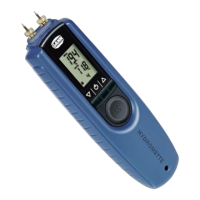
The last measured value is shown together with the comment
"Hold". The instrument temperature and the current type are also
shown on the display.
A new measurement can be started in this menu by pressing the
"M" key.
The "Hold" icon disappears from the display during the
measurement and the % sign flashes. If the measured value
remains stable the % sign stays on and the measured value is
stored after releasing the "M" key. The "Hold" icon is displayed
again.
If the new measured value is greater or smaller than the previous
maximum or minimum, "Max" or "Min" flash on the display. The "M"
key is pressed briefly to store the new value as the new minimum
or maximum. A new measurement can be started without altering
the previous minimum or maximum by pressing "M" longer if the
value is not to be stored.
If a measurement is outside of the measuring range (< 6%, > 25%)
a flashing value, which is additionally marked by "LO" or "HI",
warns of this.


 To Next Page