15
GB
EE
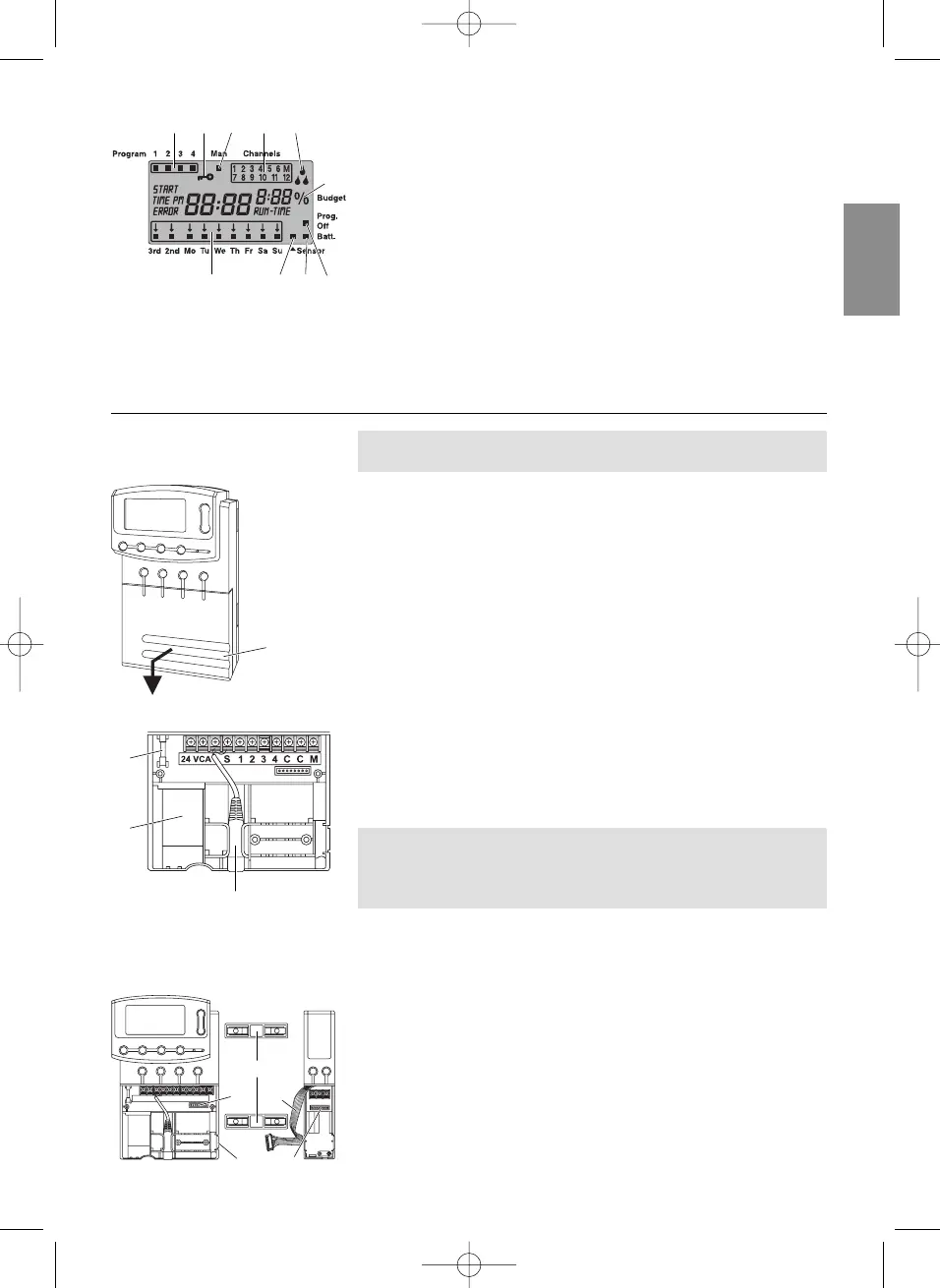
Prog. Off
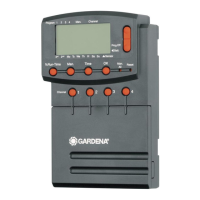
Watering programmes disabled (% Run Time function: 0%).
FF
Battery Status Display:
If the Batt.-display is flashing, the battery is almost flat and
must be replaced.
The Batt.-display is reset by changing the battery.
GG
Sensor Display:
If the sensor is inserted and produces the status report moist,
the sensor display appears.
HH
Days of the week / Watering cycles:
To display the current day or the watering days and watering
cycles programmed (3
rd
every 3
rd
day/ 2
nd
every 2
nd
day).
4. Putting into Operation
Before programming your Watering Controller, install a 9-V bat-
tery to prevent loss of data if a power failure occurs.
1. Raise cover
1
and pull downwards.
2. Insert the cable of the power supply unit into the 24VAC
terminals and screw tight.
3. Insert cables for the valves (e. g. 7-wire GARDENA connection
cable Art. 1280 for up to 6 valves) in the clips with the numbers
and C and screw tight. (see also
“
Connect valves
”
).
4. Insert battery in the battery compartment
2
.
Ensure the poles are in the correct position.
5. If necessary, insert the sensor cable (e. g. GARDENA moisture
sensor Art. 1187) in the sensor connection
3
.
6. If you intend to use the master channel, insert the cable for
the master channel into the terminals labelled M and C and
screw tight. (see
“Master Channel”
).
7. Push cover on to the connection box.
8. Plug the mains plug of the 24 V (AC) power supply unit into
a 230 V mains socket.
Plugging in the power supply will reset the Watering Controller.
After this it is necessary to choose between a 24 hour or
12 hour display and the time must be set (see 5. Operation
“Setting the time”
).
The GARDENA extension modules Art.1277 with 2 channels are
available as an optional extra. Up to 4 extension modules can be
connected and in this way 12 channels can be controlled via the
base unit.
1. Break off bar
4
from the watering controller (or already con-
nected expansion module).
2. Insert connection links
8
into the watering controller (or an
expansion module already connected) and push the expansion
module on.
3. Connect the expansion module cable
5
using the connector
6
(if connecting another expansion module, connect the expan-
sion modules using the expansion module connector
7
).
Connecting your
Watering Controller:
Connect extension module:
7
5
4
6
8
1
H G F E
B C
D
9 0 A
0
2
3


 To Next Page