89
GB
Insert battery:
P
D
I
H
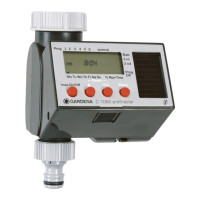
4. Putting Your Water Computer into Operation
This Water Computer must only be powered by a 9V alkaline
manganese (alkaline) battery type IEC 6LR61.
1. Press unlock button
H
and pull control
unit
I
out of the Water Computer housing.
2. Insert battery
J
into battery
compartment.
Ensure that the battery polarity is
correct.
The display shows all the LCD-symbols
for 2 seconds and then moves to the
time / day of week level.
3. Re-insert control unit
I
in housing.
Programming aid:
v Stick the self-adhesive programming
aid on the inside of the display cover .
The display cover can be folded up to protect the display against
the weather.
J
z
P
z
D


 To Next Page
 Loading...