61
5. Summary of Operating Instructions
1. Inserting the Battery
Only use a 9 V alkali-manganese (alkaline) battery type IEC 6LR61.
Observe the polarity (+/– markings).
2. Programming the Water Computer
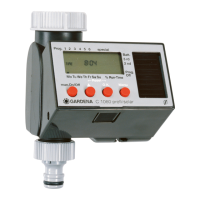
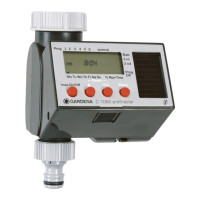
Select the individual program steps in succession using the Menu/O.K.
key.
You can change the program data using the On/Off ▲ key.
The main display (time) can be accessed using the Menu/O.K. key.
Entering the Time and Day of the Week
a) Time – hours
b) Time – minutes
c) Day of the week
Entering the Watering Data
a) Starting time – hours
b) Starting time – minutes
c) Watering time – hours
d) Watering time – minutes
e) Watering cycle
3. On/Off-Prog.
Off: The watering program is switched off (e.g. during a rainy spell)
On: The watering program is switched on (normal operation)
4. Manual On/Off Operation
Press the On/Off key once to open the valve and press again to
close it.
The opening time is pre-set at the factory to 30 minutes and
cannot
be changed!










 To Next Page