62
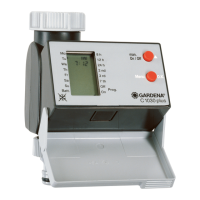
6. Function Keys / Display of the Water Computer
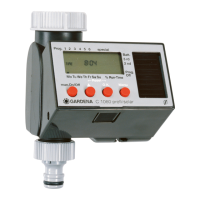
6.1 Function Keys (Fig. A)
1
man On/Off ▲ To change the individual data you have entered
(e.g. hours, minutes, days etc.); to quickly run through
the data, press and hold the key down.
2
Menu O.K. To move to the next step of the program and simulta-
neously accept and confirm data you have set using
the On/Off key.
6.2 LCD Display
Note: In the entry mode the respective data flashes.
3
TIME (current data: time, day of the week)
Hours Hours of the current time.
Minutes Minutes of the current time.
Seconds Dots between the hours and minutes
flash when you have entered or
changed the current time (hour/minute/
day of the week).
Day Indicates the current day of the week
(Mo, Tu, etc.) (date/time).
4
START TIME (Watering Starting Time)
Hours Hour for the watering starting time.
Minutes Minute for the watering starting time.
Seconds Dots between the hours and minutes
flash during automatic watering.
5
RUN TIME (Watering Time)
Hours Hours for the watering time.
Minutes Minutes for the watering time.
6
Watering Cycles
Shows the watering cycles you set in the program
mode: every 8, 12, 24 hours, or every 2, 3, 7 days.







 To Next Page