Part # 1936601 Rev. 6 (01/08)Page 30
TEMPERATURE CALIBRATION
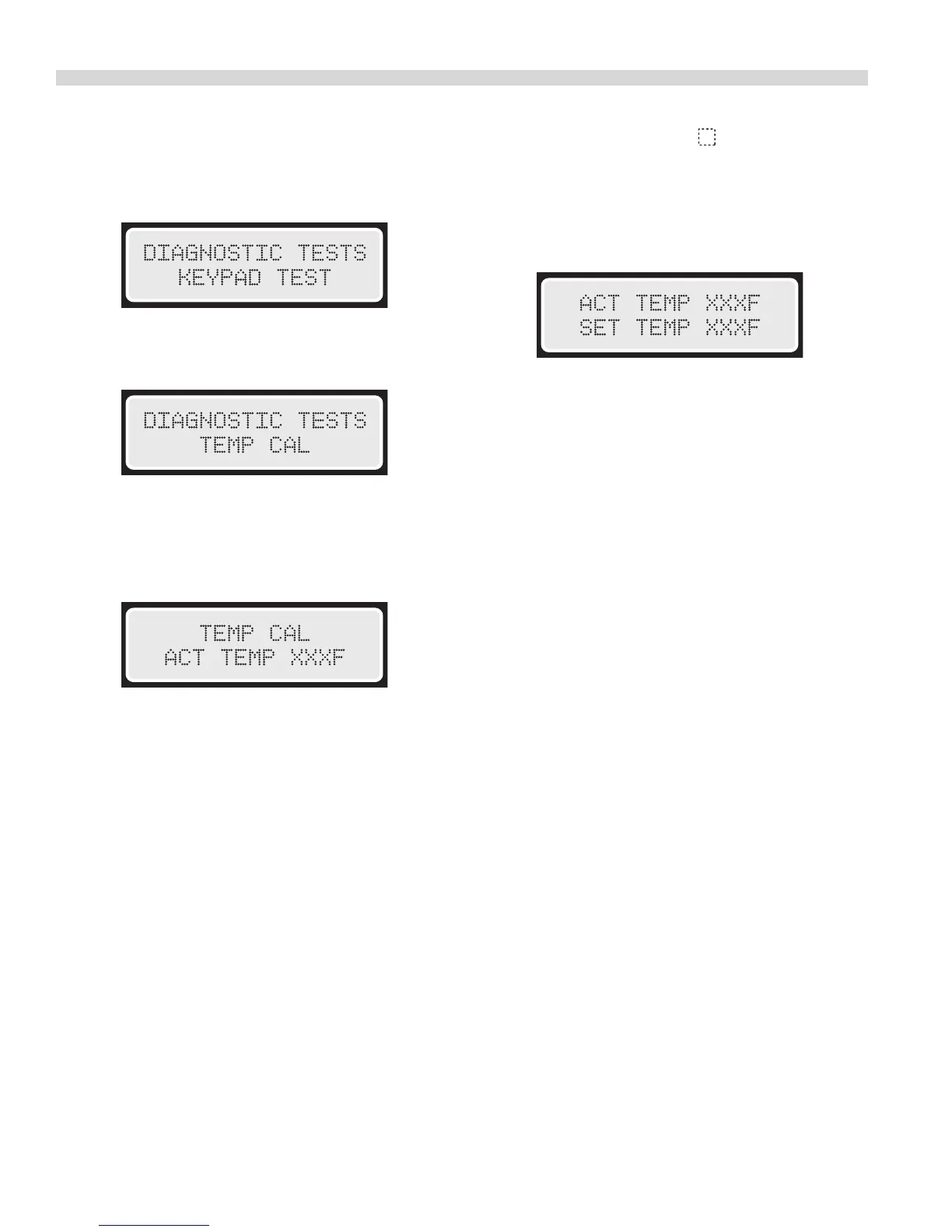
1. Press and hold “PROGRAM” Button for three (3) seconds.
When prompted, enter the Diagnostics Code 3-4-2-4,
Press “Y”. The Moisture Plus part number will display briey
followed by the Diagnostic Tests – Keypad Test.
2. Press the “N” Button to scroll to Diagnostic Tests – Temp
Cal. Press “Y”.
3 After selecting Temperature Calibration and Pressing
“ENTER”. The display will show the Actual Temperature
inside the oven. Verify the cavity temperature using a
pyrometer.
4. Press and hold the “PHANTOM” button for three, (3),
seconds. The display will show the Actual Temperature
on the rst line and Set Temperature on the second line.
If the Actual Temperature does not correspond to the
pryometer, enter the value on the pyromter using buttons
1 – 0. The value will be input as Set Temp.
5. Press “Y” to accept the changes. The actual Temperature
will change to equal the value input for Set Temperature.
Press Cancel to exit Temperature Calibration.
NOTE: After the desired Tests are completer, press “PROGRAM”
to exit Diagnostics Mode.




 To Next Page