4 Edge200Owner’sManual
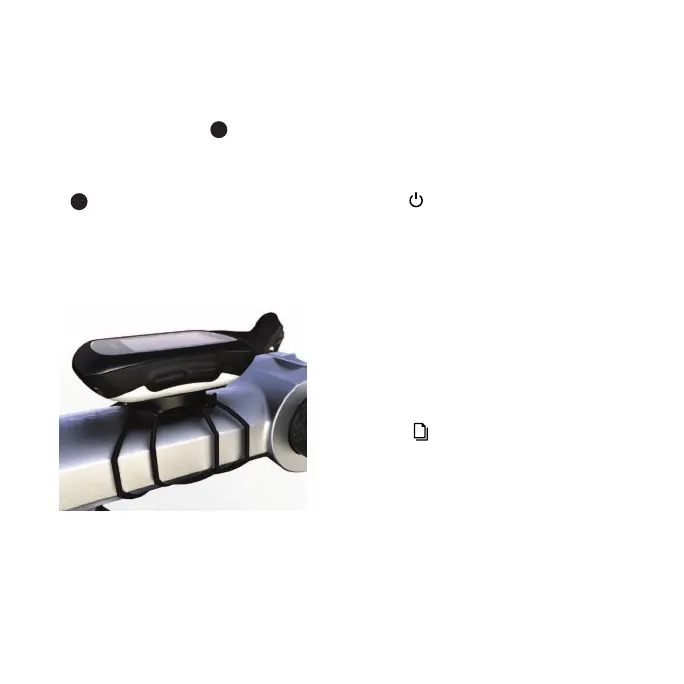
3. Place the bike mount on the bike
stem.
4. Attach the bike mount securely
using the two bands
➌
.
5. Align the tabs on the back of the
Edge with the bike mount notches
➍
.
6. Press down slightly and turn the
Edge clockwise until it locks into
place.
1. Turn the Edge counterclockwise to
unlock the device.
2. Lift the Edge off the mount.
Press .
The rst time you turn on the Edge,
you are prompted to congure system
settings and user prole settings.
• Follow the on-screen instructions to
complete the initial setup.
• Select
▲
or
▼
to view choices
and change the default selection.
• Select to make a selection.








 To Next Page