EasyManua.ls Logo

Garmin GTR 200 - User Manual

Garmin GTR 200
85 pages
Print Icon
To Next Page IconTo Next Page
Loading...
190-01553-00 September, 2013 Revision B
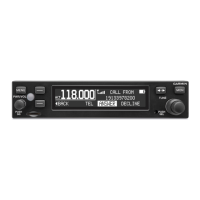
GTR 200
COM Transceiver
Installation Manual

Table of Contents

Other manuals for Garmin GTR 200

Questions and Answers

  • M
    michaelcostaSep 9, 2025
    What to do if Garmin transceiver volume key is stuck?
    • J
      Joseph MooreSep 9, 2025
      If the volume key on your Garmin transceiver has been in the pressed position for at least 30 seconds, it will be ignored. If this message persists, contact Garmin for service.
  • A
    Amanda EvansAug 23, 2025
    Why is my Garmin GPS GTR 200 not transmitting?
    • C
      Casey SuttonAug 23, 2025
      If your Garmin GPS GTR 200 is not transmitting, the issue may stem from a lack of power to COM or a problem with the mic key connection. Initially, verify the power connections to the COM. Also, inspect the mic key input connection to ensure it is properly connected.
  • H
    Heather DunnAug 25, 2025
    What to do if Garmin transceiver GTR 200/200B does not transmit?
    • K
      Kara RamirezAug 25, 2025
      If the Garmin GTR 200/200B transceiver is not transmitting, the issue might be related to the COM having no power or a problem with the mic key connection. You should check the power connections and the mic key input connection.
  • J
    John AdamsAug 26, 2025
    What to do if Garmin transceiver reduced TX power due to low volts?
    • S
      Steven TranAug 26, 2025
      If your Garmin transceiver shows 'REDUCED TX POWER - LOW VOLTS', it means the transmit power is reduced because the input voltage is too low. Verify the input voltage meets the minimum requirement identified in the installation manual. If the message persists, contact Garmin for service.
  • D
    duranchelseaAug 27, 2025
    What to do if Garmin GTR 200 Transceiver reduced TX power due to high temperature?
    • B
      Brittany GarciaAug 28, 2025
      If your Garmin transceiver displays 'REDUCED TX POWER - HI TEMP', the transmit power is reduced because the internal temperature is too high. Allow the unit to cool down. If the problem continues, consider adding supplemental cooling.
  • M
    Martin GarciaAug 29, 2025
    What to do if Garmin transceiver TX hardware fault?
    • R
      Rhonda WilliamsAug 29, 2025
      If your Garmin transceiver displays a 'TX HARDWARE FAULT' message, it indicates an internal hardware problem is preventing COM transmission. Contact Garmin for service if this message persists.
  • A
    Annette RiveraSep 18, 2025
    What to do if Garmin transceiver rotary knob key is stuck?
    • N
      Nicholas BurgessSep 18, 2025
      If the Rotary Knob key on your Garmin transceiver has been in the pressed position for at least 30 seconds, it will be ignored. If this message persists, contact Garmin for service.
  • J
    Jeffrey HaneySep 18, 2025
    What to do if Garmin GTR 200 mon key is stuck?
    • C
      Crystal HowardSep 19, 2025
      If the MON key on your Garmin transceiver has been in the pressed position for at least 30 seconds, it will be ignored. If this message persists, contact Garmin for service.
  • C
    Carlos MccoySep 7, 2025
    What to do if Garmin transceiver multiple keys are stuck?
    • T
      Tyler FordSep 7, 2025
      If your Garmin transceiver indicates that multiple keys have been in the pressed position for at least 30 seconds and are now being ignored, contact Garmin for service if this message persists.
  • M
    Mr. James Barber MDSep 4, 2025
    What to do if Garmin GTR 200 copilot PTT key is stuck?
    • D
      Dawn CaseSep 4, 2025
      If the Garmin transceiver indicates that the Copilot Push To Talk key/switch is stuck, verify the Push To Talk key/switch is not physically stuck. If the problem persists, contact Garmin for service.

Summary

Appendices

Shield Block Connector Installation

Instructions and parts for shield block connector installation, including termination techniques.

Serial Interface Specifications

Details electrical interface, baud rate, data format, and message formats.

Outline and Installation Drawings

Provides dimensional drawings for the GTR 200 unit, rack, and panel cutout.

Interconnect Examples

Shows wiring diagrams and connection examples for various system integrations.

General Description

Introduction and Equipment Details

Provides an introduction to the GTR 200 and its basic equipment description.

Technical Specifications

Details physical and general specifications, display, COM, receiver, and transmitter specs.

Certification and Reference Documents

Covers FCC grant, Industry Canada compliance, and relevant reference publications.

Installation Overview

Planning and Unit Configurations

Explains installation planning, unit configurations, and available accessories.

Installation Considerations and Materials

Covers installation materials, COM antenna requirements, and location considerations.

Mounting, Wiring, and Cooling

Details mounting requirements, cabling, wiring, and air circulation/cooling.

Compass Safe Distance

Addresses the impact of GTR 200 installation on aircraft compass calibration.

Installation Procedures

Unit Preparation and Wiring

Covers unpacking, inspection, and wiring harness installation.

Unit Mounting and Antenna Connection

Details backshell assembly, rack installation, and antenna connection.

Post-Installation Checks and Configuration

Outlines system configuration, ground/flight checks, and software updates.

Connector Pinout Information

Pin Functionality and Power

Lists pin functions, I/O, and power connection details for the main connector.

Serial Data, Audio, and Control Signals

Details RS-232 interface, NMEA formats, headset audio, music inputs, and PTT controls.

Garmin GTR 200 Specifications

General IconGeneral
ModulationAM
Operating Temperature-20°C to +55°C
Channel Spacing8.33 kHz / 25 kHz
Transmit Power10 W
Operating Voltage14/28 VDC systems
Frequency Range118.000 - 136.975 MHz

Related product manuals