EasyManua.ls Logo

Garmin GTR 225 - User Manual

Garmin GTR 225
132 pages
Print Icon
To Next Page IconTo Next Page
Loading...
190-01182-02 March 2015 Revision F
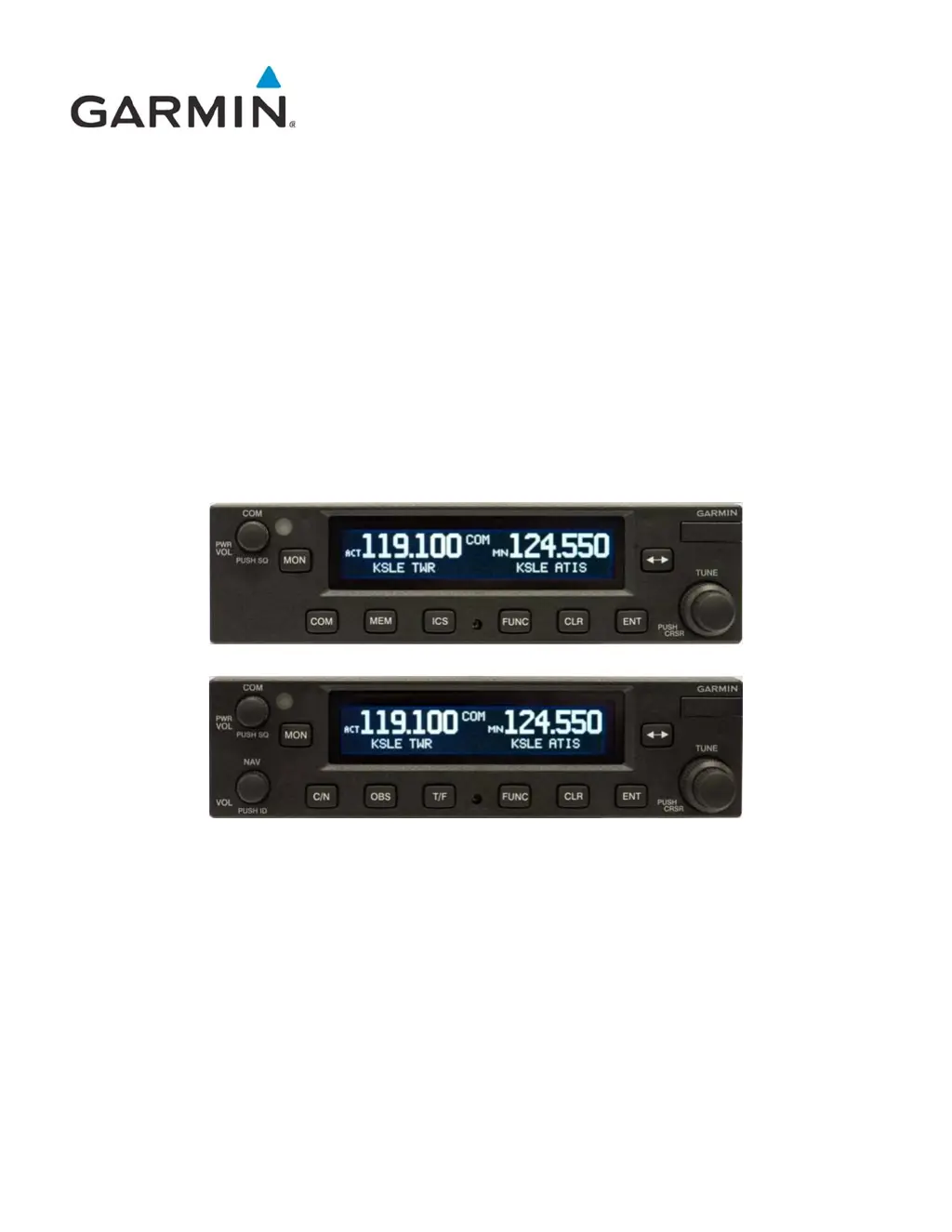
GTR 225/GNC 255
TSO Installation Manual

Table of Contents

Other manuals for Garmin GTR 225

Questions and Answers

  • M
    Mrs. Sharon MaciasSep 9, 2025
    What should I do if my Garmin GTR 225 displays 'COM RADIO - COM radio needs service'?
    • M
      Michael Mora DDSSep 9, 2025
      This message means that the COM radio is reporting that it needs service. Cycle the power to the COM radio. Contact dealer for service.
  • J
    Jacqueline TuckerAug 22, 2025
    What to do if Garmin GTR 225 Transceiver does not transmit?
    • K
      Kevin BrownAug 23, 2025
      If your Garmin GTR 225 Transceiver isn't transmitting, start by checking the power connections to ensure the COM has power. Also, verify the mic key input connection is properly connected.
  • K
    karenroseAug 25, 2025
    What to do if I can't change active frequency on my Garmin GPS?
    • M
      Matthew SanchezAug 25, 2025
      If you can't change the active frequency on your Garmin GPS, it might be in lockout mode, tuning to 121.50. To fix this, press the external Com FLIP/FLOP key for two seconds to return to normal operation, or cycle the avionics power. If the problem continues, contact your dealer.
  • A
    allenchristopherAug 26, 2025
    What to do if Garmin GPS GTR 225 does not transmit?
    • J
      Joseph HerreraAug 27, 2025
      If your Garmin GTR 225 GPS does not transmit, check the power connections to the Com and the Mic key input connection.
  • R
    Richard WeissAug 27, 2025
    Why is the intercom not working on my Garmin GPS?
    • C
      Craig ChavezAug 28, 2025
      If the intercom on your Garmin GPS isn’t functioning, first check the connections. The intercom might be disabled via a remote-mounted switch or through the menu. Also, if there's no voice activation, or if you must speak too loudly, check the ICS page for Intercom On/Off settings and adjust the intercom settings.
  • K
    Kimberly West DDSAug 29, 2025
    How to troubleshoot a Garmin GTR 225 Transceiver that does not power on?
    • M
      Mindy YorkAug 29, 2025
      If your Garmin GTR 225 Transceiver does not power on, there are a couple of things you can check: * First, ensure that there is power reaching the unit by checking the power connections, breakers, and the main avionics switch. * Also, a faulty electrical wiring or connection may be the reason. In this case, it is best to contact your dealer to perform an electrical system test.
  • D
    Dustin SwansonSep 17, 2025
    What to do if Garmin GTR 225 Transceiver displays 'DISPLAY - Display board needs service'?
    • B
      Brooke NortonSep 18, 2025
      This message indicates that the display board needs service. Contact dealer for service.
  • M
    Matthew WolfSep 18, 2025
    What does it mean when my Garmin Transceiver displays 'POWER ALERT - Unit will shut down if power switch is not restored immediately'?
    • S
      Suzanne HernandezSep 19, 2025
      This message indicates that power has been removed from the unit. Re-apply power to the unit.
  • M
    Michael SalinasSep 7, 2025
    What does 'FEATURE UNLOCK FAILURE' mean on my Garmin GTR 225?
    • A
      ayalachristinaSep 8, 2025
      This message indicates that the database on the USB flash drive is corrupt, or the system ID in the database does not match the unit’s system ID. Verify that the correct system ID is entered into flyGarmin.com when downloading the database. Contact Garmin Customer Support if this message persists.
  • S
    Sonya RobertsSep 4, 2025
    Why does my Garmin GTR 225 Transceiver show 'COM RADIO - COM overtemp or undervoltage. Reducing transmitter power'?
    • E
      Elizabeth TranSep 4, 2025
      This message indicates that the COM radio is in overtemp or undervoltage mode, and transmitting power has been reduced to prevent damage. To address this, decrease the length of COM transmissions, lower the cabin temperature, and increase cabin airflow, especially near the GTR. Also, check the aircraft voltage and reduce electrical load as necessary. Contact dealer for service if this message persists.

Summary

1 GENERAL DESCRIPTION

1.1 Introduction

Overview of manual scope, intended audience, and installation practices.

1.2 Equipment Description

Details GTR 225/GNC 255 series units and TSO certifications.

1.3 General Specifications

Physical/display specs, operating ranges, environmental testing.

1.4 COM Specifications

Transmitter/receiver specs for COM functions, including frequency and power.

1.5 VOR Specifications

Receiver specs for VOR navigation, including sensitivity, accuracy, and output.

1.6 LOC Specifications

Receiver specs for LOC navigation, including sensitivity, accuracy, and output.

1.7 Glideslope Specifications

Receiver specs for Glideslope navigation, including sensitivity, accuracy, and output.

1.8 Current Draw Specifications

Electrical current draw requirements for GTR/GNC units under various conditions.

1.9 License Requirements

FCC licensing requirements and cautions regarding equipment modifications.

1.10 Certification

TSO authorizations, advisory circular references, and system functions.

1.11 GTR;GNC Database

Information on the frequency database, updates, and reporting discrepancies.

1.12 Aviation Limited Warranty

Details of product warranty, exclusions, and service procedures.

2 LIMITATIONS

2.1 Installation

Minimum performance standards for TSO approval and aircraft installation requirements.

2.2 Aircraft Radio

Aircraft radio station license requirements and safety objectives for VHF COM radio.

3 INSTALLATION OVERVIEW

3.1 Introduction

Guidance on following acceptable avionics installation practices per AC 43.13.

3.2 Antenna Considerations

Guidelines for mounting COM/NAV antennas, including location, spacing, and GPS interference.

3.3 GTR;GNC Mounting Considerations

Recommendations for mounting unit in aircraft panel for optimal pilot access and visibility.

3.4 Cabling and Wiring Considerations

Best practices for wiring installation, including separation, protection, and wire gauge.

3.5 Air Circulation and Cooling

Information on unit's integrated cooling fan and ensuring proper airflow through chassis.

3.6 Compass Safe Distance

Requirements for recalibrating compass if unit is mounted within twelve inches.

4 INSTALLATION PROCEDURES

4.1 Unit and Accessories

Catalog part numbers and standard kit accessories for GTR/GNC units.

4.2 Miscellaneous Options

Information on optional accessories like notch filters and specific connectors.

4.3 Optional Reference Material

List of related manuals and guides for installation and operation.

4.4 Installation Materials Required but not Supplied

List of necessary accessories and materials not included with unit for installation.

4.5 Special Tools Required

Recommended crimp tools and insertion/extraction tools for connector contacts.

4.6 Coaxial Cable Installation

Steps for routing and installing coaxial cables, including connector attachment and trimming.

4.7 Equipment Mounting

Procedures for installing unit's mounting rack and securing the unit into the rack.

4.8 COM Antenna Installation and Connections

Guidelines for installing COM antenna, including mounting location and VSWR checks.

5 CONNECTOR PINOUT INFORMATION

5.1 Pin Function List

Detailed list of pin functions for J2001 COM board and J2002 NAV board connectors.

5.2 Power, Lighting, And Antennas

Details on power input, lighting bus connections, and antenna interfaces for COM/NAV units.

6 POST INSTALLATION CONFIGURATION AND CHECKOUT PROCEDURES

6.1 System Configuration Overview

Overview of checkout and configuration steps for the GTR/GNC installation.

6.2 Mounting, Wiring, and Power Checks

Procedures for verifying mounting, wiring harness, and power connections before unit installation.

6.3 Connector Engagement Check

Steps to ensure proper unit connector engagement in rack and secure retention mechanism.

6.4 Configuration Mode Operations

How to access and navigate configuration modes for system setup (SYS, NAV, COM, AUD).

6.5 Ground Checks (Configuration Mode)

Procedures for ground checks of system interfaces like resolvers and flags in config mode.

6.6 Ground Checks (Normal Mode)

Procedures for ground checks of interfaces (discrete inputs, VHF COM/NAV) in normal mode.

6.7 Flight Checks

Recommended flight checks for satisfactory performance of COM, VOR, and ILS functions.

6.8 Software Loading

Instructions for loading software updates and databases onto GTR/GNC via USB drive.

7 CONTINUED AIRWORTHINESS

APPENDIX A ENVIRONMENTAL QUALIFICATION FORM

APPENDIX B GTR;GNC DATA FORMAT

B.1 RS-232 Aviation Format

Details on RS-232 interface and general aviation output data formats (Type 1/Type 2 sentences).

B.2 RS-232 NMEA Data Format

Details on RS-232 NMEA data format, including interface, message structure, and output rates.

APPENDIX C MECHANICAL DRAWINGS

C.1 Drawing List

List of mechanical drawings for unit dimensions, mounting rack, and panel cutout details.

APPENDIX D INTERCONNECT DIAGRAMS

D.1 Drawing List

List of interconnect diagrams illustrating system interfaces and wiring connections.

Garmin GTR 225 Specifications

General IconGeneral
Input Voltage11-33 VDC
Operating Voltage11-33 VDC
Operating Temperature-20°C to +55°C
Frequency Range118.000 MHz to 136.975 MHz
Channel Spacing25 kHz
Transmit Power10 W
Current Consumption1.5 A (max transmit)

Related product manuals