EasyManua.ls Logo

Garmin GTR 200B - User Manual

Garmin GTR 200B
88 pages
Print Icon
To Next Page IconTo Next Page
Loading...
190-01553-00 December, 2020 Revision P
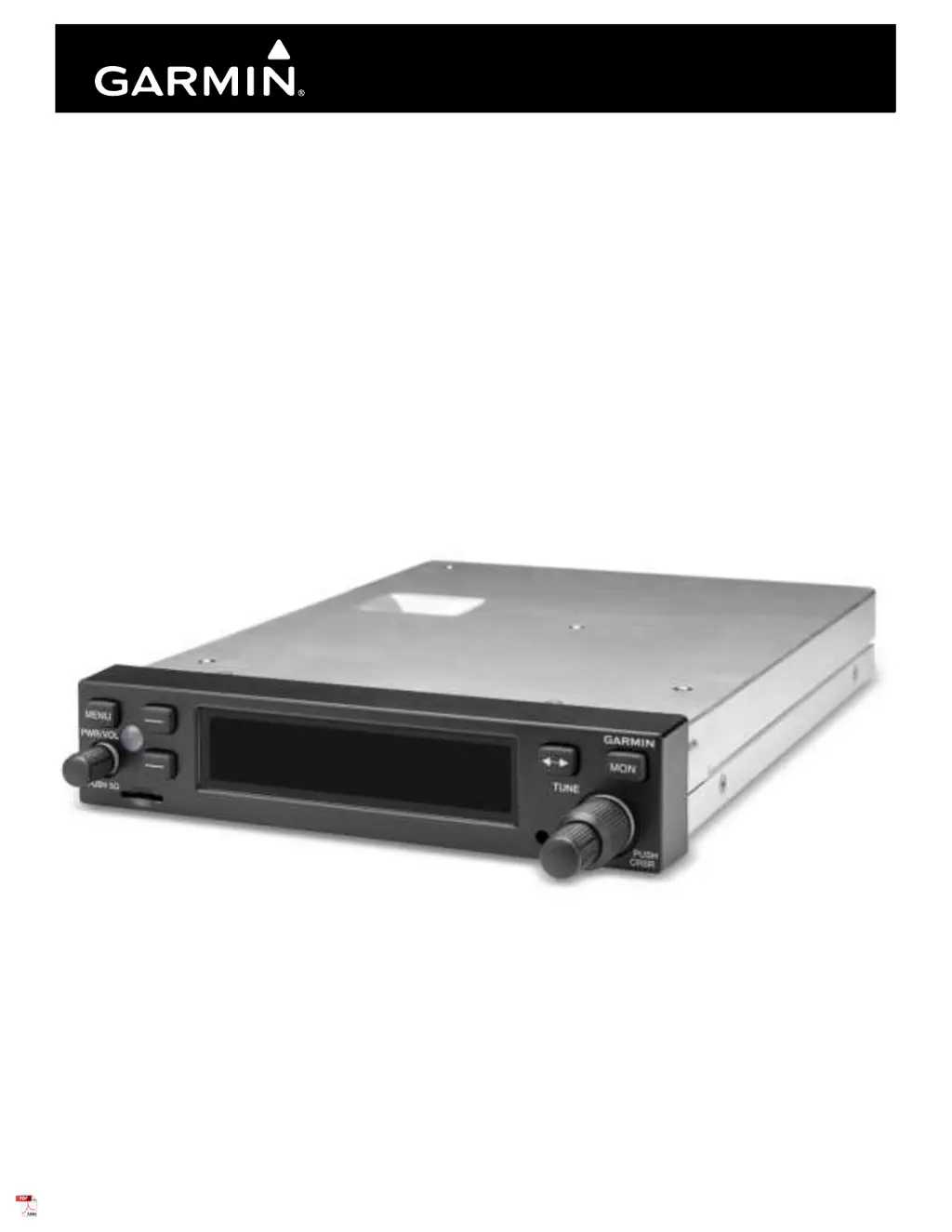
GTR 200/GTR 200B
COM Transceiver
Installation Manual

Table of Contents

Other manuals for Garmin GTR 200B

Questions and Answers

  • J
    James Ford DDSSep 3, 2025
    What to do if Garmin GTR 200B Transceiver both PTT key is stuck?
    • J
      Jacob MolinaSep 4, 2025
      If the Garmin transceiver indicates that both Push To Talk key/switches are stuck, verify the Push To Talk key/switches are not physically stuck. If the problem persists, contact Garmin for service.
  • R
    Rachel MaySep 18, 2025
    What to do if Garmin transceiver mon key is stuck?
    • B
      Brian JohnstonSep 18, 2025
      If the MON key on your Garmin transceiver has been in the pressed position for at least 30 seconds, it will be ignored. If this message persists, contact Garmin for service.
  • K
    Krystal JacksonSep 16, 2025
    What to do if Garmin GTR 200B rotary knob key is stuck?
    • W
      Wendy AtkinsSep 16, 2025
      If the Rotary Knob key on your Garmin transceiver has been in the pressed position for at least 30 seconds, it will be ignored. If this message persists, contact Garmin for service.
  • A
    Angela Mayer DVMSep 14, 2025
    What to do if Garmin GTR 200B Transceiver menu key is stuck?
    • A
      Amber MccormickSep 14, 2025
      If the Menu key on your Garmin transceiver has been in the pressed position for at least 30 seconds, it will be ignored. If this message persists, contact Garmin for service.
  • A
    Andrew PerezSep 12, 2025
    What to do if Garmin GTR 200B freq swap key is stuck?
    • L
      Lisa StevensSep 12, 2025
      If the Freq Swap key on your Garmin transceiver has been in the pressed position for at least 30 seconds, it will be ignored. If this message persists, contact Garmin for service.
  • K
    Kayla PerezSep 12, 2025
    What to do if Garmin GTR 200B Transceiver softkey #2 is stuck?
    • P
      Peggy LopezSep 12, 2025
      If Softkey #2 on your Garmin transceiver has been in the pressed position for at least 30 seconds, it will be ignored. If this message persists, contact Garmin for service.
  • S
    sharonrussoSep 9, 2025
    What to do if Garmin GTR 200B softkey #1 is stuck?
    • C
      Cynthia HooverSep 9, 2025
      If Softkey #1 on your Garmin transceiver has been in the pressed position for at least 30 seconds, it will be ignored. If this message persists, contact Garmin for service.
  • D
    Dr. Tiffany AllenSep 7, 2025
    What to do if Garmin transceiver volume key is stuck?
    • D
      Derek HernandezSep 7, 2025
      If the volume key on your Garmin transceiver has been in the pressed position for at least 30 seconds, it will be ignored. If this message persists, contact Garmin for service.
  • J
    James GibsonSep 5, 2025
    What to do if Garmin GTR 200B multiple keys are stuck?
    • T
      Travis HarrisSep 5, 2025
      If your Garmin transceiver indicates that multiple keys have been in the pressed position for at least 30 seconds and are now being ignored, contact Garmin for service if this message persists.
  • M
    Margaret JohnsonAug 20, 2025
    What to do if Garmin GTR 200B Transceiver GTR 200/200B does not transmit?
    • B
      ballwandaAug 20, 2025
      If the Garmin GTR 200/200B transceiver is not transmitting, the issue might be related to the COM having no power or a problem with the mic key connection. You should check the power connections and the mic key input connection.

Summary

Section 1 General Description

1.3 Technical Specifications

Covers physical, general, display, COM transmitter, and receiver specifications.

Section 2 Installation Overview

2.7 Cabling and Wiring

Covers routing precautions, ESD, and noise reduction techniques for wiring.

Section 3 Installation Procedures

3.2 Wiring Harness Installation

Guides on fabricating, routing, and connecting wiring harnesses and connectors.

3.4 Mounting Requirements

Details rack installation, panel cutout dimensions, and unit insertion/removal.

3.5 Antenna Installation and Connections

Specifies antenna requirements, coaxial cable installation, and VSWR checks.

3.6 Post Installation Configuration and Checkout Procedures

Outlines checks for mounting, wiring, power, and system configuration.

Section 4 Connector Pinout Information

4.1 Pin Function List

Details the function and I/O for each pin of the J2001 connector.

Appendix A Shield Block Connector Installation Instructions

A.2 Shield Termination Technique - Method A.1 (Standard)

Details standard method for preparing shielded cables and terminating shields.

Appendix B Serial Interface Specifications

B.1 Electrical Interface

Defines RS-232 electrical interface parameters and data format.

B.2 Message Formats

Explains NMEA 0183 proprietary message formats used for communication.

Appendix C Outline and Installation Drawings

Figure C-3 GTR 200;200 B Installation Drawing

Illustrates step-by-step process for installing unit into its rack.

Appendix D Interconnect Examples

Figure D-2 GTR 200;200 B- Power & Ground;Intercom;GDU 37 X;46 X CAN Bus Interconnect Example

Illustrates CAN bus interconnect with GDU units for power/intercom.

Figure D-9 GTR 200;200 B - J2001 Connector Layout

Visual layout of J2001 connector pin assignments on the unit.

Garmin GTR 200B Specifications

General IconGeneral
BrandGarmin
ModelGTR 200B
CategoryTransceiver
LanguageEnglish

Related product manuals