EasyManua.ls Logo

Garmin 50LM - User Manual

Garmin 50LM
83 pages
Print Icon
To Next Page IconTo Next Page
Loading...
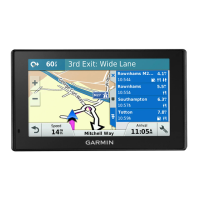
Garmin DriveSmart™ 50LM
Owner’s Manual

Table of Contents

Question and Answer IconNeed help?

Do you have a question about the Garmin 50LM and is the answer not in the manual?

Summary

Important Safety and Product Information

Vehicle Installation Warnings

Warnings related to safely installing the device in a vehicle to avoid obstructing view or interfering with controls.

Street Navigation Warnings

Guidelines for safe on-road navigation, emphasizing driver attentiveness and judgment.

Battery Warnings

Precautions and warnings regarding the device's lithium-ion battery to prevent damage or hazards.

Windshield Mounting Legal Restrictions

Information on checking state and local laws regarding windshield mounting of devices.

Speed Limit Notice

Clarification that the speed limit feature is informational and does not replace driver responsibility.

FCC Compliance

Industry Canada Compliance

Map Data Information

Limited Warranty

Getting Started

Device Overview

Detailed description of the Garmin DriveSmart 50LM device and its components.

Connecting to Vehicle Power

Instructions for connecting the device to the vehicle's power source for charging and operation.

Turning Device On and Off

Procedures for powering the device on, off, and entering power saving mode.

Acquiring GPS Signals

Steps to acquire satellite signals required for navigation.

Status Bar Icons

Explanation of the icons displayed in the device's status bar and their meanings.

On-Screen Buttons

Guide to using the device's on-screen buttons for navigation and menu interaction.

Adjusting Volume

Instructions for adjusting the audio volume levels on the device.

Automatic Volume

How to enable automatic volume adjustment based on background noise.

Audio Mixer

How to set individual volume levels for different audio types.

Screen Brightness

Steps to adjust the brightness of the device's display.

Driver Awareness Features and Alerts

Overview of features designed to enhance driver awareness and provide alerts.

Audible Driver Alerts

How to enable or disable audible alerts for various driver warnings.

Navigating to Your Destination

Routes

Definition of a route and how the device calculates it based on preferences.

Starting a Route

Step-by-step guide to initiating navigation to a destination.

Route on the Map

How to view the calculated route and its details on the map display.

Starting a Route by Map

How to start navigation by selecting a location directly from the map interface.

Going Home

Setting up and navigating to the user's home location.

Turns and Directions

How to view upcoming turns, lane changes, and detailed navigation instructions.

Adding Location to Route

Instructions for adding intermediate stops or destinations to an active route.

Shaping Your Route

Manually adjusting a route to include specific roads or areas.

Taking a Detour

How to create a detour around specific roads or distances due to road conditions.

Stopping the Route

How to end the current navigation session on the device.

Route Calculation Mode

Options for changing how the device calculates routes (e.g., fastest time, shortest distance).

Trip Planner

Features for planning, saving, and navigating multi-destination trips.

Planning a Trip

Step-by-step guide to creating a new trip with multiple destinations and waypoints.

Navigating Saved Trip

How to start navigation for a previously saved trip from the Trip Planner.

Optimizing Destinations in Trip

How the device automatically optimizes destination order for a more efficient route.

Editing and Reordering Locations

How to modify existing trips by adding, removing, or reordering locations.

Editing and Saving Active Route

How to edit an active route and save it as a trip.

Routing Options for a Trip

How to customize route calculation settings for a specific trip.

Scheduling a Trip

How to add arrival times and layover durations for trip locations.

Suggested Routes

How the device suggests routes based on travel history and time of day.

Avoiding Tolls, Roads, and Areas

Avoiding Toll Roads

How to configure the device to avoid toll roads, bridges, and congestion areas.

Avoiding Road Features

How to avoid specific road features like unpaved roads or ferries.

Custom Avoidances

How to define specific roads or areas to avoid on routes.

Navigating Off Road

How to use the device for navigation when not following standard roadways.

Finding and Saving Locations

Finding Location Using Search Bar

Methods for searching for locations using keywords, categories, addresses, or city names.

Changing Search Area

How to adjust the geographical area for location searches.

Points of Interest

Information on browsing and finding points of interest by category.

Finding Location by Category

Step-by-step guide to finding locations using predefined categories.

Searching Within Category

How to find locations within specific categories, including quick search lists.

Foursquare

Information about using Foursquare integration for location data and features.

Searching Foursquare Points

How to search for Foursquare locations and integrate with Smartphone Link for results.

Connecting to Foursquare Account

Steps to link your device to a Foursquare account via Smartphone Link.

Checking in with Foursquare

How to check into Foursquare locations using the device.

Search Tools

Using specialized tools to find specific types of locations.

Finding an Address

Detailed instructions for searching for locations by street address.

Finding an Intersection

How to find a location by specifying an intersection of roads.

Finding a City

Methods for searching for cities, including nearby cities or by name.

Finding Location Using Coordinates

How to find a location using latitude and longitude coordinates.

Viewing Current Location Information

How to view information about your current location, useful for emergency services.

Finding Emergency Services and Fuel

How to find nearby hospitals, police stations, and fuel stations.

Clearing Recently Found Locations

How to remove the history of recently found locations.

Finding Last Parking Spot

How the device saves your last parking location automatically.

Adding a Shortcut

How to create shortcuts to frequently accessed locations or features in the Where To? menu.

Removing a Shortcut

How to delete existing shortcuts from the Where To? menu.

Saving Locations

General instructions for saving favorite locations for quick access.

Saving a Location

Detailed steps for saving a specific location with a custom name.

Saving Current Location

How to save the device's current location as a favorite.

Editing a Saved Location

How to modify the details of a saved location.

Assigning Categories to Saved Location

How to organize saved locations using custom categories.

Deleting a Saved Location

How to remove saved locations from the device.

Using the Map

Map Navigation

How to interact with the map display for navigation and exploration.

Map Tools

Quick access to device functions and information while viewing the map.

Viewing a Map Tool

How to select and display a specific map tool on the screen.

Enabling Map Tools

How to customize the map tools menu by adding or removing tools.

Up Ahead

Tool that displays upcoming points of interest like restaurants or rest areas.

Viewing Upcoming Points of Interest

How to view details about upcoming points of interest from the Up Ahead tool.

Customizing Up Ahead Categories

How to customize the categories shown in the Up Ahead tool.

Trip Information

Accessing and viewing trip-related data and statistics.

Viewing Trip Data from Map

How to display trip data fields directly on the map.

Customizing Trip Data Fields

How to select which data fields are displayed in the trip data tool.

Viewing Trip Information Page

How to access the dedicated page showing trip speed and statistics.

Viewing the Trip Log

How to view a record of the paths the device has traveled.

Resetting Trip Information

How to reset trip data fields, trip computer, or odometer.

Customizing the Map

Customizing Map Layers

How to customize the data and icons displayed on the map.

Changing Map Data Field

How to change the type of data displayed in a map data field.

Changing Map Perspective

How to switch between 2D (Track Up, North Up) and 3D map views.

Voice Command

Setting the Wakeup Phrase

How to set a custom phrase to activate voice command features.

Activating Voice Command

How to activate the voice command interface by saying the wakeup phrase.

Voice Command Tips

Advice for improving voice recognition accuracy and usability.

Starting a Route Using Voice Command

How to initiate navigation to a location using voice commands.

Muting Instructions

How to disable voice prompts for voice command without muting the device.

Voice Control

Configuring Voice Control

How to set up voice control for a single user by recording commands.

Using Voice Control

How to use the configured voice control features to operate the device.

Voice Control Tips

Advice for improving the accuracy and effectiveness of voice control.

Bluetooth Connected Features

Hands-Free Calling

How to place and receive calls using the device and a paired phone.

Notifications

How to view phone notifications and messages on the device.

Send Locations to Device

How to send location data from your smartphone to the navigation device.

Foursquare Check In

How to check into Foursquare locations using the navigation device.

Weather Updates

How to receive real-time weather conditions and alerts on the device.

Pairing with Phone and Smartphone Link

Detailed steps for pairing your phone with the device and connecting to the Smartphone Link app.

Bluetooth Feature Status Icons

Explanation of status icons indicating Bluetooth connection status.

Setting Up Bluetooth for Apple Device

How to configure Bluetooth features for Apple devices.

Connecting to Smartphone Link App (Apple)

Steps to connect to the Smartphone Link app on an Apple device.

Disabling Hands-Free Calling (Apple)

How to disable hands-free calling while remaining connected for data.

Disabling Smartphone Link Data and Notifications (Apple)

How to disable data and notifications for Apple devices.

Showing or Hiding Notification Categories (Apple)

How to filter notifications displayed on the device for Apple devices.

Setting Up Bluetooth for Android

How to configure Bluetooth features for Android devices.

Connecting to Smartphone Link App (Android)

Steps to connect to the Smartphone Link app on an Android device.

Disabling Bluetooth Features (Android)

How to disable specific Bluetooth features for Android devices.

Showing or Hiding Notifications (Android)

How to select notification types for Android devices.

Smartphone Link

Overview of the Smartphone Link application and its functionalities.

Downloading Smartphone Link

Where and how to download the Smartphone Link application.

Sending Location from Phone to Device

How to send location data from your smartphone to the navigation device.

Smart Notifications

How to view smartphone notifications like texts and calls on the device.

Receiving Notifications

How the device displays incoming notifications from a connected smartphone.

Receiving Notifications while Viewing Map

How notifications appear and are managed when the map is displayed.

Viewing List of Notifications

How to view a list of all active notifications received by the device.

Hands-Free Calling

Placing a Call

How to initiate a phone call using the device.

Calling a Contact in Phone Book

How to call contacts from the phone's synced contact list.

Calling a Location

How to call a location directly from the device's points of interest.

Receiving a Call

How to answer or ignore incoming calls on the device.

Using Call History

How to view and access the call history loaded from the phone.

Using In-Call Options

How to use various options during an active phone call.

Saving a Home Phone Number

How to save your home phone number for quick dialing.

Disconnecting a Bluetooth Device

Deleting a Paired Phone

Using the Apps

Using Help

How to access the device's built-in help system.

Searching Help Topics

How to find specific information within the help system.

Viewing Weather Forecast

How to display current weather conditions and forecasts.

Viewing Weather Near Different City

How to view weather information for cities other than your current location.

Viewing Previous Routes and Destinations

How to view a history of previously navigated routes and visited places.

Customizing the Device

Map and Vehicle Settings

Settings related to map display, vehicle icon, and map detail.

Enabling Maps

How to enable installed map products on the device.

Navigation Settings

Settings related to route calculation, avoidances, and warnings.

Calculation Mode Settings

Options for setting route calculation preferences like Faster Time or Shorter Distance.

Setting a Simulated Location

How to set a simulated location for testing or when GPS signals are unavailable.

Bluetooth Settings

Settings for managing Bluetooth connections, devices, and friendly names.

Disabling Bluetooth

How to turn off the device's Bluetooth functionality.

Display Settings

Settings for display orientation, color mode, brightness, and timeout.

Units and Time Settings

Settings for units of measure, time format, and current time.

Setting the Time

How to set the device's current time automatically or manually.

Language and Keyboard Settings

Settings for voice language, text language, and keyboard layout.

Proximity Alerts Settings

How to configure alerts for approaching points of interest.

Device and Privacy Settings

Settings related to device information, privacy, position reporting, and travel history.

Restoring Settings

How to restore device settings to factory defaults.

Device Information

Specifications

Technical specifications of the device, including temperature ranges and power input.

Power Cables

Information on various ways to power the device.

Device Maintenance

Support and Updates

Information on registering the device and updating software and maps.

Device Care

Recommendations for maintaining the device and avoiding damage.

Cleaning the Outer Casing

Instructions for cleaning the device's exterior casing.

Cleaning the Touchscreen

Instructions for cleaning the device's touchscreen display.

Avoiding Theft

Tips for preventing theft of the device and mount.

Resetting the Device

How to reset the device if it stops functioning properly.

Removing Device, Mount, and Suction Cup

Step-by-step guide for detaching the device, mount, and suction cup.

Changing Fuse in Vehicle Power Cable

Instructions for replacing the fuse in the vehicle power adapter.

Troubleshooting

Suction Cup Wont Stay on Windshield

Solutions for issues with the suction cup mount failing to adhere to the windshield.

Device Not Acquiring Satellite Signals

Steps to troubleshoot problems with the device not receiving GPS signals.

Device Does Not Charge in Vehicle

Solutions for the device not charging when connected to the vehicle's power.

Battery Does Not Stay Charged

Tips for improving battery life and troubleshooting rapid discharge.

Device Not Appearing as Drive on Computer

How to resolve issues where the device is not recognized as a drive by a computer.

Device Not Appearing as Portable Device

Troubleshooting why the device might not appear as a portable device on a computer.

Device Not Appearing as Drive or Volume

Solutions for when the device doesn't appear as a removable drive or volume on a computer.

Phone Will Not Connect to Device

Troubleshooting steps for establishing a Bluetooth connection between the phone and the device.

Appendix

Installing Memory Card

Instructions for installing a memory card for maps and data storage.

Data Management

Information about storing and managing files on the device's memory card.

About Memory Cards

Details about compatible memory card types and their uses.

Connecting Device to Computer

How to connect the device to a computer using a USB cable.

Transferring Data From Computer

How to copy files from a computer to the device's storage.

Disconnecting USB Cable

Procedures for safely disconnecting the USB cable from the computer and device.

Viewing GPS Signal Status

How to check the status of GPS satellite signal acquisition.

Purchasing Additional Maps

Information on how to buy and install more map products.

Purchasing Accessories

Information on where to purchase additional accessories for the device.

Summary

Important Safety and Product Information

Vehicle Installation Warnings

Warnings related to safely installing the device in a vehicle to avoid obstructing view or interfering with controls.

Street Navigation Warnings

Guidelines for safe on-road navigation, emphasizing driver attentiveness and judgment.

Battery Warnings

Precautions and warnings regarding the device's lithium-ion battery to prevent damage or hazards.

Windshield Mounting Legal Restrictions

Information on checking state and local laws regarding windshield mounting of devices.

Speed Limit Notice

Clarification that the speed limit feature is informational and does not replace driver responsibility.

FCC Compliance

Industry Canada Compliance

Map Data Information

Limited Warranty

Getting Started

Device Overview

Detailed description of the Garmin DriveSmart 50LM device and its components.

Connecting to Vehicle Power

Instructions for connecting the device to the vehicle's power source for charging and operation.

Turning Device On and Off

Procedures for powering the device on, off, and entering power saving mode.

Acquiring GPS Signals

Steps to acquire satellite signals required for navigation.

Status Bar Icons

Explanation of the icons displayed in the device's status bar and their meanings.

On-Screen Buttons

Guide to using the device's on-screen buttons for navigation and menu interaction.

Adjusting Volume

Instructions for adjusting the audio volume levels on the device.

Automatic Volume

How to enable automatic volume adjustment based on background noise.

Audio Mixer

How to set individual volume levels for different audio types.

Screen Brightness

Steps to adjust the brightness of the device's display.

Driver Awareness Features and Alerts

Overview of features designed to enhance driver awareness and provide alerts.

Audible Driver Alerts

How to enable or disable audible alerts for various driver warnings.

Navigating to Your Destination

Routes

Definition of a route and how the device calculates it based on preferences.

Starting a Route

Step-by-step guide to initiating navigation to a destination.

Route on the Map

How to view the calculated route and its details on the map display.

Starting a Route by Map

How to start navigation by selecting a location directly from the map interface.

Going Home

Setting up and navigating to the user's home location.

Turns and Directions

How to view upcoming turns, lane changes, and detailed navigation instructions.

Adding Location to Route

Instructions for adding intermediate stops or destinations to an active route.

Shaping Your Route

Manually adjusting a route to include specific roads or areas.

Taking a Detour

How to create a detour around specific roads or distances due to road conditions.

Stopping the Route

How to end the current navigation session on the device.

Route Calculation Mode

Options for changing how the device calculates routes (e.g., fastest time, shortest distance).

Trip Planner

Features for planning, saving, and navigating multi-destination trips.

Planning a Trip

Step-by-step guide to creating a new trip with multiple destinations and waypoints.

Navigating Saved Trip

How to start navigation for a previously saved trip from the Trip Planner.

Optimizing Destinations in Trip

How the device automatically optimizes destination order for a more efficient route.

Editing and Reordering Locations

How to modify existing trips by adding, removing, or reordering locations.

Editing and Saving Active Route

How to edit an active route and save it as a trip.

Routing Options for a Trip

How to customize route calculation settings for a specific trip.

Scheduling a Trip

How to add arrival times and layover durations for trip locations.

Suggested Routes

How the device suggests routes based on travel history and time of day.

Avoiding Tolls, Roads, and Areas

Avoiding Toll Roads

How to configure the device to avoid toll roads, bridges, and congestion areas.

Avoiding Road Features

How to avoid specific road features like unpaved roads or ferries.

Custom Avoidances

How to define specific roads or areas to avoid on routes.

Navigating Off Road

How to use the device for navigation when not following standard roadways.

Finding and Saving Locations

Finding Location Using Search Bar

Methods for searching for locations using keywords, categories, addresses, or city names.

Changing Search Area

How to adjust the geographical area for location searches.

Points of Interest

Information on browsing and finding points of interest by category.

Finding Location by Category

Step-by-step guide to finding locations using predefined categories.

Searching Within Category

How to find locations within specific categories, including quick search lists.

Foursquare

Information about using Foursquare integration for location data and features.

Searching Foursquare Points

How to search for Foursquare locations and integrate with Smartphone Link for results.

Connecting to Foursquare Account

Steps to link your device to a Foursquare account via Smartphone Link.

Checking in with Foursquare

How to check into Foursquare locations using the device.

Search Tools

Using specialized tools to find specific types of locations.

Finding an Address

Detailed instructions for searching for locations by street address.

Finding an Intersection

How to find a location by specifying an intersection of roads.

Finding a City

Methods for searching for cities, including nearby cities or by name.

Finding Location Using Coordinates

How to find a location using latitude and longitude coordinates.

Viewing Current Location Information

How to view information about your current location, useful for emergency services.

Finding Emergency Services and Fuel

How to find nearby hospitals, police stations, and fuel stations.

Clearing Recently Found Locations

How to remove the history of recently found locations.

Finding Last Parking Spot

How the device saves your last parking location automatically.

Adding a Shortcut

How to create shortcuts to frequently accessed locations or features in the Where To? menu.

Removing a Shortcut

How to delete existing shortcuts from the Where To? menu.

Saving Locations

General instructions for saving favorite locations for quick access.

Saving a Location

Detailed steps for saving a specific location with a custom name.

Saving Current Location

How to save the device's current location as a favorite.

Editing a Saved Location

How to modify the details of a saved location.

Assigning Categories to Saved Location

How to organize saved locations using custom categories.

Deleting a Saved Location

How to remove saved locations from the device.

Using the Map

Map Navigation

How to interact with the map display for navigation and exploration.

Map Tools

Quick access to device functions and information while viewing the map.

Viewing a Map Tool

How to select and display a specific map tool on the screen.

Enabling Map Tools

How to customize the map tools menu by adding or removing tools.

Up Ahead

Tool that displays upcoming points of interest like restaurants or rest areas.

Viewing Upcoming Points of Interest

How to view details about upcoming points of interest from the Up Ahead tool.

Customizing Up Ahead Categories

How to customize the categories shown in the Up Ahead tool.

Trip Information

Accessing and viewing trip-related data and statistics.

Viewing Trip Data from Map

How to display trip data fields directly on the map.

Customizing Trip Data Fields

How to select which data fields are displayed in the trip data tool.

Viewing Trip Information Page

How to access the dedicated page showing trip speed and statistics.

Viewing the Trip Log

How to view a record of the paths the device has traveled.

Resetting Trip Information

How to reset trip data fields, trip computer, or odometer.

Customizing the Map

Customizing Map Layers

How to customize the data and icons displayed on the map.

Changing Map Data Field

How to change the type of data displayed in a map data field.

Changing Map Perspective

How to switch between 2D (Track Up, North Up) and 3D map views.

Voice Command

Setting the Wakeup Phrase

How to set a custom phrase to activate voice command features.

Activating Voice Command

How to activate the voice command interface by saying the wakeup phrase.

Voice Command Tips

Advice for improving voice recognition accuracy and usability.

Starting a Route Using Voice Command

How to initiate navigation to a location using voice commands.

Muting Instructions

How to disable voice prompts for voice command without muting the device.

Voice Control

Configuring Voice Control

How to set up voice control for a single user by recording commands.

Using Voice Control

How to use the configured voice control features to operate the device.

Voice Control Tips

Advice for improving the accuracy and effectiveness of voice control.

Bluetooth Connected Features

Hands-Free Calling

How to place and receive calls using the device and a paired phone.

Notifications

How to view phone notifications and messages on the device.

Send Locations to Device

How to send location data from your smartphone to the navigation device.

Foursquare Check In

How to check into Foursquare locations using the navigation device.

Weather Updates

How to receive real-time weather conditions and alerts on the device.

Pairing with Phone and Smartphone Link

Detailed steps for pairing your phone with the device and connecting to the Smartphone Link app.

Bluetooth Feature Status Icons

Explanation of status icons indicating Bluetooth connection status.

Setting Up Bluetooth for Apple Device

How to configure Bluetooth features for Apple devices.

Connecting to Smartphone Link App (Apple)

Steps to connect to the Smartphone Link app on an Apple device.

Disabling Hands-Free Calling (Apple)

How to disable hands-free calling while remaining connected for data.

Disabling Smartphone Link Data and Notifications (Apple)

How to disable data and notifications for Apple devices.

Showing or Hiding Notification Categories (Apple)

How to filter notifications displayed on the device for Apple devices.

Setting Up Bluetooth for Android

How to configure Bluetooth features for Android devices.

Connecting to Smartphone Link App (Android)

Steps to connect to the Smartphone Link app on an Android device.

Disabling Bluetooth Features (Android)

How to disable specific Bluetooth features for Android devices.

Showing or Hiding Notifications (Android)

How to select notification types for Android devices.

Smartphone Link

Overview of the Smartphone Link application and its functionalities.

Downloading Smartphone Link

Where and how to download the Smartphone Link application.

Sending Location from Phone to Device

How to send location data from your smartphone to the navigation device.

Smart Notifications

How to view smartphone notifications like texts and calls on the device.

Receiving Notifications

How the device displays incoming notifications from a connected smartphone.

Receiving Notifications while Viewing Map

How notifications appear and are managed when the map is displayed.

Viewing List of Notifications

How to view a list of all active notifications received by the device.

Hands-Free Calling

Placing a Call

How to initiate a phone call using the device.

Calling a Contact in Phone Book

How to call contacts from the phone's synced contact list.

Calling a Location

How to call a location directly from the device's points of interest.

Receiving a Call

How to answer or ignore incoming calls on the device.

Using Call History

How to view and access the call history loaded from the phone.

Using In-Call Options

How to use various options during an active phone call.

Saving a Home Phone Number

How to save your home phone number for quick dialing.

Disconnecting a Bluetooth Device

Deleting a Paired Phone

Using the Apps

Using Help

How to access the device's built-in help system.

Searching Help Topics

How to find specific information within the help system.

Viewing Weather Forecast

How to display current weather conditions and forecasts.

Viewing Weather Near Different City

How to view weather information for cities other than your current location.

Viewing Previous Routes and Destinations

How to view a history of previously navigated routes and visited places.

Customizing the Device

Map and Vehicle Settings

Settings related to map display, vehicle icon, and map detail.

Enabling Maps

How to enable installed map products on the device.

Navigation Settings

Settings related to route calculation, avoidances, and warnings.

Calculation Mode Settings

Options for setting route calculation preferences like Faster Time or Shorter Distance.

Setting a Simulated Location

How to set a simulated location for testing or when GPS signals are unavailable.

Bluetooth Settings

Settings for managing Bluetooth connections, devices, and friendly names.

Disabling Bluetooth

How to turn off the device's Bluetooth functionality.

Display Settings

Settings for display orientation, color mode, brightness, and timeout.

Units and Time Settings

Settings for units of measure, time format, and current time.

Setting the Time

How to set the device's current time automatically or manually.

Language and Keyboard Settings

Settings for voice language, text language, and keyboard layout.

Proximity Alerts Settings

How to configure alerts for approaching points of interest.

Device and Privacy Settings

Settings related to device information, privacy, position reporting, and travel history.

Restoring Settings

How to restore device settings to factory defaults.

Device Information

Specifications

Technical specifications of the device, including temperature ranges and power input.

Power Cables

Information on various ways to power the device.

Device Maintenance

Support and Updates

Information on registering the device and updating software and maps.

Device Care

Recommendations for maintaining the device and avoiding damage.

Cleaning the Outer Casing

Instructions for cleaning the device's exterior casing.

Cleaning the Touchscreen

Instructions for cleaning the device's touchscreen display.

Avoiding Theft

Tips for preventing theft of the device and mount.

Resetting the Device

How to reset the device if it stops functioning properly.

Removing Device, Mount, and Suction Cup

Step-by-step guide for detaching the device, mount, and suction cup.

Changing Fuse in Vehicle Power Cable

Instructions for replacing the fuse in the vehicle power adapter.

Troubleshooting

Suction Cup Wont Stay on Windshield

Solutions for issues with the suction cup mount failing to adhere to the windshield.

Device Not Acquiring Satellite Signals

Steps to troubleshoot problems with the device not receiving GPS signals.

Device Does Not Charge in Vehicle

Solutions for the device not charging when connected to the vehicle's power.

Battery Does Not Stay Charged

Tips for improving battery life and troubleshooting rapid discharge.

Device Not Appearing as Drive on Computer

How to resolve issues where the device is not recognized as a drive by a computer.

Device Not Appearing as Portable Device

Troubleshooting why the device might not appear as a portable device on a computer.

Device Not Appearing as Drive or Volume

Solutions for when the device doesn't appear as a removable drive or volume on a computer.

Phone Will Not Connect to Device

Troubleshooting steps for establishing a Bluetooth connection between the phone and the device.

Appendix

Installing Memory Card

Instructions for installing a memory card for maps and data storage.

Data Management

Information about storing and managing files on the device's memory card.

About Memory Cards

Details about compatible memory card types and their uses.

Connecting Device to Computer

How to connect the device to a computer using a USB cable.

Transferring Data From Computer

How to copy files from a computer to the device's storage.

Disconnecting USB Cable

Procedures for safely disconnecting the USB cable from the computer and device.

Viewing GPS Signal Status

How to check the status of GPS satellite signal acquisition.

Purchasing Additional Maps

Information on how to buy and install more map products.

Purchasing Accessories

Information on where to purchase additional accessories for the device.

Garmin 50LM Specifications

General IconGeneral
Display Size5.0 inches
Display Resolution480 x 272 pixels
Display TypeWQVGA color TFT with white backlight
Preloaded MapsYes
Accepts Data CardsmicroSD card
Batteryrechargeable lithium-ion
Battery Lifeup to 1 hour
Voice-activated NavigationNo
BluetoothNo
Lane AssistYes
Speed Limit IndicatorYes

Videos

How To Replace Your Garmin Nuvi 50LM Battery

Related product manuals