,WHP :LUH&RORU :LUH)XQFWLRQ
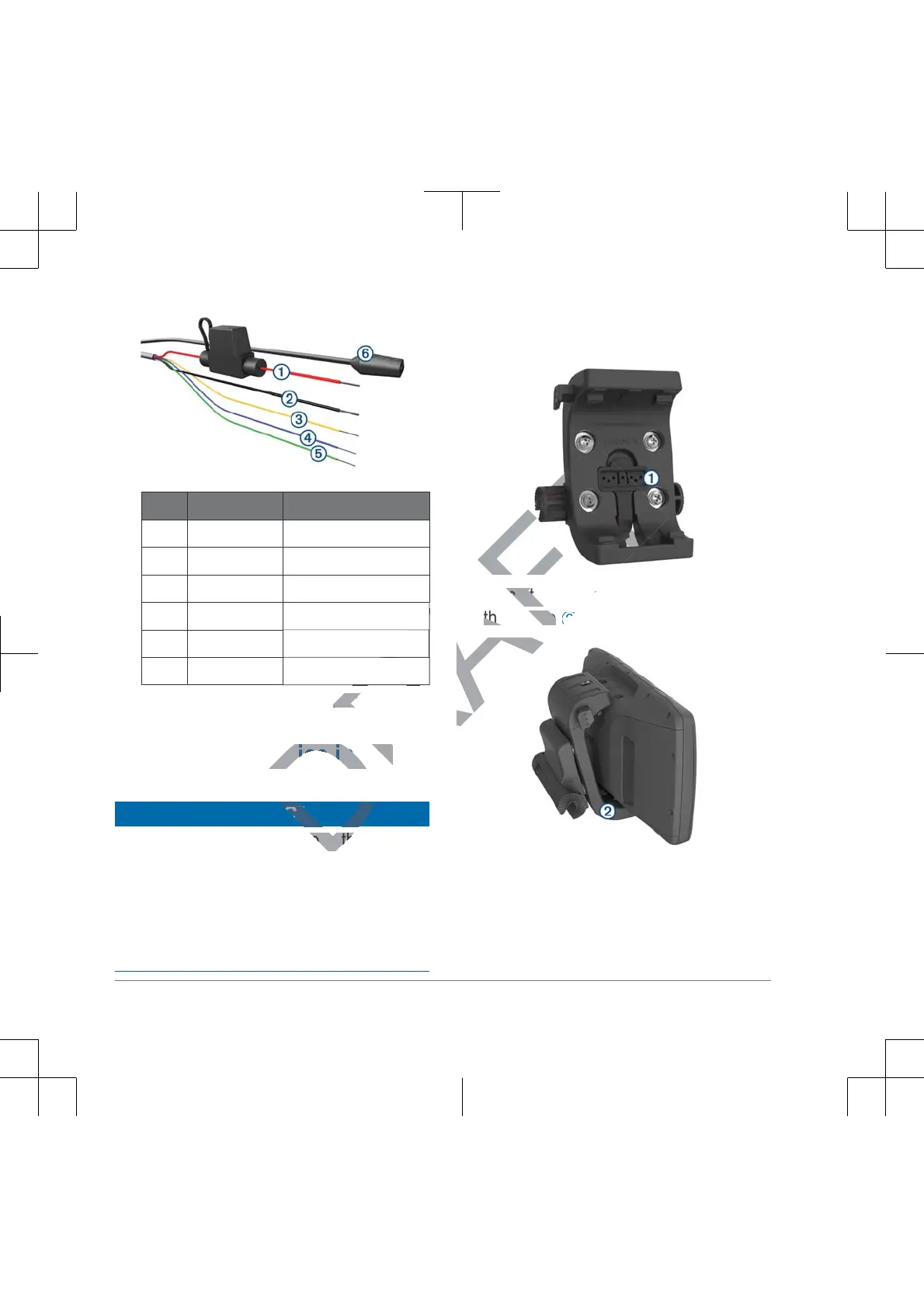
➀
Red Power
➁
Black Power
➂
Yellow Serial data input
➃
Blue Serial data output
➄
Green Serial ground wire
➅
Audio jack
Insulate and secure unconnected
wires.
,QVWDOOLQJWKH'HYLFHLQWKH
0RXQW
NOTICE
Before you place the device in the mount,
ensure that the metal contacts on the
device and the mount are dry. Moisture on
the contacts causes equipment damage.
Use the weather cap to keep the mount
cradle dry.
Place the weather cap
➀
in the
storage area on the mount.
Place the bottom of your device into
the cradle
➁
.
Tilt the device back until it snaps into
place.
4 Important Safety Information



 To Next Page