EasyManua.ls Logo

Garmin Edge 200 - Installing the Edge

Garmin Edge 200
26 pages
Print Icon
To Next Page IconTo Next Page
To Previous Page IconTo Previous Page
Loading...
NOTE:
To
connect
the
Edge
to
your
computer
using
the
USB
cable,
see
page
8.
1.
Plug
the
AC
charger
into
a
standard
wall outlet.
2.
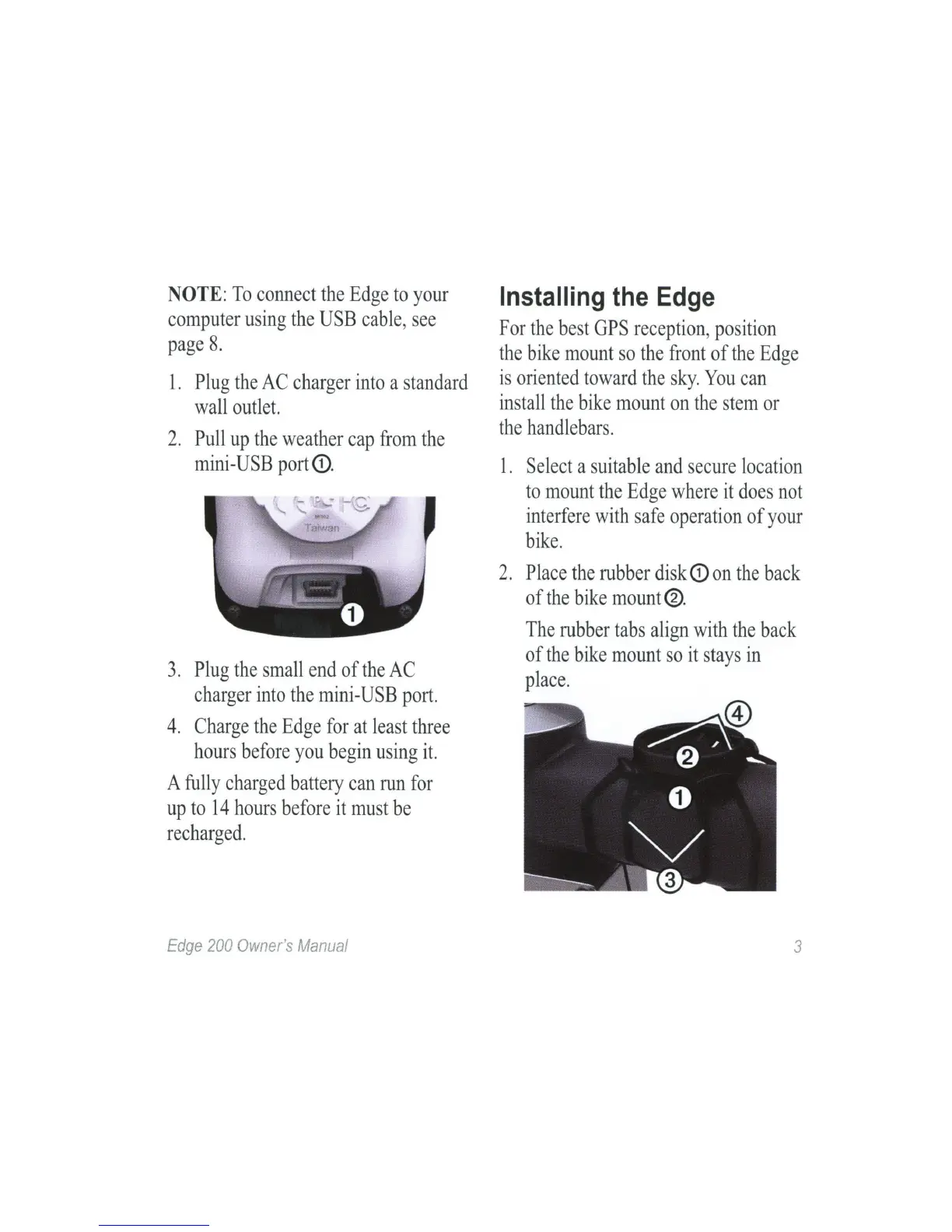
Pull
up
the
weather
cap
from
the
mini-USB
port
<D
.
3.
Plug
the
small
end
of
the
AC
charger
into
the
mini-
USB
port.
4.
Charge
the
Edge
for
at
least
three
hours
before
you
begin
using
it.
A
fully
charged
battery
can
run
for
up
to
14
hours
before
it
must
be
recharged.
Edge
200
Owner's
Manual
Installing
the
Edge
For
the
best
GPS
reception
,
position
the
bike
mount
so
the
front
of
the
Edge
is
oriented
toward
the
sky.
You
can
install
the
bike
mount
on
the
stem
or
the
handlebars.
1.
Select
a
suitable
and
secure
location
to
mount
the
Edge
where
it
does
not
interfere
with
safe
operation
of
your
bike.
2.
Place
the
rubber
disk
<D
on
the
back
of
the
bike
mount
®.
The
rubber
tabs
align
with
the
back
of
the
bike
mount
so
it
stays
in
place.
3