EasyManua.ls Logo

Garmin EDGE 705 - User Manual

Garmin EDGE 705
76 pages
Print Icon
To Next Page IconTo Next Page
Loading...
EdgE
®
605/705
MB
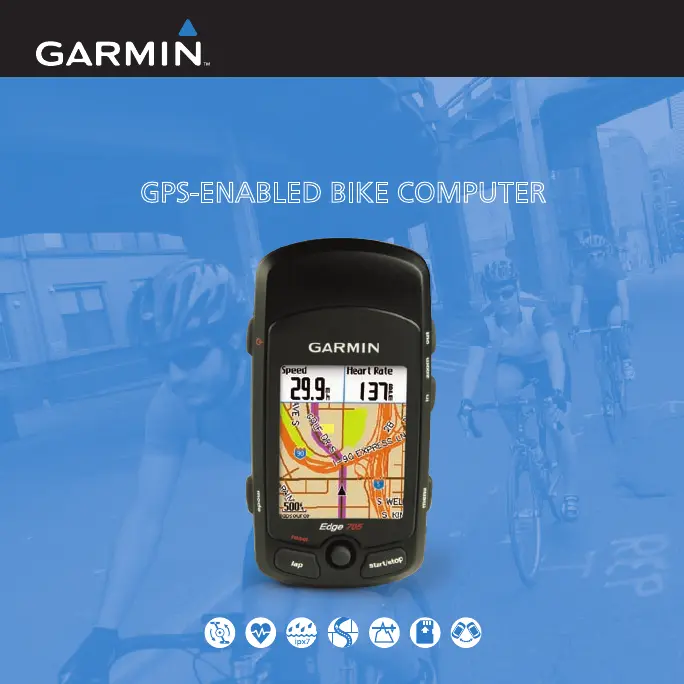
gPS-ENABLEd BIKE COMPUTER
owner’s manual

Table of Contents

Questions and Answers

  • D
    davisjeanneJul 25, 2025
    What to do if Garmin Bicycle Accessories heart rate monitor will not pair with Edge?
    • A
      Angela HigginsJul 26, 2025
      If your Garmin Bicycle Accessories heart rate monitor, GSC 10, or power meter will not pair with the Edge, stay 10 m away from other ANT sensors during pairing. Bring the Edge within 3 m of the heart rate monitor. If it still fails, replace the battery.
  • B
    Billy JonesJul 31, 2025
    How to reset Garmin Bicycle Accessories when buttons don't respond?
    • A
      Allen FisherJul 31, 2025
      To reset the Garmin Bicycle Accessories Edge software when the buttons don’t respond, press mode and lap/reset simultaneously. This will not erase your data or settings.
  • F
    figueroajenniferAug 7, 2025
    What to do if Garmin Bicycle Accessories battery gauge is not accurate?
    • M
      megancruzAug 7, 2025
      If the battery gauge on your Garmin Bicycle Accessories does not seem accurate, allow the Edge to fully discharge, and then fully charge it without interruption.
  • T
    Terry MeyerAug 12, 2025
    Why is my Garmin Bicycle Accessories heart rate data inaccurate?
    • Y
      yjohnsonAug 12, 2025
      If your Garmin Bicycle Accessories heart rate data is inaccurate, ensure the heart rate monitor is snug. Warm up for 5–10 minutes. Reapply moisture to the sensors using water, saliva, or electrode gel. Clean the sensors to remove dirt and sweat. Try wearing a cotton shirt or wetting your shirt. Position the heart rate monitor on your back instead of your chest. If interference is the issue, move away from the source.
  • T
    Terri LopezAug 18, 2025
    What to do if my Garmin Bicycle Accessories Edge never gets satellite signals?
    • K
      Kristin DaviesAug 18, 2025
      If your Garmin Bicycle Accessories Edge is not getting satellite signals, move it out of parking garages and away from tall buildings and trees. Remain stationary for several minutes to acquire a signal.

Summary

GETTING STARTED

Buttons

Detailed explanation of the device's physical buttons and their functions.

Resetting the Edge

Procedure to reset the device if it becomes unresponsive or frozen.

Charge the Battery

Instructions for charging the Edge's internal lithium-ion battery.

Install the Edge

Guidance on mounting the Edge device onto a bicycle stem or handlebars.

Turn on Your Edge

Steps to power on the device and follow initial configuration prompts.

Acquire Satellite Signals

Process to obtain GPS signals for accurate location tracking.

Set Your Profiles

Configuring user and bike profiles for personalized ride data.

Go for a Ride

Basic steps to start, stop, and save a cycling activity.

TRAINING

Auto Pause

Automatically pausing the timer when the device detects inactivity.

Auto Lap

Automatically marking laps based on distance or position during a ride.

Alerts

Setting up notifications for time, distance, speed, heart rate, etc.

Virtual Partner

Using a virtual opponent to train and improve performance.

Workouts

Creating and managing custom training sessions (Simple, Interval, Advanced).

Interval Workouts

Designing interval training routines with specific work and rest periods.

Advanced Workouts

Creating complex workouts with multiple steps and targets.

Courses

Following or creating pre-defined routes for training or racing.

USING ACCESSORIES

Heart Rate Monitor

How to use and set up the heart rate monitor accessory.

GSC 10

Installing and using the GSC 10 speed and cadence sensor.

Power Meter

Information on compatible power meters and their usage.

SETTINGS

ANT+Sport

Pairing wireless sensors and transferring data.

Troubleshooting

Garmin EDGE 705 Specifications

General IconGeneral
Display resolution176 x 220 pixels
Battery life (max)15 h
Operating temperature (T-T)-15 - 50 °C
Weight and Dimensions IconWeight and Dimensions
Depth25 mm
Width51 mm
Height109 mm
Weight104 g

Related product manuals